

Featherview for Mac
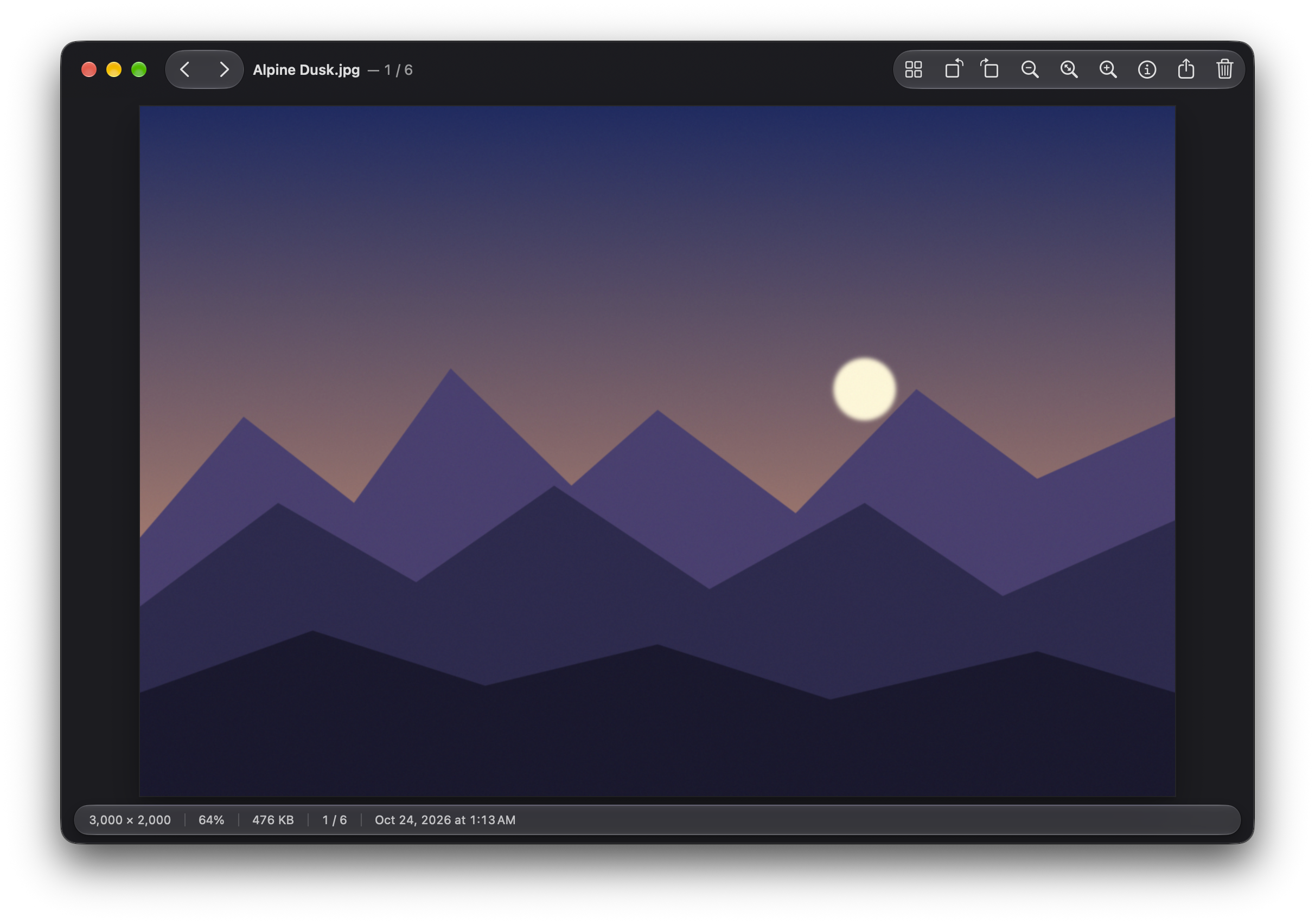
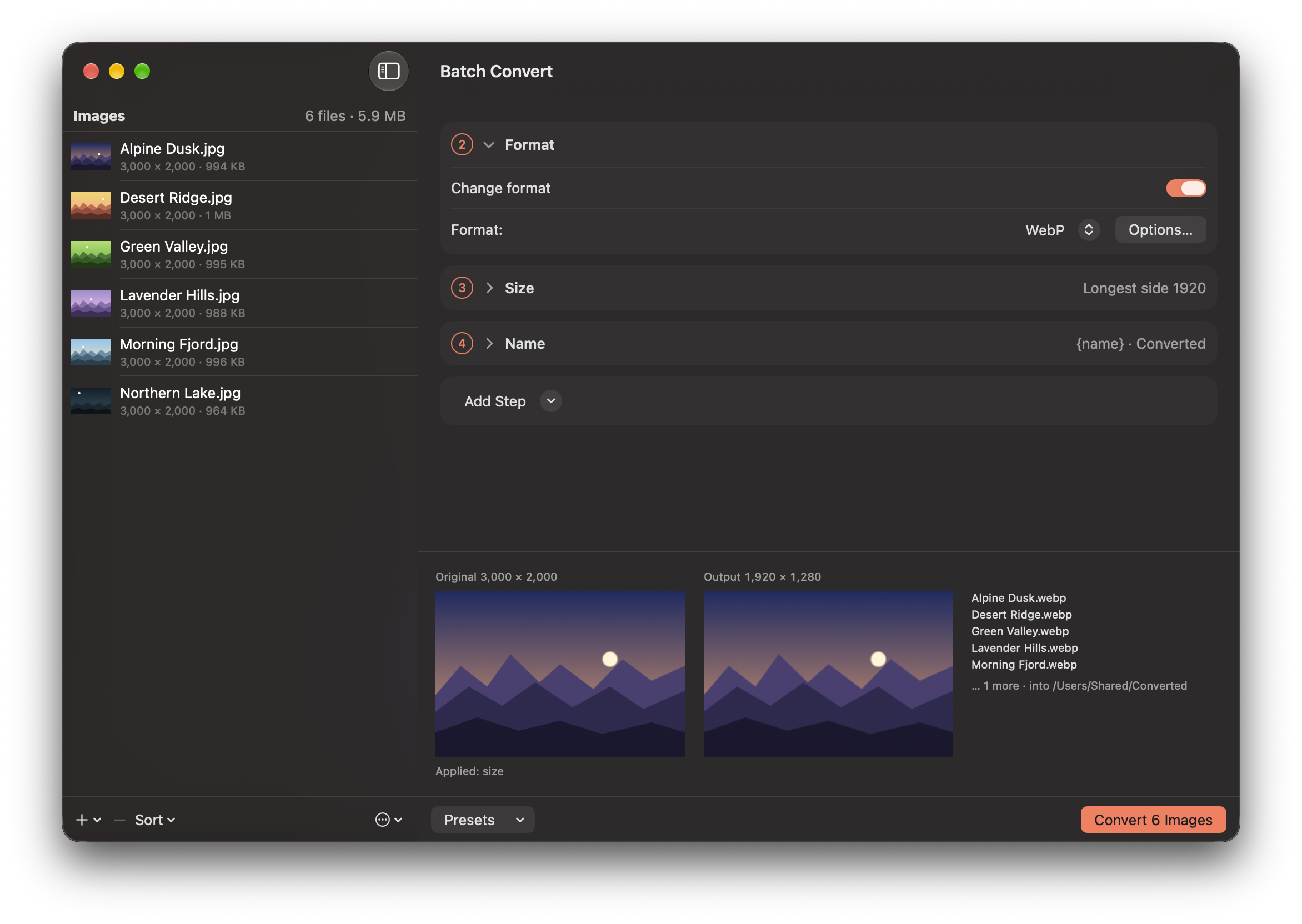
Fast, keyboard-driven image viewer with batch conversion.
By featherview. Free and open source, MIT licence.
Featherview at a glance
- Version
- 0.13.1
- Released
- 31 October 2026
- Download size
- 25 MB
- Works on
- Apple silicon and Intel
- Licence
- MIT
- Category
- Graphics and Design
- Developer
- featherview
- GitHub stars
- 9
About Featherview
A fast, keyboard-driven image viewer for macOS with batch conversion. Native Swift.
Screenshots


How to install Featherview on a Mac
- Get OpenDMG. It is a free app store for open source Mac apps. Download OpenDMG.
- Search for Featherview and press Get. OpenDMG downloads version 0.13.1 from featherview's own GitHub release.
- Open it. The download is checked against its SHA-256 fingerprint and its signature is checked on your Mac before it lands in Applications.
Updates to Featherview show up in OpenDMG and install with one button. No account is needed.
Prefer to do it by hand? The developer's file is on GitHub: Featherview-0.13.1.dmg (25 MB).
What is new in Featherview 0.13.1
- An iCloud-only picture from your Photos library now shows a sharp preview (about 1024 px) while it downloads, not a tiny blurry one.
- Batch names a library picture it can't fetch by its file name instead of "Optional(…)".
- Because Featherview isn't notarized yet, macOS asks for Photos access again after each update, as the permission is tied to the exact build.
- Plus smaller speed-ups when changing the format in Batch and counting an album's pictures.
More Graphics and Design apps
-
 AerialApple TV Aerial Screensaver for macOS
-
 CompositorFree, open-source image editor aiming to be a full Photoshop alternative
-
 BrooklynScreensaver inspired by Apple's Event on October 30, 2018
-
 EquinoxCreate dynamic wallpapers for macOS
-
 ExcalidrawZA virtual whiteboard for sketching hand-drawn-like diagrams with native file management…
-
 WaifuXOpen-source ACG app for wallpapers, animated backgrounds, and anime videos