
Downright for Mac
Native Markdown editor and reader with Quick Look, exact source editing, themes, math, and Mermaid.
By ezzy1630. Free and open source, MIT licence.
Downright at a glance
- Version
- 10538220-b4cbca0bf882cac59b1416f2b6d035ba
- Released
- 3 November 2026
- Download size
- 52 MB
- Works on
- Apple silicon and Intel
- Licence
- MIT
- Category
- Writing and Editors
- Developer
- ezzy1630
- GitHub stars
- 93
About Downright
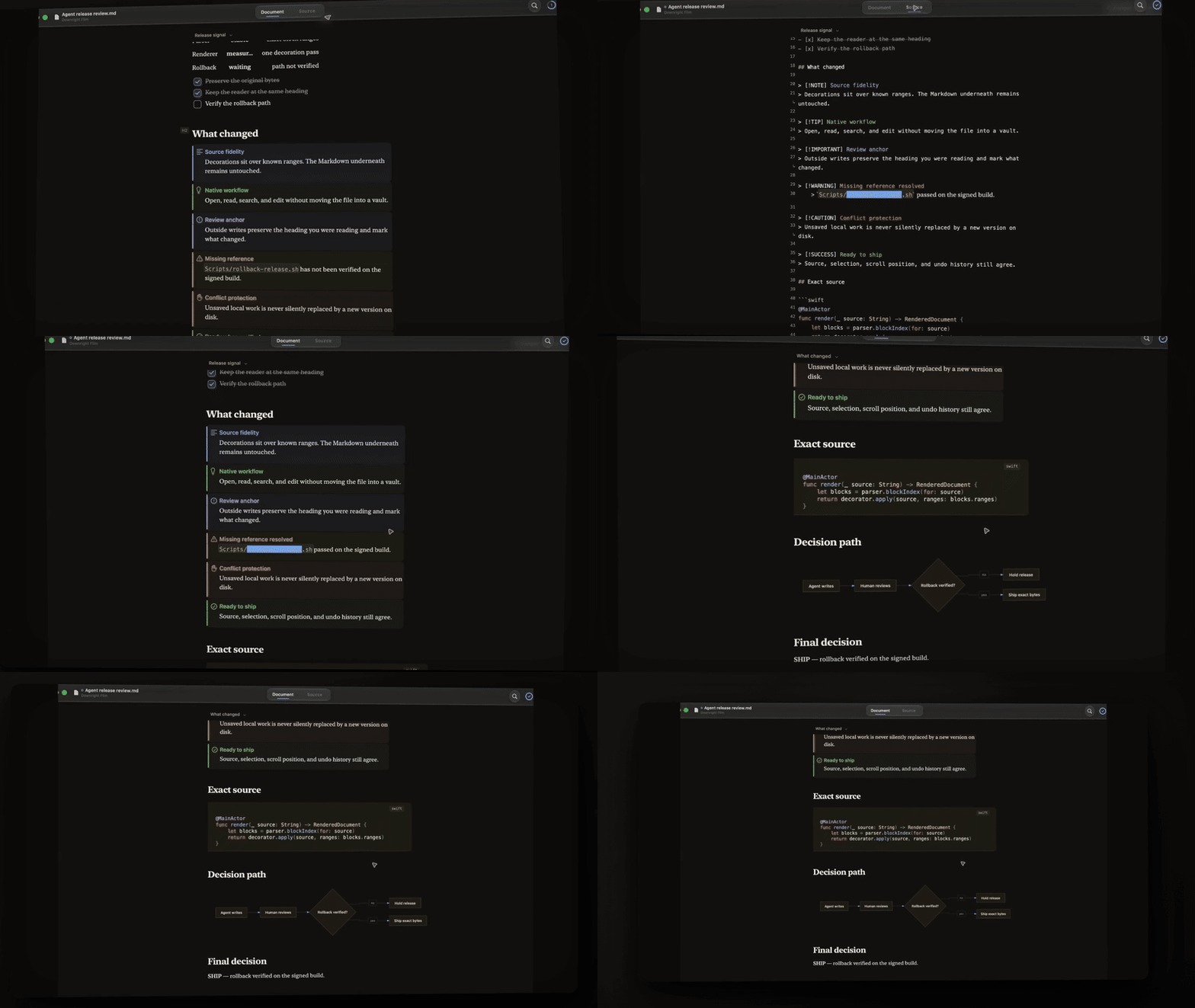
Free native Markdown editor and reader for macOS. Beautiful typography, Quick Look, Finder previews, themes, exact source preservation, offline, MIT.
Screenshots
How to install Downright on a Mac
- Get OpenDMG. It is a free app store for open source Mac apps. Download OpenDMG.
- Search for Downright and press Get. OpenDMG downloads version 10538220-b4cbca0bf882cac59b1416f2b6d035ba from ezzy1630's own GitHub release.
- Open it. The download is checked against its SHA-256 fingerprint and its signature is checked on your Mac before it lands in Applications.
Updates to Downright show up in OpenDMG and install with one button. No account is needed.
Prefer to do it by hand? The developer's file is on GitHub: Downright.dmg (52 MB).
What is new in Downright 10538220-b4cbca0bf882cac59b1416f2b6d035ba
# Downright 1.0.21 (build 380)

### Added

- A one-time GitHub star suggestion after five document opens and ten minutes
 of foreground reading. It waits for idle input, leaves editing focus alone,
 and keeps eligibility and dismissal state entirely on your Mac.
- Local PlantUML rendering for `plantuml` and `puml` code fences in the Mac
 app, alongside existing Mermaid diagrams. No Java installation, WebView,
 or diagram server is required. Source Focus keeps the original diagram
 text editable. External includes and downloaded libraries stay disabled;
 Finder previews retain PlantUML fences as code.

### Fixed

- Code block backgrounds no longer cover text selection. Selected text uses
 a contrasting foreground so syntax colours cannot disappear into the highlight.
- Theme changes during an edit wait for the current parse, preventing a crash
 from applying the previous document revision's ranges to the new text.

### Maintenance

- Updated Sparkle to 2.10.1 across SwiftPM, Xcode, and release signing tools,
 with a consistency check that prevents partial dependency updates.
- Updated the pinned GitHub Actions cache and artifact upload actions.
- Shared release validation now runs source budgets, native acceptance, and
 updater acceptance concurrently and requires all three before publication.
 Added retained diagnostics, explicit skipped coverage, and fixed-seed source
…
More Writing and Editors apps
-
 CodeEditOpen-source code editor
-
 MiaoYanLightweight Markdown notebook that keeps notes as plain files in a folder you choose…
-
 CotEditorLightweight Plain-Text Editor for macOS
-
 CopilotForXcodeThe first GitHub Copilot, Codeium and ChatGPT Xcode Source Editor Extension
-
 MarkEditA simple and efficient Markdown editor focused on pure writing experience
-
 PineA modern MacOS markdown editor