

Convoker for Mac
Per-app window control to gather, focus, or split all windows at once.
By varie-ai. Free and open source, MIT licence.
Convoker at a glance
- Version
- 0.5.0
- Released
- 16 March 2026
- Download size
- 2.2 MB
- Works on
- Apple silicon and Intel
- Licence
- MIT
- Category
- Windows and Keyboard
- Developer
- varie-ai
- GitHub stars
- 21
About Convoker
Type an app name, press Enter, all its windows come to you. Per-app window control, app launcher, and workspace management for macOS.
Screenshots
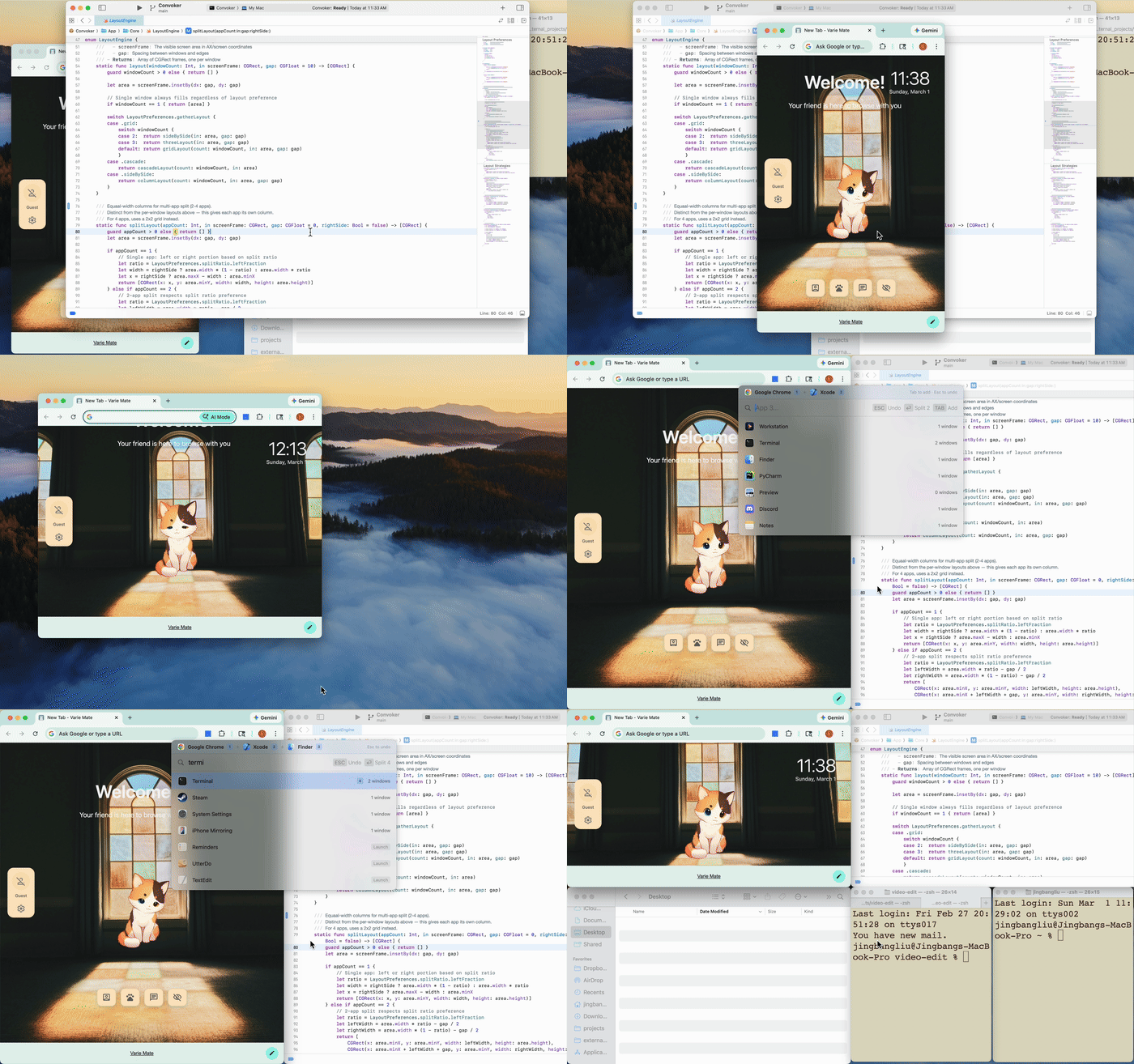
How to install Convoker on a Mac
- Get OpenDMG. It is a free app store for open source Mac apps. Download OpenDMG.
- Search for Convoker and press Get. OpenDMG downloads version 0.5.0 from varie-ai's own GitHub release.
- Open it. The download is checked against its SHA-256 fingerprint and its signature is checked on your Mac before it lands in Applications.
Updates to Convoker show up in OpenDMG and install with one button. No account is needed.
Prefer to do it by hand? The developer's file is on GitHub: Convoker-0.5.0.dmg (2.2 MB).
What is new in Convoker 0.5.0
## What's New

### Interactive Tutorial
- **First-launch onboarding** — 8-step guided walkthrough where you actually try each feature
- Steps: open palette → search → gather → focus → split → save workspace
- Progress saved if you close mid-tutorial; resume on next launch
- Re-trigger anytime from menu bar → "Tutorial..."

### What's New Screen
- Version-aware: shows new features when you upgrade
- Covers features from v0.2 through v0.5

### Details
- 21 new tests (111 total, all passing)
- Notification-based action detection (no polling)
- Cmd+Shift+S shortcut shown alongside "save" keyword in workspace step

## Download

Download **Convoker-0.5.0.dmg** below. Requires macOS 14+.
More Windows and Keyboard apps
-
 RectangleRectangle is a window manager heavily based on Spectacle, written in Swift
-
 AeroSpaceAeroSpace is an i3-like tiling window manager for macOS
-
 AmethystAutomatic tiling window manager for macOS
-
 LoopWindow management made elegant
-
 FlashSpaceEnhance and replace the native Spaces functionality of macOS
-
 OmniWMA Flexible and Modern Tiling Window Manager