

Configgy for Mac
Back up and restore app settings to your existing cloud folder, without logins or keys.
By rocavence. Free and open source.
Configgy at a glance
- Version
- 1.0.0
- Released
- 11 October 2026
- Download size
- 2.1 MB
- Works on
- Apple silicon and Intel
- Category
- Utilities
- Developer
- rocavence
- GitHub stars
- 3
About Configgy
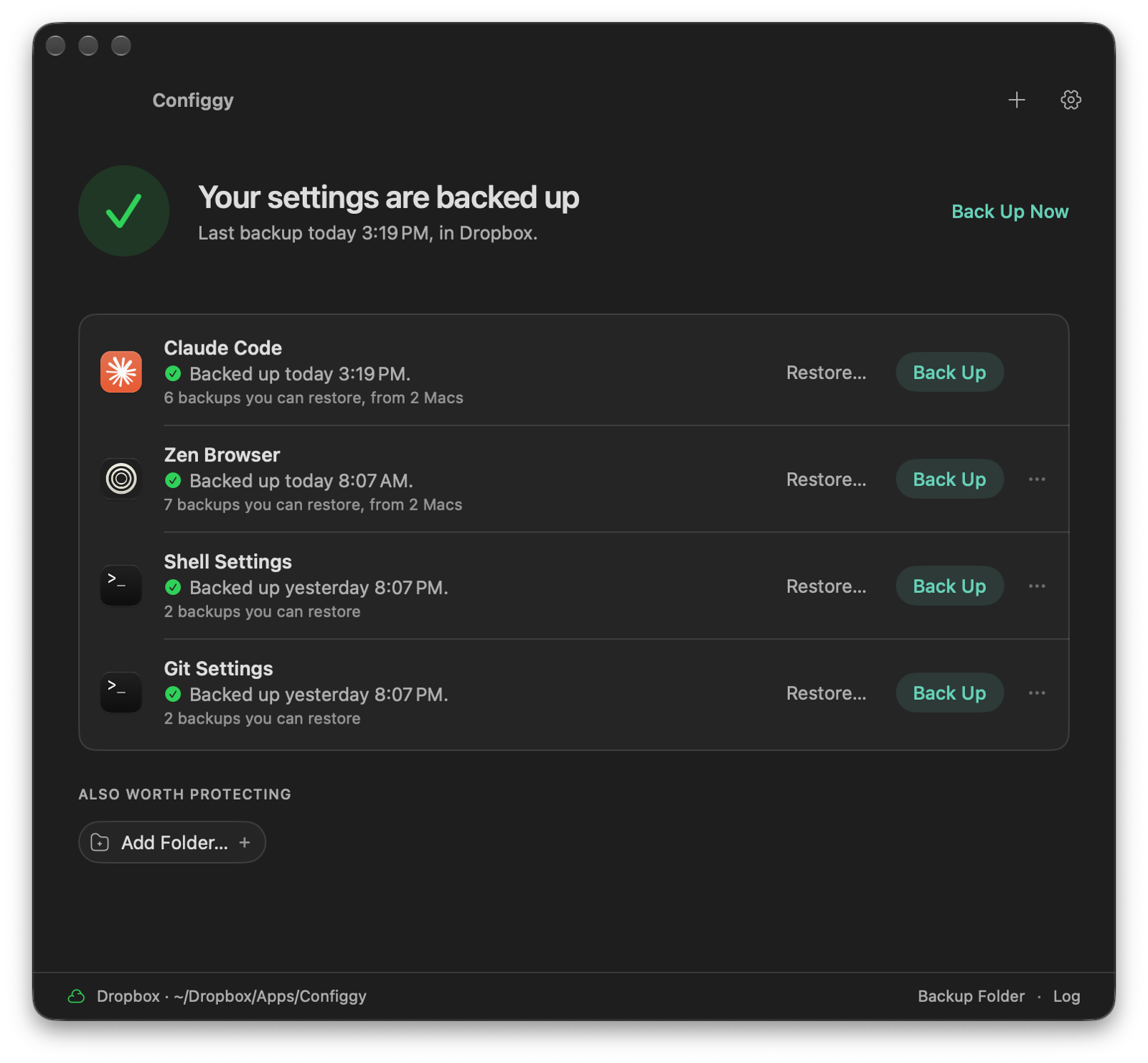
macOS menu bar app that backs up and restores your config across Macs: Zen Browser, Claude Code and any folder, as versioned snapshots in Dropbox, iCloud or Google Drive.
Screenshots
How to install Configgy on a Mac
- Get OpenDMG. It is a free app store for open source Mac apps. Download OpenDMG.
- Search for Configgy and press Get. OpenDMG downloads version 1.0.0 from rocavence's own GitHub release.
- Open it. The download is checked against its SHA-256 fingerprint and its signature is checked on your Mac before it lands in Applications.
Updates to Configgy show up in OpenDMG and install with one button. No account is needed.
Prefer to do it by hand? The developer's file is on GitHub: Configgy-1.0.0.zip (2.1 MB).
What is new in Configgy 1.0.0
Configgy 1.0 is a rebuild focused on one question: can this lose or leak something?

## Install

```sh
brew install --cask rocavence/tap/configgy
```

Or download `Configgy-1.0.0.zip` below, unzip it, and drag Configgy into Applications. It's self-signed, so the first launch needs right-click → Open (Homebrew handles that for you). If you're updating from 0.3, Full Disk Access carries over.

## Secrets never reach the cloud

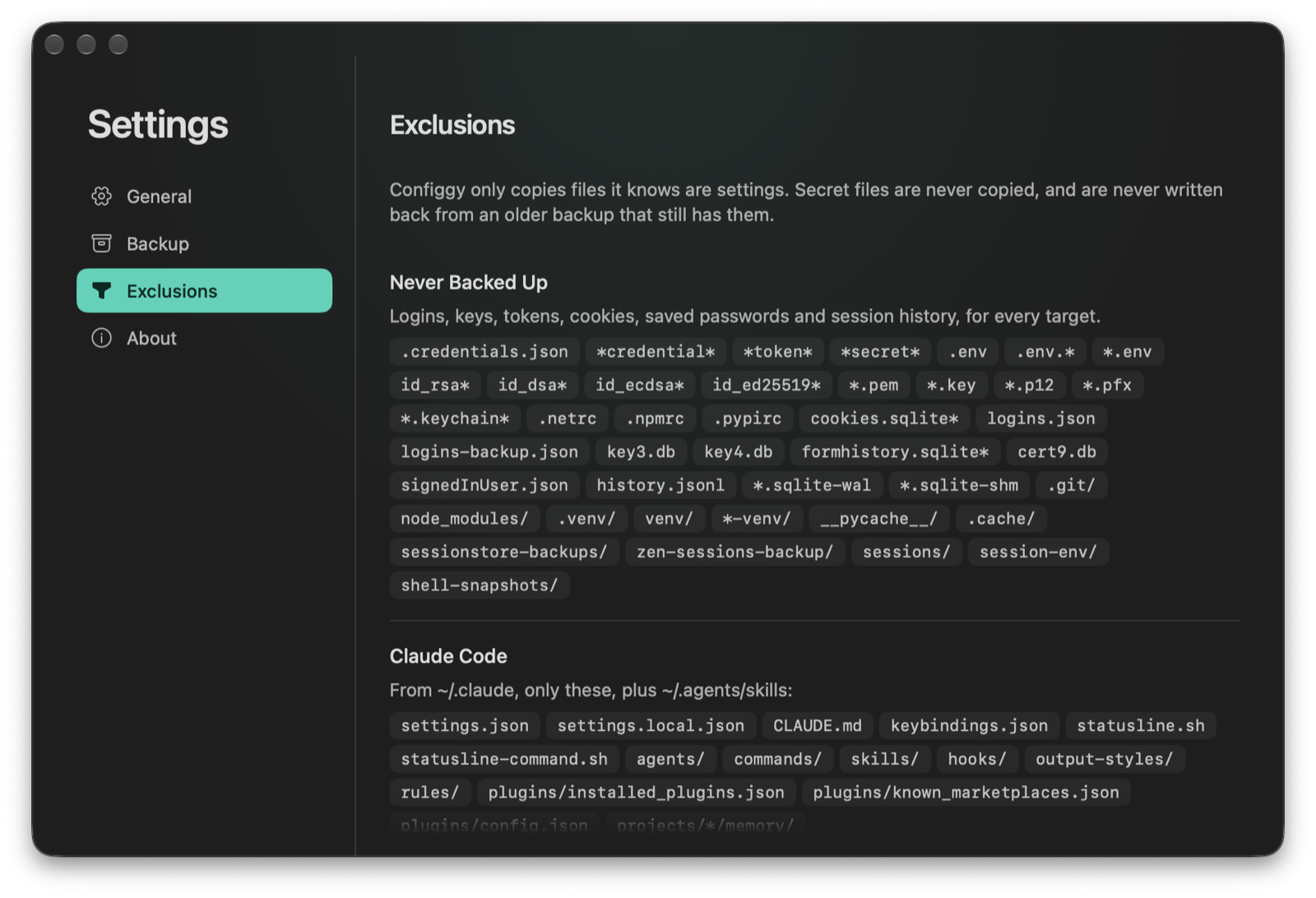
- Zen and Claude Code now copy an explicit **allowlist** of settings files instead of "everything except".
- One filter blocks logins, tokens, keys, cookies, saved passwords, session history and virtual environments for every target. Custom folders get default excludes you can edit.
- Existing backups are scanned. Any that still hold secret files are listed so you can remove those files (keeping the rest) or delete the backup.

## Backups you can trust

- Every zip is built and tested locally, then moved into the cloud folder under a temporary name, so there's never a half-written backup.
- Retention counts **per Mac**: 10 per target by default, and another Mac's backups are never deleted.
- A missing or unwritable backup folder is reported, never silently replaced with a local one.
- Every backup and restore is logged to `~/Library/Logs/Configgy/configgy.log`.

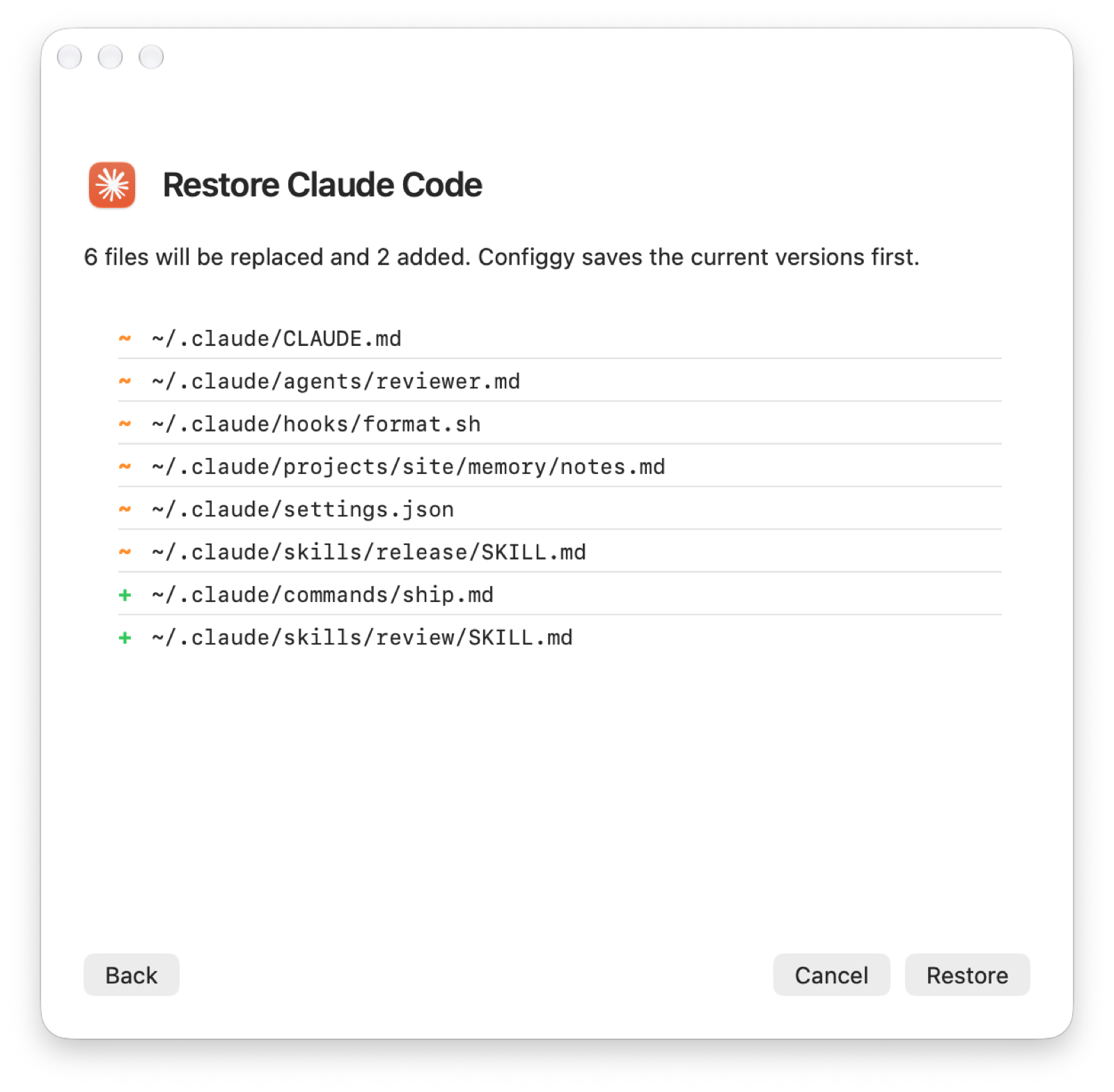
## Restores that don't lose data
…
More Utilities apps
-
 VorssaintAn open-source, free, and local toolkit that integrates functions such as preventing…
-
 BetterDisplayDisplay management tool with HiDPI scaling, PiP, and EDID controls
-
 MosSmooth your mouse's scrolling and reverse the mouse scroll direction
-
 EasydictmacOS instant translator — type/select/screenshot, multi-service, zero setup
-
 OpenHaystackOpen-source tracker for finding Bluetooth devices through Apple's Find My network
-
 OrkasOrkas is an open-source (MIT), local-first AI team for your desktop: a Commander turns…