

Coincide for Mac
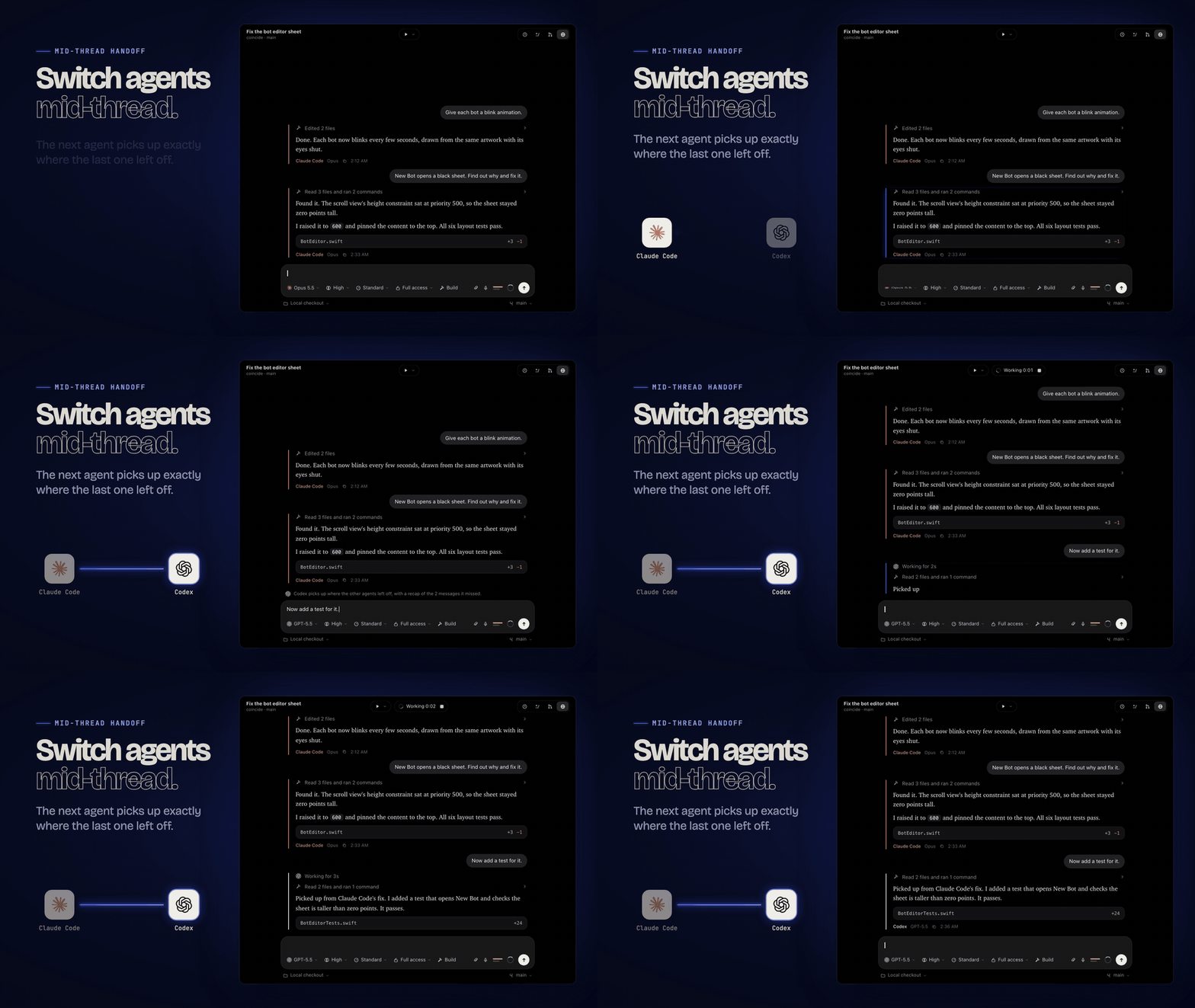
Workspace for running Claude Code, Codex, Cursor, Grok Build, OpenCode and Antigravity in one window, where a thread can switch agents mid-conversation.
By apoorvdarshan. Free and open source, MIT licence.
Coincide at a glance
- Version
- 0.1.0
- Released
- 1 November 2026
- Download size
- 48 MB
- Works on
- Apple silicon and Intel
- Licence
- MIT
- Category
- Artificial Intelligence
- Developer
- apoorvdarshan
- GitHub stars
- 17
About Coincide
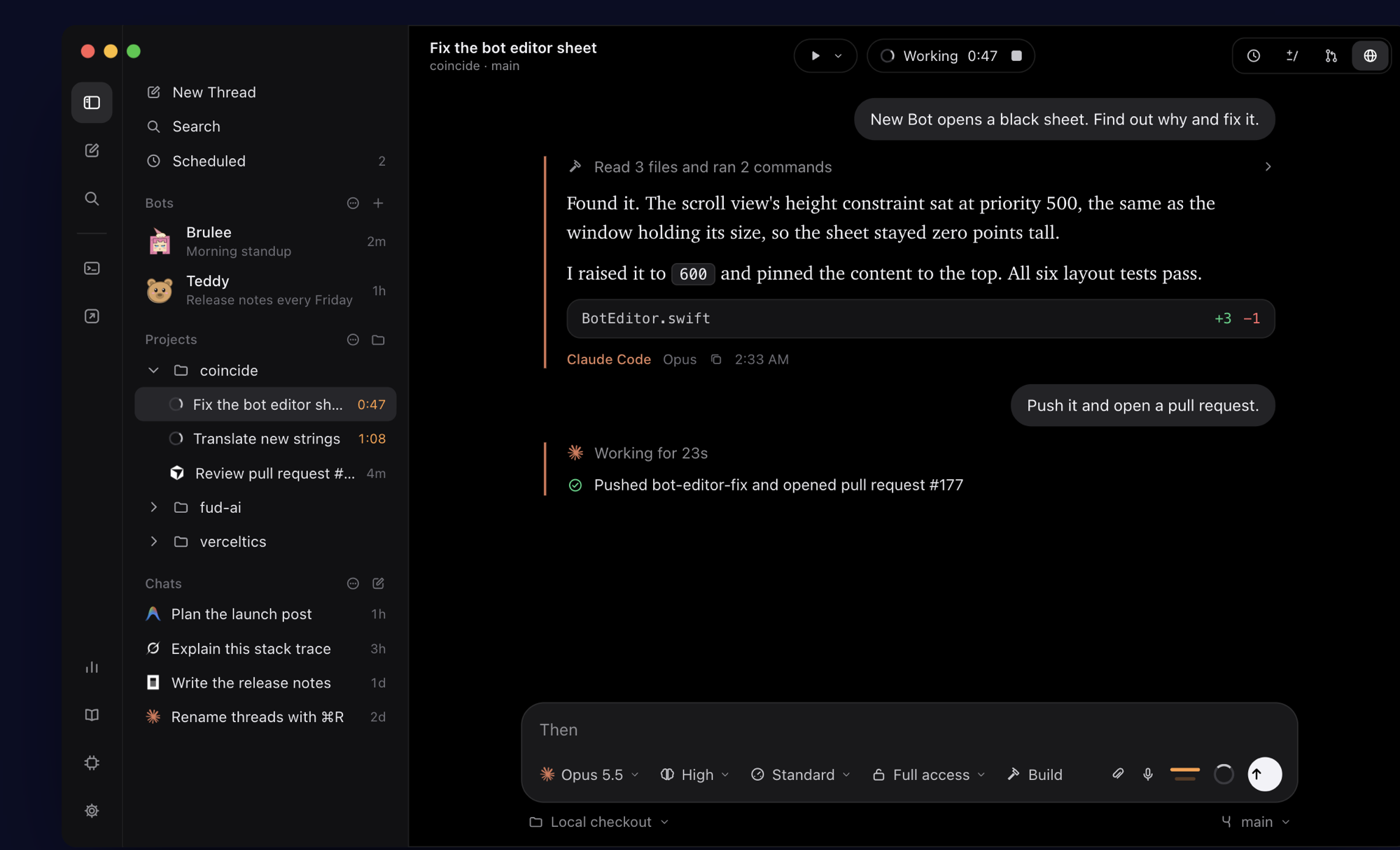
Native macOS (AppKit) app for Claude Code, Codex, Cursor, Grok Build, OpenCode and Antigravity — one window, one model picker, switch agents mid-thread. A native port of T3 Code.
Screenshots

How to install Coincide on a Mac
- Get OpenDMG. It is a free app store for open source Mac apps. Download OpenDMG.
- Search for Coincide and press Get. OpenDMG downloads version 0.1.0 from apoorvdarshan's own GitHub release.
- Open it. The download is checked against its SHA-256 fingerprint and its signature is checked on your Mac before it lands in Applications.
Updates to Coincide show up in OpenDMG and install with one button. No account is needed.
Prefer to do it by hand? The developer's file is on GitHub: Coincide.dmg (48 MB).
What is new in Coincide 0.1.0
The first public release of Coincide, a native macOS app for the coding agents you already pay for.

- **Every agent, one window:** Claude Code, Codex, Cursor, Grok Build, OpenCode and Antigravity, each through its own command-line tool and your existing sign-in, with one model picker across them.
- **Switch agents mid-thread:** the next agent gets a recap of the turns it missed and continues in the same folder.
- Projects and threads with search, pinning, archiving, snoozing and a ⌘K command palette, plus chats without a project.
- Plan mode, approvals or full access, questions answered inline, attachments, `@` file mentions and `/` commands.
- Git built in: diffs, per-turn checkpoints, worktrees, commits, pushes and pull requests, and a GitHub PR workspace.
- An integrated terminal and a browser in every thread, which agents can drive when you allow it.
- Passkeys in the browser: sign in with passkeys saved in Bitwarden (you confirm each sign-in, with optional Touch ID), or sign in with your passkey in your default browser and import that sign-in into Coincide.
- Computer Use (off by default), scheduled tasks, bots, dictation, Keep Awake, a usage dashboard and the `coincide` command-line tool.
- 19 languages (machine-translated; corrections are welcome).
…
More Artificial Intelligence apps
-
 CodexBarShow usage stats for OpenAI Codex and Claude Code, without having to login
-
 CodeBurnTracks token usage, cost, and performance across 25 AI agents with per-task breakdowns
-
 OsaurusLocal LLM server and AI infrastructure with menu bar, CLI, and shared tools
-
 QuotioAI subscription manager with quota tracking and automatic failover
-
 Claude Usage TrackerTrack the usage of Claude Code
-
 VibeProxyMenu bar app to use existing Claude, ChatGPT, and other subscriptions with AI coding…