

CodexReserve for Mac
Two rings in your menu bar. Codex 5-hour and weekly limits, nothing else.
By yourarnav. Free and open source, MIT licence.
CodexReserve at a glance
- Version
- 2.1.0
- Released
- 4 October 2026
- Download size
- 958 KB
- Works on
- Apple silicon and Intel
- Licence
- MIT
- Category
- Artificial Intelligence
- Developer
- yourarnav
- GitHub stars
- 1
About CodexReserve
Two rings in your menu bar. Codex limits, nothing else.
Screenshots
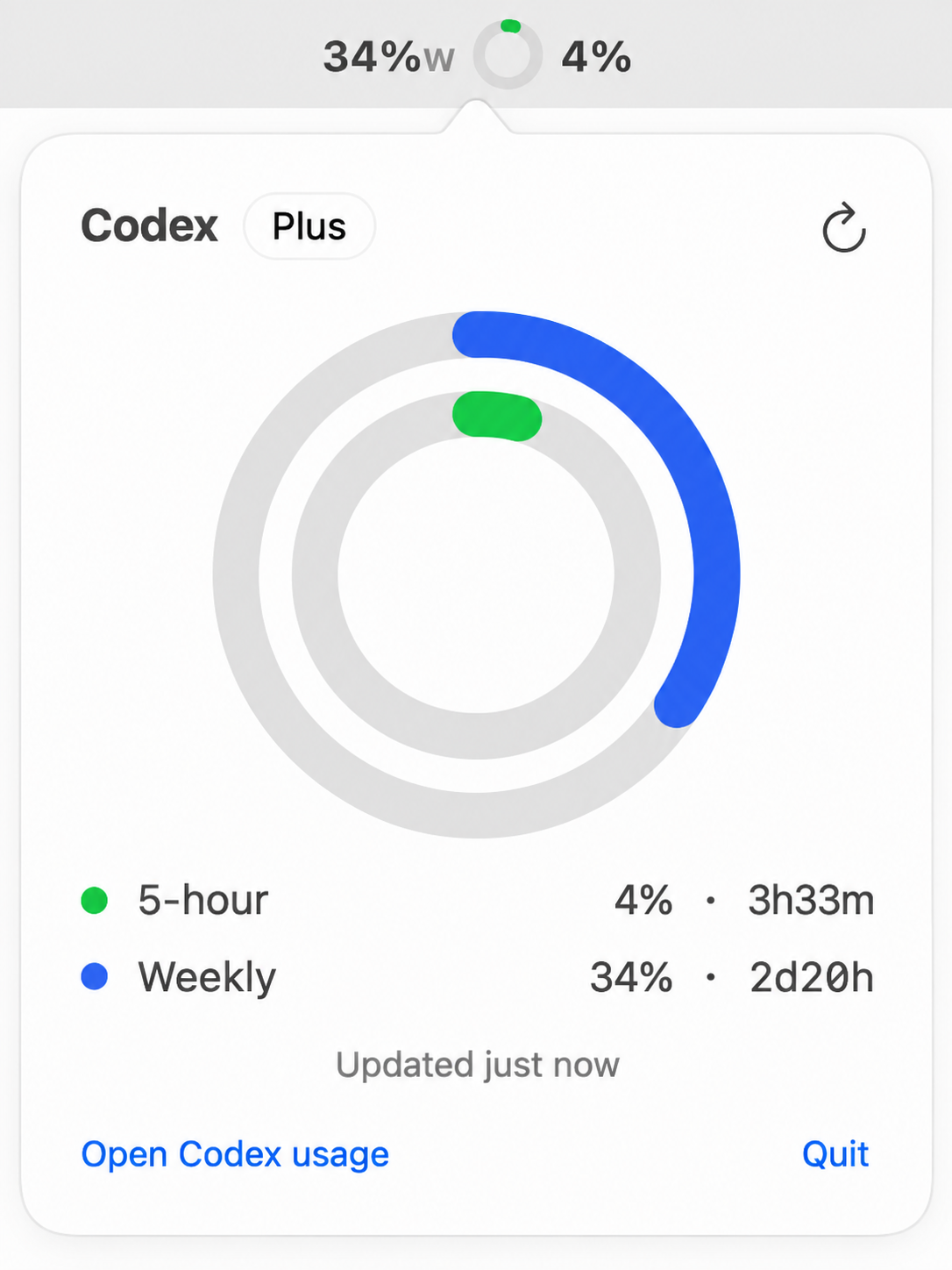
How to install CodexReserve on a Mac
- Get OpenDMG. It is a free app store for open source Mac apps. Download OpenDMG.
- Search for CodexReserve and press Get. OpenDMG downloads version 2.1.0 from yourarnav's own GitHub release.
- Open it. The download is checked against its SHA-256 fingerprint and its signature is checked on your Mac before it lands in Applications.
Updates to CodexReserve show up in OpenDMG and install with one button. No account is needed.
Prefer to do it by hand? The developer's file is on GitHub: CodexReserve.dmg (958 KB).
What is new in CodexReserve 2.1.0
Review-driven reliability release. Fixed: Swift 6 actor isolation for background refreshes; popover now resizes with its content instead of clipping; identical polls no longer redraw the menu icon; fetches are bounded (4 tries, 20s deadline) so the refresh button never sticks; 401s re-read auth.json once before asking you to sign in again; reset times handle epoch strings and ISO dates; CodexReserve now stands by when Codex quits and reappears when it launches instead of quitting on you; menu hover no longer hammers Control Center (0.5s icon-rect cache); monitors and observers clean up on quit; helpers with no executable path no longer count as Codex; popover width matches the menu panel; missing metrics render an honest empty track; missing system sounds get logged. Behavior change: quitting Codex hides the ring but leaves CodexReserve running so it returns on its own. Built free on GitHub Actions (Xcode 26, macos-26) — no local Xcode needed.

Download CodexReserve.dmg below, open it, drag CodexReserve into Applications. Then open Codex, then CodexReserve. First launch: your Mac will call it damaged because the app is free and self signed, not notarized. Clear the flag once with xattr -dr com.apple.quarantine /Applications/CodexReserve.app, then open it normally. The full source code is on this page. Needs macOS 14 or later, Codex signed in once.
More Artificial Intelligence apps
-
 CodexBarShow usage stats for OpenAI Codex and Claude Code, without having to login
-
 CodeBurnTracks token usage, cost, and performance across 25 AI agents with per-task breakdowns
-
 OsaurusLocal LLM server and AI infrastructure with menu bar, CLI, and shared tools
-
 QuotioAI subscription manager with quota tracking and automatic failover
-
 Claude Usage TrackerTrack the usage of Claude Code
-
 VibeProxyMenu bar app to use existing Claude, ChatGPT, and other subscriptions with AI coding…