

Codex Login Manager for Mac
Diagnose Codex CLI authentication and restart the OAuth flow in one click.
By xiaohei210509. Free and open source, MIT licence.
Codex Login Manager at a glance
- Version
- 1.0.0-beta.2 (pre-release)
- Released
- 14 July 2026
- Download size
- 2.2 MB
- Works on
- Apple silicon and Intel
- Licence
- MIT
- Category
- Artificial Intelligence
- Developer
- xiaohei210509
- GitHub stars
- 1
About Codex Login Manager
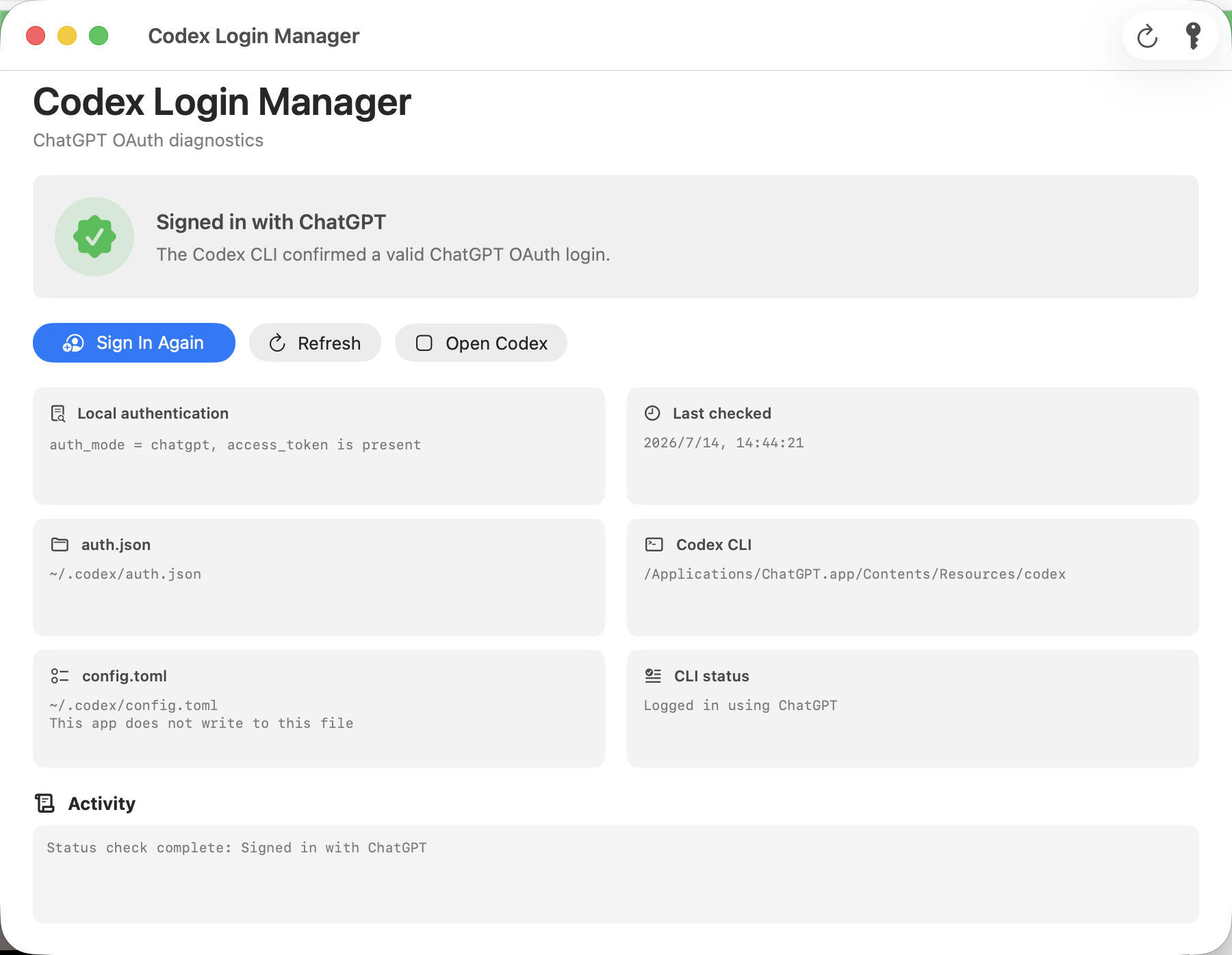
Diagnose and fix Codex CLI login on macOS. Check ChatGPT OAuth vs API-key mode, find the active CLI, and relaunch the official login locally.
Screenshots
How to install Codex Login Manager on a Mac
- Get OpenDMG. It is a free app store for open source Mac apps. Download OpenDMG.
- Search for Codex Login Manager and press Get. OpenDMG downloads version 1.0.0-beta.2 from xiaohei210509's own GitHub release.
- Open it. The download is checked against its SHA-256 fingerprint and its signature is checked on your Mac before it lands in Applications.
Updates to Codex Login Manager show up in OpenDMG and install with one button. No account is needed.
Prefer to do it by hand? The developer's file is on GitHub: CodexLoginManager-v1.0.0-beta.2-macOS-universal.zip (2.2 MB).
What is new in Codex Login Manager 1.0.0-beta.2
Codex Login Manager diagnoses Codex CLI authentication on macOS and starts the official ChatGPT OAuth login flow.

This community build is open source and ad-hoc signed, but it is not Apple-notarized yet. Try to open it once; if macOS blocks it, open System Settings > Privacy & Security, click Open Anyway for Codex Login Manager, and confirm Open. Never disable Gatekeeper globally.

The app reads `~/.codex/auth.json` locally, invokes the installed official `codex` CLI, redacts secrets before showing command output, and does not upload credentials or write to `config.toml`.

## Changes in v1.0.0-beta.2

### Security

- Hardened named-secret redaction for quoted and escaped JSON fields, camelCase
 keys, authorization headers, bearer-token fields, OAuth client secrets, and
 opaque values wrapped across structurally bounded, indented lines.
- Hardened API-key and JWT redaction when token fragments are wrapped across
 adjacent indented lines. Ambiguous token-shaped continuation lines are now
 conservatively redacted, while blank lines, prose, structured diagnostics,
 and indentation rollbacks stop the scan.
- Redacted three-segment JWTs, including unsecured JWTs with an empty signature,
 and five-segment compact JWEs with the empty encrypted-key segment used by
 direct encryption.
- Rejected placeholder-like values and trailing secret text instead of trusting
…
More Artificial Intelligence apps
-
 CodexBarShow usage stats for OpenAI Codex and Claude Code, without having to login
-
 CodeBurnTracks token usage, cost, and performance across 25 AI agents with per-task breakdowns
-
 OsaurusLocal LLM server and AI infrastructure with menu bar, CLI, and shared tools
-
 QuotioAI subscription manager with quota tracking and automatic failover
-
 Claude Usage TrackerTrack the usage of Claude Code
-
 VibeProxyMenu bar app to use existing Claude, ChatGPT, and other subscriptions with AI coding…