

ClipZilla for Mac
Quick screenshot annotation tool for macOS.
By happyjake. Free and open source, MIT licence.
ClipZilla at a glance
- Version
- 0.2.0
- Released
- 24 December 2025
- Download size
- 1.1 MB
- Works on
- Apple silicon and Intel
- Licence
- MIT
- Category
- Graphics and Design
- Developer
- happyjake
- GitHub stars
- 1
Screenshots
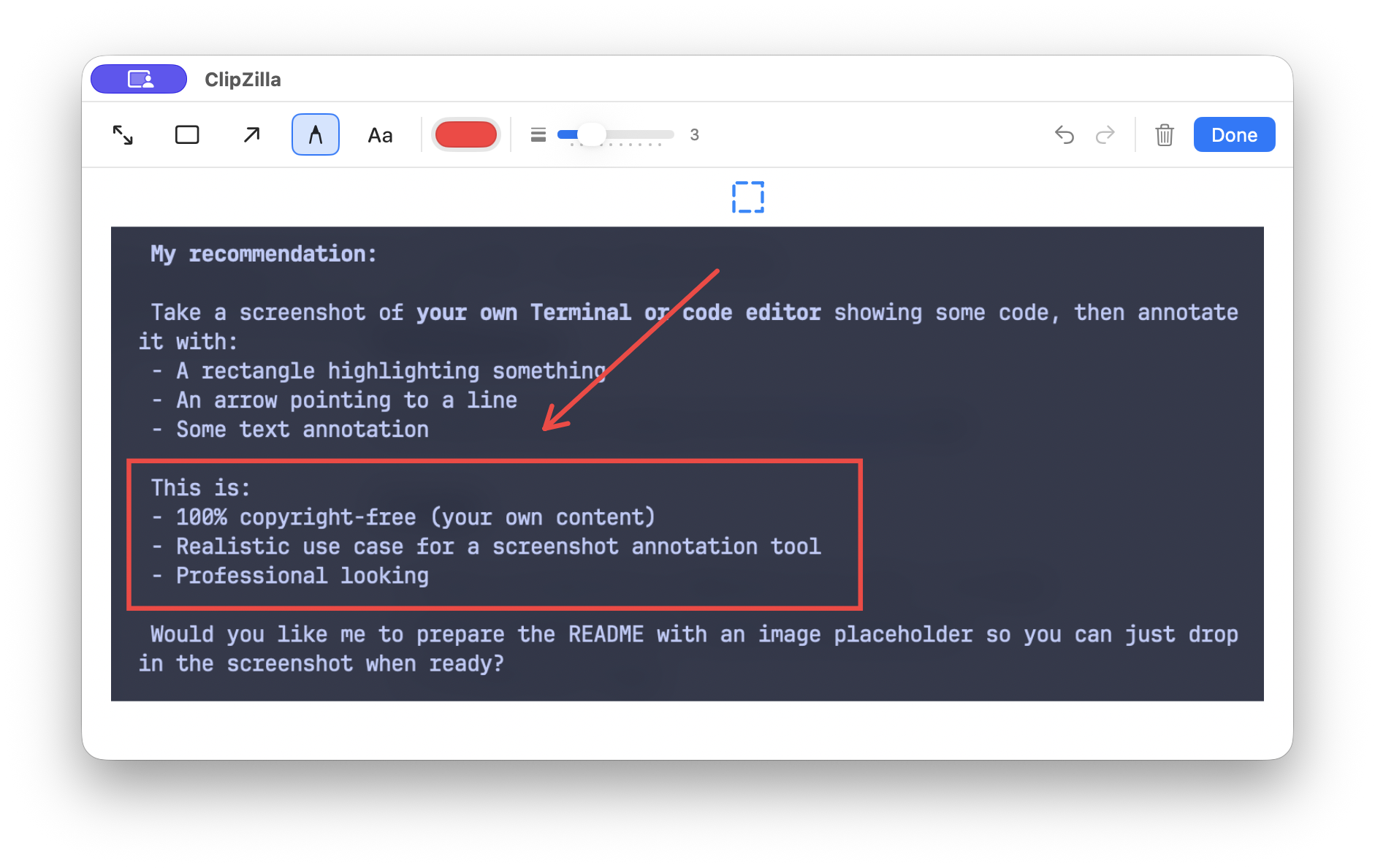
How to install ClipZilla on a Mac
- Get OpenDMG. It is a free app store for open source Mac apps. Download OpenDMG.
- Search for ClipZilla and press Get. OpenDMG downloads version 0.2.0 from happyjake's own GitHub release.
- Open it. The download is checked against its SHA-256 fingerprint and its signature is checked on your Mac before it lands in Applications.
Updates to ClipZilla show up in OpenDMG and install with one button. No account is needed.
Prefer to do it by hand? The developer's file is on GitHub: ClipZilla-0.2.0.dmg (1.1 MB).
What is new in ClipZilla 0.2.0
## What's New

### Text Annotation Improvements
- **Fixed**: Text input box no longer stays visible after switching tools
- **Fixed**: Clicking elsewhere on canvas no longer creates unwanted new text boxes (now auto-switches to select tool)
- **Fixed**: Cmd+V paste now works in text input box

### Other Changes
- Improved text input box sizing with max-width constraints
- Added debug logging infrastructure (only active in Debug builds)

## Installation
1. Download `ClipZilla-0.2.0.dmg`
2. Open the DMG and drag ClipZilla to Applications
3. Launch ClipZilla from Applications
More Graphics and Design apps
-
 AerialApple TV Aerial Screensaver for macOS
-
 CompositorFree, open-source image editor aiming to be a full Photoshop alternative
-
 BrooklynScreensaver inspired by Apple's Event on October 30, 2018
-
 EquinoxCreate dynamic wallpapers for macOS
-
 ExcalidrawZA virtual whiteboard for sketching hand-drawn-like diagrams with native file management…
-
 WaifuXOpen-source ACG app for wallpapers, animated backgrounds, and anime videos