
Clipward for Mac
Private clipboard manager with encrypted history and automatic protection for copied secrets.
By ypankovych. Free and open source, MIT licence.
Clipward at a glance
- Version
- 1.0.0
- Released
- 9 October 2026
- Download size
- 4.8 MB
- Works on
- Apple silicon and Intel
- Licence
- MIT
- Category
- Productivity
- Developer
- ypankovych
- GitHub stars
- 2
About Clipward
Private, native clipboard manager for macOS 10.13+. Encrypted history, auto-clearing clipboard, every data type.
Screenshots
How to install Clipward on a Mac
- Get OpenDMG. It is a free app store for open source Mac apps. Download OpenDMG.
- Search for Clipward and press Get. OpenDMG downloads version 1.0.0 from ypankovych's own GitHub release.
- Open it. The download is checked against its SHA-256 fingerprint and its signature is checked on your Mac before it lands in Applications.
Updates to Clipward show up in OpenDMG and install with one button. No account is needed.
Prefer to do it by hand? The developer's file is on GitHub: Clipward-1.0.0.dmg (4.8 MB).
What is new in Clipward 1.0.0
First public release.

### Added

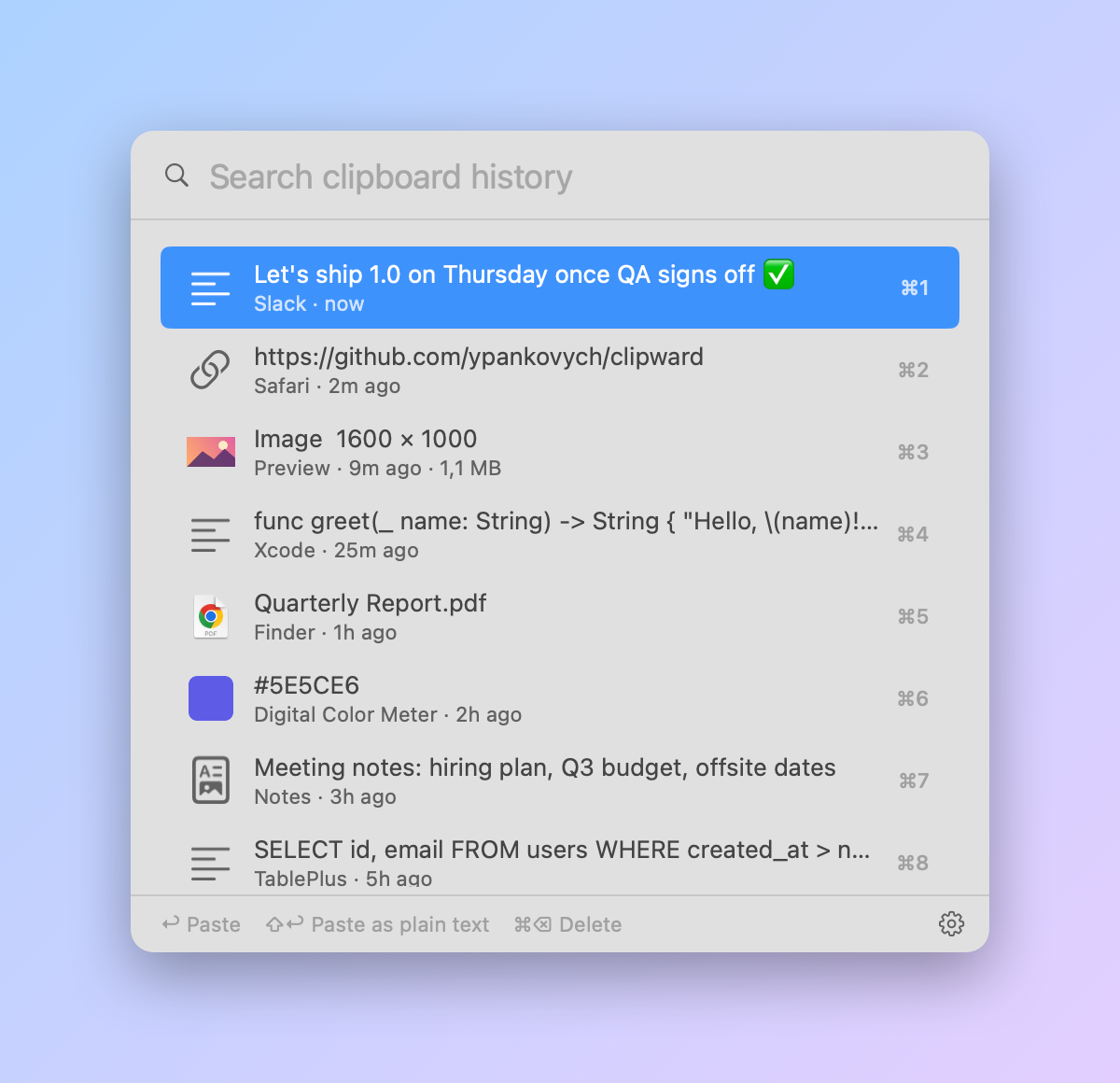
- Clipboard history for every data type: plain and rich text, links, images, files, colors and
 app-specific formats, with every format of every item preserved.
- History popup on <kbd>⌥⌘C</kbd>, with search, keyboard navigation, <kbd>⌘1</kbd>–<kbd>⌘9</kbd>
 quick picks, plain-text paste and per-item delete.
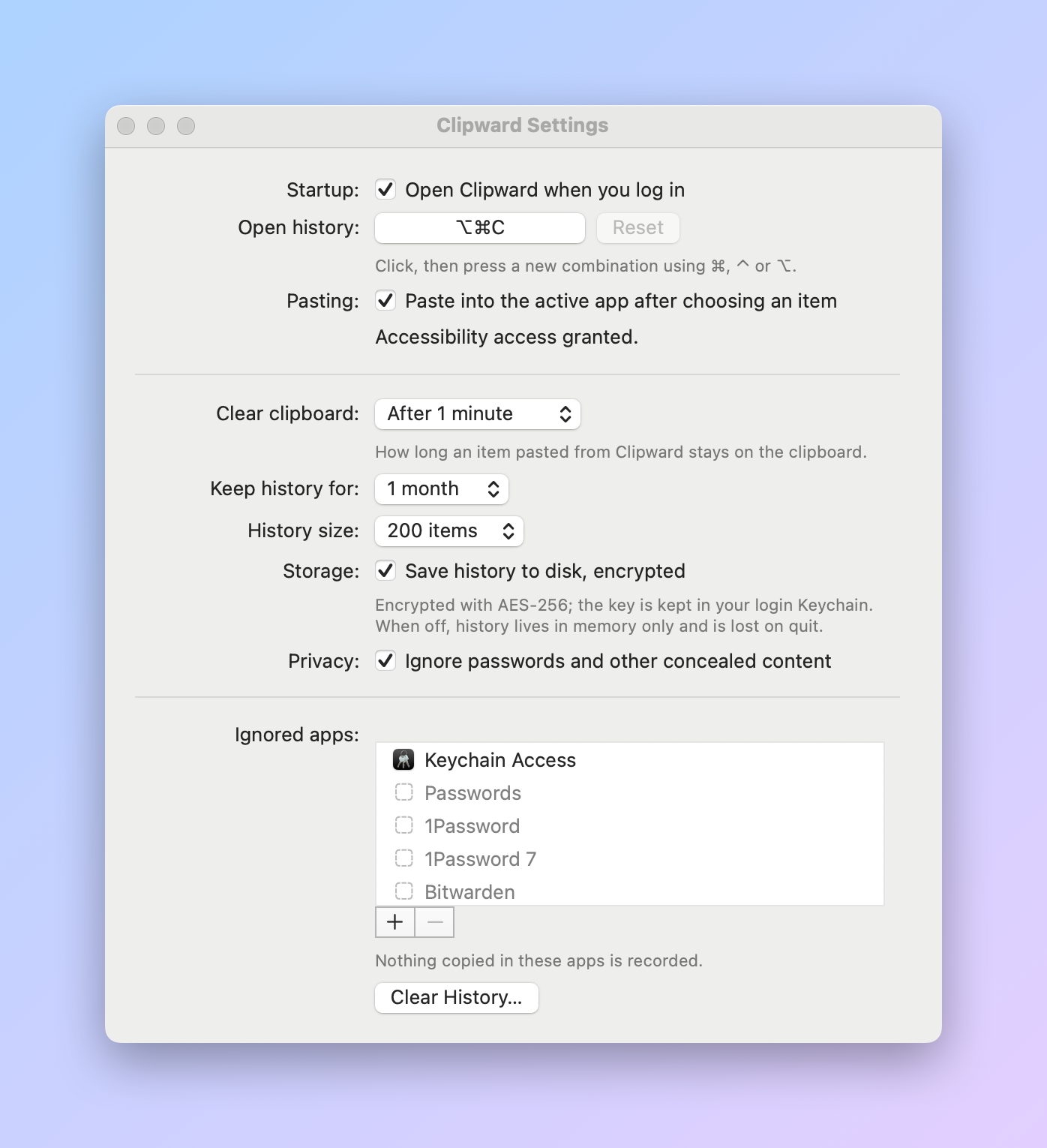
- Customisable global shortcut.
- Paste straight into the active app (needs Accessibility access).
- Clipboard auto-clear for items pasted from the history (default 1 minute).
- AES-256 + HMAC-SHA256 encrypted history on disk, with the key stored in the login Keychain, or
 memory-only mode.
- Concealed and transient content from password managers is never recorded; per-app ignore list;
 Pause Recording.
- History size and retention limits.
- Launch at login.
- Universal app for macOS 10.13 and later, distributed as a DMG.

### Install

Download **Clipward-*.dmg** below, open it and drag Clipward into Applications.
The app isn't notarized yet; see [Install](https://github.com/ypankovych/clipward#install) for how to open it the first time.
More Productivity apps
-
 MaccyLightweight search-as-you-type clipboard manager
-
 AltTabBrings the Windows Alt-Tab functionality to macOS
-
 ClipyClipy is a Clipboard extension app for macOS
-
 TinycastLightweight native launcher with app search, clipboard management, window controls, and…
-
 FSNotesNotes manager for macOS/iOS: modern notational velocity (nvALT) on steroids
-
 OpenDisplayTurn spare Apple devices into second monitors — true extended display over USB or WiFi