
ClipRecallBar for Mac
Keyboard-first clipboard history popup with live search and Return-to-paste.
By turhe123. Free and open source, MIT licence.
ClipRecallBar at a glance
- Version
- 1.0.0
- Released
- 19 October 2026
- Download size
- 517 KB
- Works on
- Apple silicon and Intel
- Licence
- MIT
- Category
- Productivity
- Developer
- turhe123
- GitHub stars
- 0
About ClipRecallBar
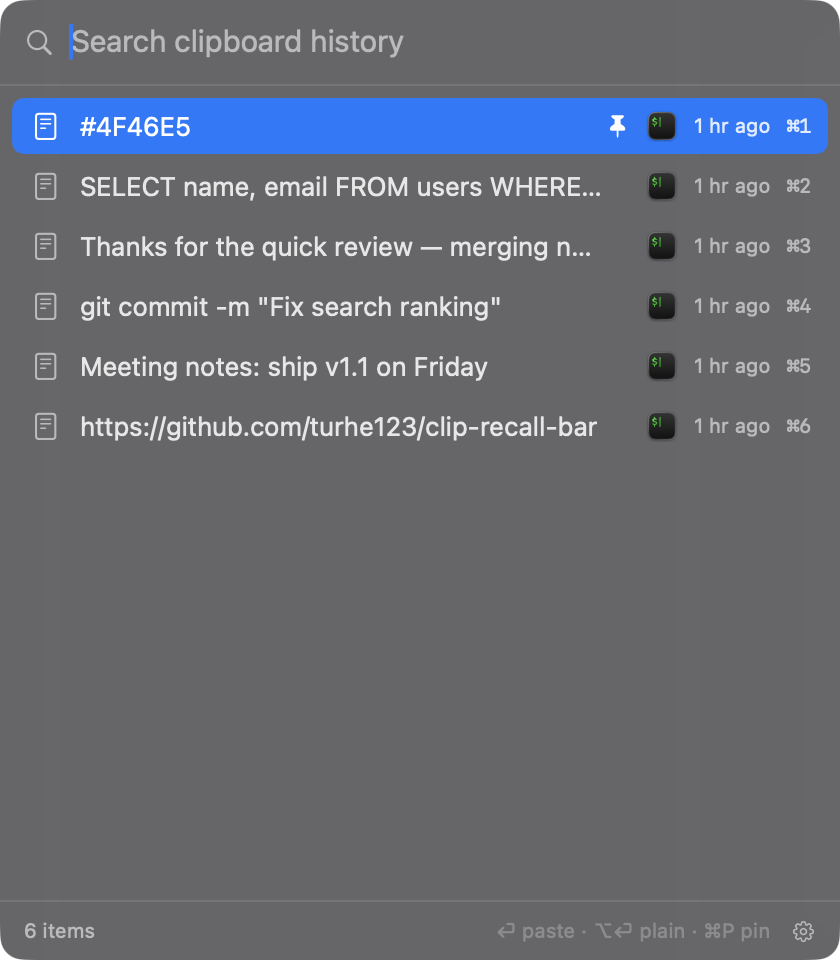
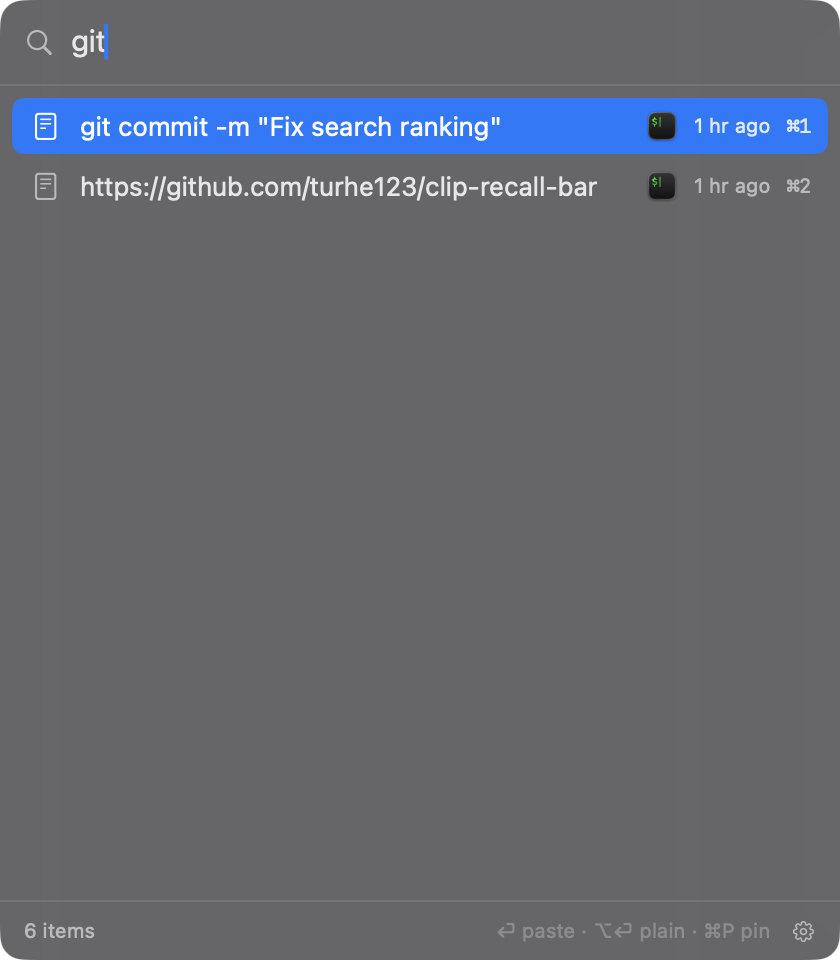
A keyboard-first clipboard history popup in your menu bar that filters as you type and pastes on Return.
Screenshots
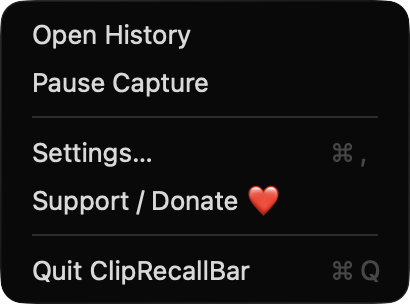
How to install ClipRecallBar on a Mac
- Get OpenDMG. It is a free app store for open source Mac apps. Download OpenDMG.
- Search for ClipRecallBar and press Get. OpenDMG downloads version 1.0.0 from turhe123's own GitHub release.
- Open it. The download is checked against its SHA-256 fingerprint and its signature is checked on your Mac before it lands in Applications.
Updates to ClipRecallBar show up in OpenDMG and install with one button. No account is needed.
Prefer to do it by hand? The developer's file is on GitHub: ClipRecallBar-macOS.zip (517 KB).
What is new in ClipRecallBar 1.0.0
# ClipRecallBar v1.0.0

ClipRecallBar is a free, native clipboard history popup that lives in your macOS menu bar. Press a global hotkey, type to filter your history, and hit Return to paste into the app you were using. Everything stays on your Mac, with no accounts and no network access.

## Highlights

- Global hotkey (default `⇧⌘V`, rebindable) opens a floating search panel near the pointer.
- Filters as you type, with substring and fuzzy matching.
- Return pastes, `⌥Return` pastes as plain text, `⌘1`–`⌘9` paste a row directly, `⌘P` pins, and Delete removes.
- Captures text, rich text, files and images. Duplicates move to the top.
- Skips concealed and transient items (such as password manager copies). You can also ignore apps and pause capture.
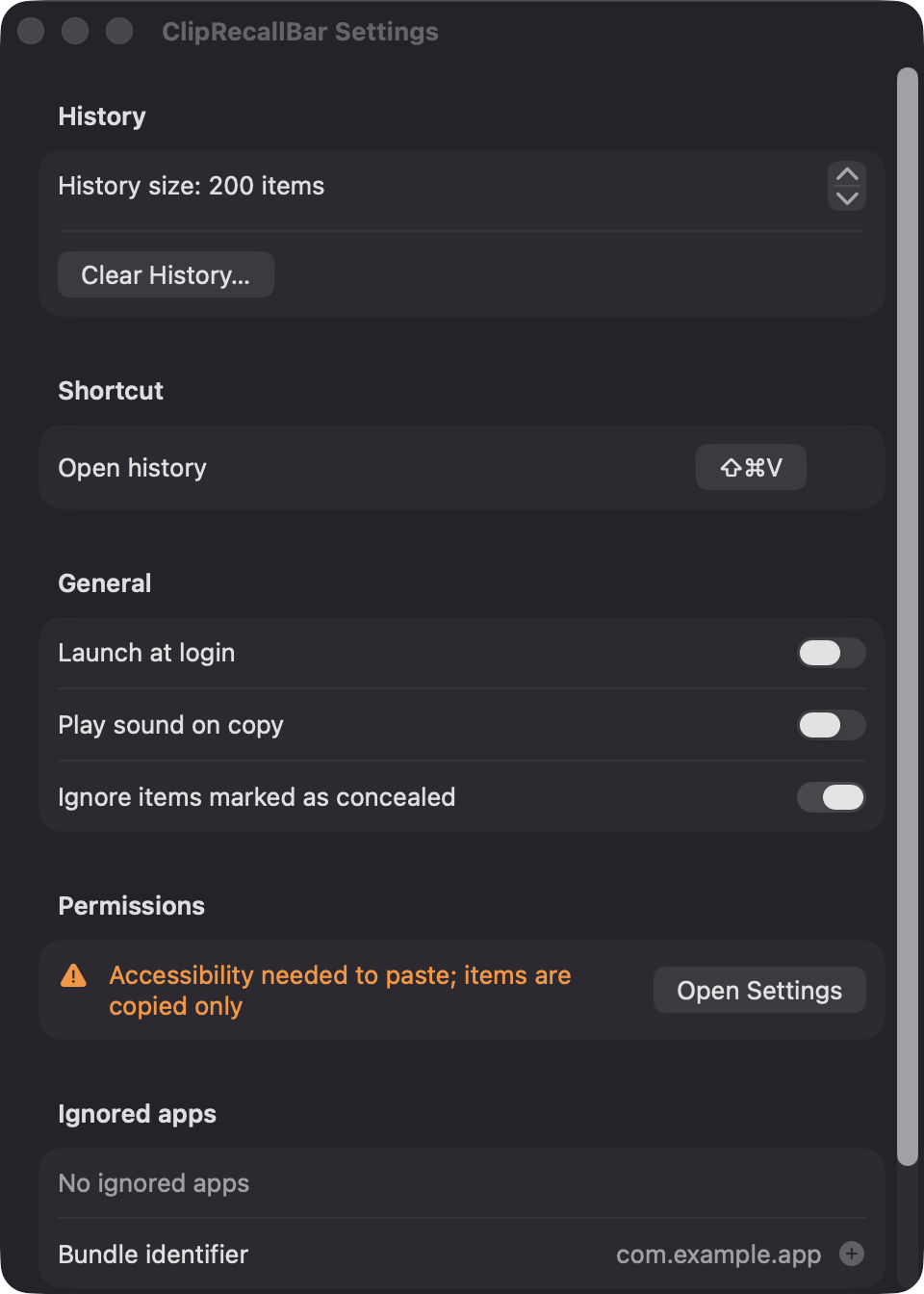
- Settings for history size (20–999), launch at login, copy sound and Clear History (pinned items are kept).

## Install

1. Download `ClipRecallBar-macOS.zip`, unzip it and move `ClipRecallBar.app` to `/Applications`.
2. The app is open source and not notarized, so run:

 ```bash
 xattr -cr /Applications/ClipRecallBar.app
 ```

3. Right-click the app and choose **Open** the first time.

Pasting directly into other apps needs Accessibility permission. Without it, items are copied and you press `⌘V` yourself. Requires macOS 14+.

## Support

If you enjoy ClipRecallBar, you can support it at https://ko-fi.com/leodavidai ❤️
More Productivity apps
-
 MaccyLightweight search-as-you-type clipboard manager
-
 AltTabBrings the Windows Alt-Tab functionality to macOS
-
 TinycastLightweight native launcher with app search, clipboard management, window controls, and…
-
 ClipyClipy is a Clipboard extension app for macOS
-
 FSNotesNotes manager for macOS/iOS: modern notational velocity (nvALT) on steroids
-
 OpenDisplayTurn spare Apple devices into second monitors — true extended display over USB or WiFi