
Clicke for Mac
A tool for capturing and beautifying screenshots.
By nathbns. Free and open source, MIT licence.
Clicke at a glance
- Version
- 2.0
- Released
- 19 October 2026
- Download size
- 37 MB
- Works on
- Apple silicon and Intel
- Licence
- MIT
- Category
- Graphics and Design
- Developer
- nathbns
- GitHub stars
- 47
About Clicke
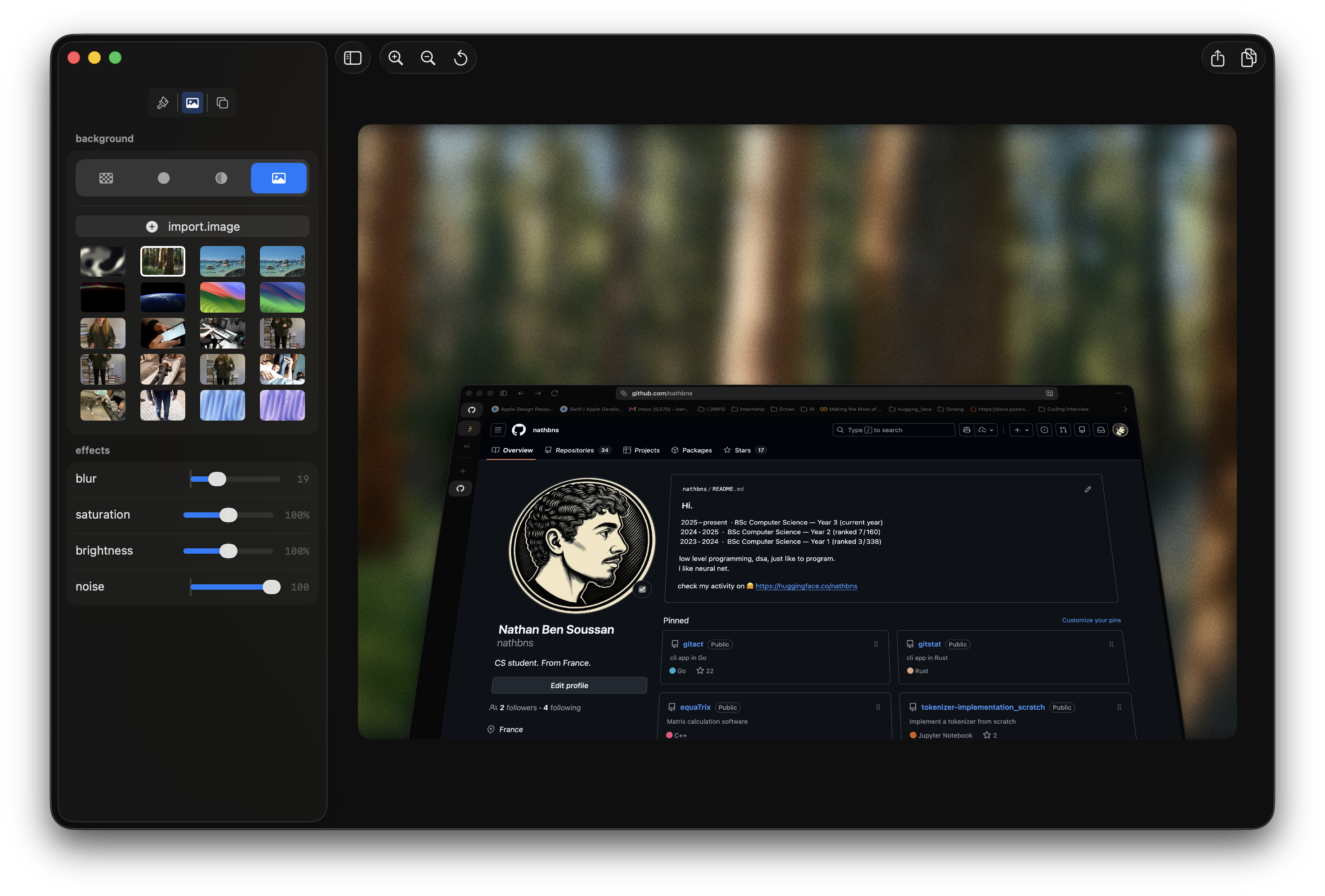
macOS screenshots, refined.
Screenshots
How to install Clicke on a Mac
- Get OpenDMG. It is a free app store for open source Mac apps. Download OpenDMG.
- Search for Clicke and press Get. OpenDMG downloads version 2.0 from nathbns's own GitHub release.
- Open it. The download is checked against its SHA-256 fingerprint and its signature is checked on your Mac before it lands in Applications.
Updates to Clicke show up in OpenDMG and install with one button. No account is needed.
Prefer to do it by hand? The developer's file is on GitHub: Clicke.dmg (37 MB).
What is new in Clicke 2.0
Clické 2.0 is a complete rebuild: faster, more private, more native, and much more useful.

**Requires macOS 26.1 or later.**

## What’s new

- **Full screen capture** (⌥⇧3), next to area (⌥⇧4) and window (⌥⇧T) capture.
- **Floating preview** after each capture, like macOS: edit, copy, save, or drag the screenshot straight into another app. Right-click for more options.
- **Redact sensitive information**: pixelate, blur or cover any area. **Find Sensitive Text** spots email addresses, phone numbers, card numbers, IBANs, passwords, API keys and tokens, using text recognition that runs entirely on your Mac.
- **A new editor**
 - Soft shadows, padding, and a new macOS window mockup with traffic lights (light and dark).
 - Live preview while you drag sliders, undo and redo for every change.
 - Drop images onto the canvas to add layers; drag the result out to any app.
 - Export as PNG or JPEG at full Retina resolution; canvas sizes for X, Instagram, LinkedIn, YouTube, Pinterest and Dribbble.
 - Your last style is remembered for the next screenshot.
 - Asks before closing if your edits were never copied or saved.
- **New Settings window**: launch at login, automatic saving to a folder, what happens after a capture, custom shortcuts with conflict detection.
- **French** interface.
- The app follows light and dark mode, and has standard menus and keyboard shortcuts.
…
More Graphics and Design apps
-
 AerialApple TV Aerial Screensaver for macOS
-
 CompositorFree, open-source image editor aiming to be a full Photoshop alternative
-
 BrooklynScreensaver inspired by Apple's Event on October 30, 2018
-
 EquinoxCreate dynamic wallpapers for macOS
-
 ExcalidrawZA virtual whiteboard for sketching hand-drawn-like diagrams with native file management…
-
 WaifuXOpen-source ACG app for wallpapers, animated backgrounds, and anime videos