

Chorus (AskChorus) for Mac
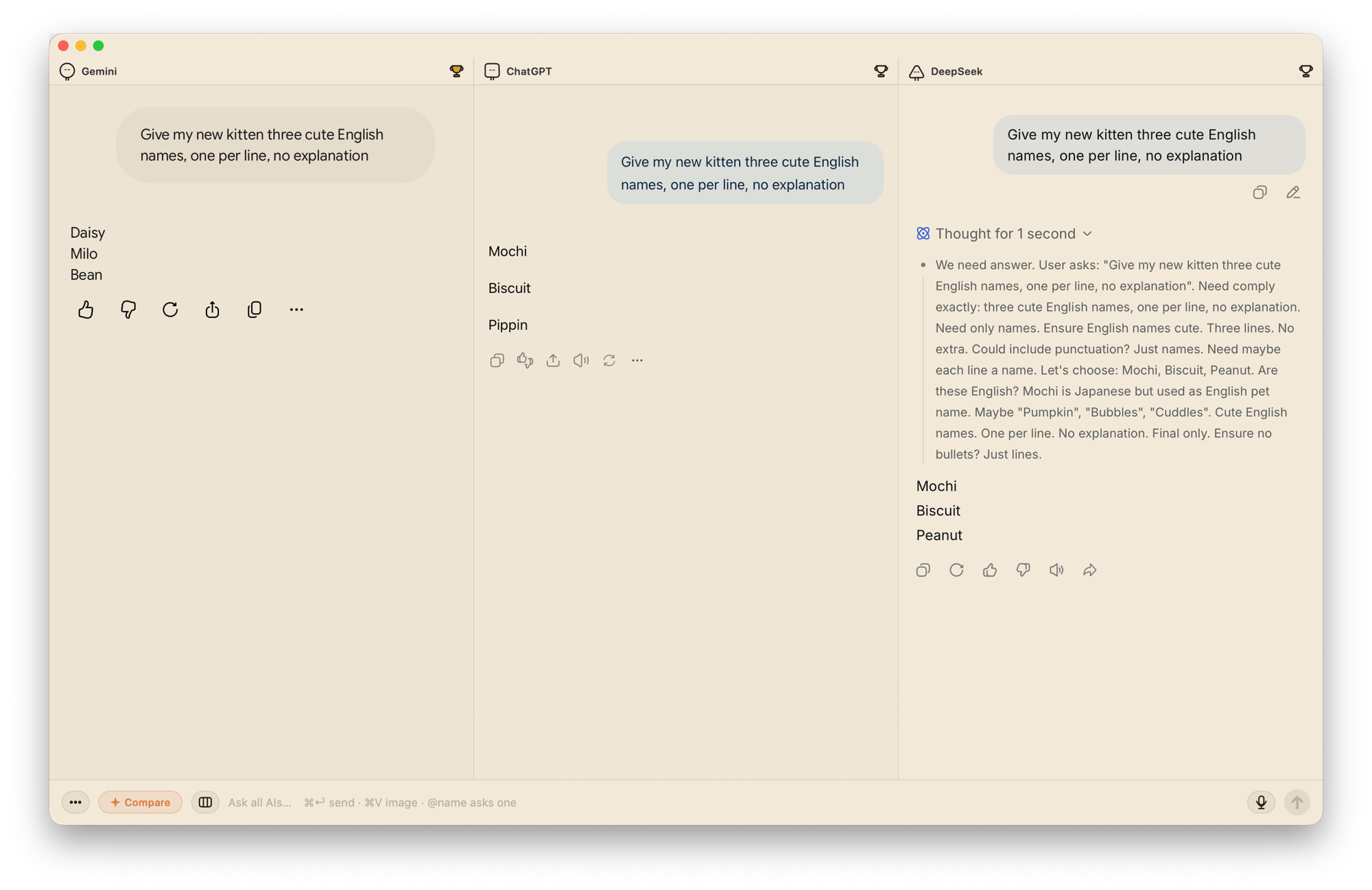
Ask multiple AIs at once and compare their answers side by side using your existing accounts.
By askchorus. Free and open source, GPL-3.0 licence.
Chorus (AskChorus) at a glance
- Version
- 0.2.8
- Released
- 13 October 2026
- Download size
- 6.5 MB
- Works on
- Apple silicon and Intel
- Licence
- GPL-3.0
- Category
- Artificial Intelligence
- Developer
- askchorus
- GitHub stars
- 4
About Chorus (AskChorus)
One question, every AI at once — a native Mac app that puts ChatGPT, Claude, Gemini and more side by side.
Screenshots
How to install Chorus (AskChorus) on a Mac
- Get OpenDMG. It is a free app store for open source Mac apps. Download OpenDMG.
- Search for Chorus (AskChorus) and press Get. OpenDMG downloads version 0.2.8 from askchorus's own GitHub release.
- Open it. The download is checked against its SHA-256 fingerprint and its signature is checked on your Mac before it lands in Applications.
Updates to Chorus (AskChorus) show up in OpenDMG and install with one button. No account is needed.
Prefer to do it by hand? The developer's file is on GitHub: Chorus-0.2.8.dmg (6.5 MB).
What is new in Chorus (AskChorus) 0.2.8
- Fixed sending messages to ChatGPT on Chinese-language pages.
- Restored Focus mode for ChatGPT's updated composer layout.
- Fixed stale API replies after stopping, replacing a request, or starting a new chat.
- Fixed stale comparison output after stopping and restarting a comparison.
- Hardened local bridge request parsing.
- Added Muse as an optional website preset.

macOS 13 or later. Universal binary for Apple silicon and Intel.

Download `Chorus-0.2.8.dmg` below, or visit https://askchorus.app/. Existing installations can use automatic updates.

The app is not notarized. Follow the first-install instructions on the website if macOS blocks opening it.
More Artificial Intelligence apps
-
 CodexBarShow usage stats for OpenAI Codex and Claude Code, without having to login
-
 CodeBurnTracks token usage, cost, and performance across 25 AI agents with per-task breakdowns
-
 OsaurusLocal LLM server and AI infrastructure with menu bar, CLI, and shared tools
-
 QuotioAI subscription manager with quota tracking and automatic failover
-
 Claude Usage TrackerTrack the usage of Claude Code
-
 VibeProxyMenu bar app to use existing Claude, ChatGPT, and other subscriptions with AI coding…