

Charker for Mac
Native macOS companion for viewing and controlling the Anker Prime 160W and 250W chargers.
By qzz0518. Free and open source, MIT licence.
Charker at a glance
- Version
- 0.5.8
- Released
- 10 November 2026
- Download size
- 19 MB
- Works on
- Apple silicon and Intel
- Licence
- MIT
- Category
- Utilities
- Developer
- qzz0518
- GitHub stars
- 62
About Charker
Native macOS companion for the Anker Prime 160W charger and 250W charger (A2687 and A2345)
Screenshots
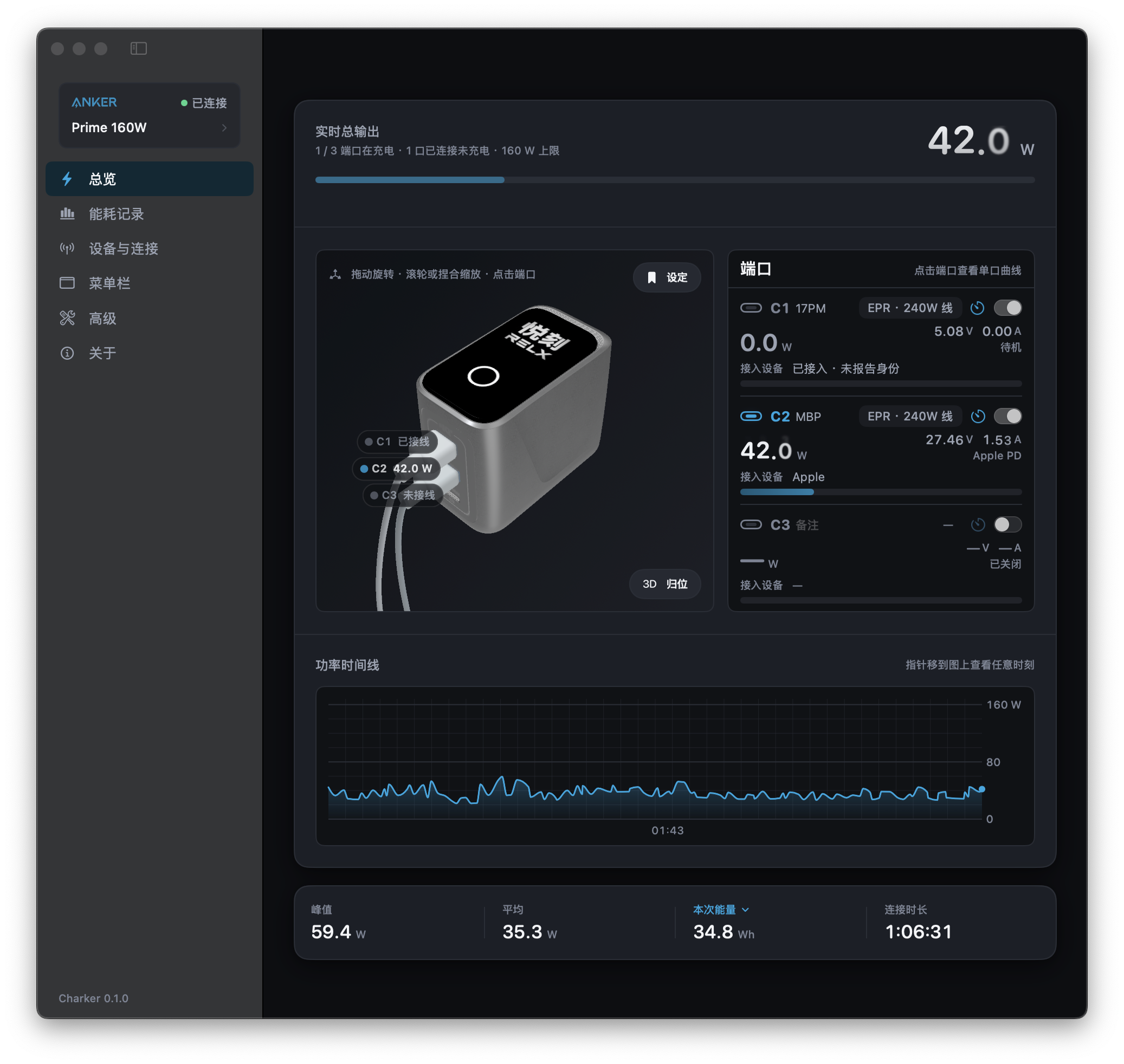
How to install Charker on a Mac
- Get OpenDMG. It is a free app store for open source Mac apps. Download OpenDMG.
- Search for Charker and press Get. OpenDMG downloads version 0.5.8 from qzz0518's own GitHub release.
- Open it. The download is checked against its SHA-256 fingerprint and its signature is checked on your Mac before it lands in Applications.
Updates to Charker show up in OpenDMG and install with one button. No account is needed.
Prefer to do it by hand? The developer's file is on GitHub: Charker-0.5.8.dmg (19 MB).
What is new in Charker 0.5.8
## 更新日志

### 新功能

- 轻量模式:主窗口关闭 1 分钟后减少内存占用。

## Changelog

### New

- Lightweight mode: Charker uses less memory a minute after the main window closes.
More Utilities apps
-
 VorssaintAn open-source, free, and local toolkit that integrates functions such as preventing…
-
 BetterDisplayDisplay management tool with HiDPI scaling, PiP, and EDID controls
-
 MosSmooth your mouse's scrolling and reverse the mouse scroll direction
-
 EasydictmacOS instant translator — type/select/screenshot, multi-service, zero setup
-
 OpenHaystackOpen-source tracker for finding Bluetooth devices through Apple's Find My network
-
 OrkasOrkas is an open-source (MIT), local-first AI team for your desktop: a Commander turns…