

CCBar for Mac
At a Glance: Usage & Costs of Codex vs. Claude Code.
By nanvon. Free and open source, MIT licence.
CCBar at a glance
- Version
- 1.1.58
- Released
- 26 November 2026
- Download size
- 7.7 MB
- Works on
- Apple silicon and Intel
- Licence
- MIT
- Category
- Artificial Intelligence
- Developer
- nanvon
- GitHub stars
- 174
About CCBar
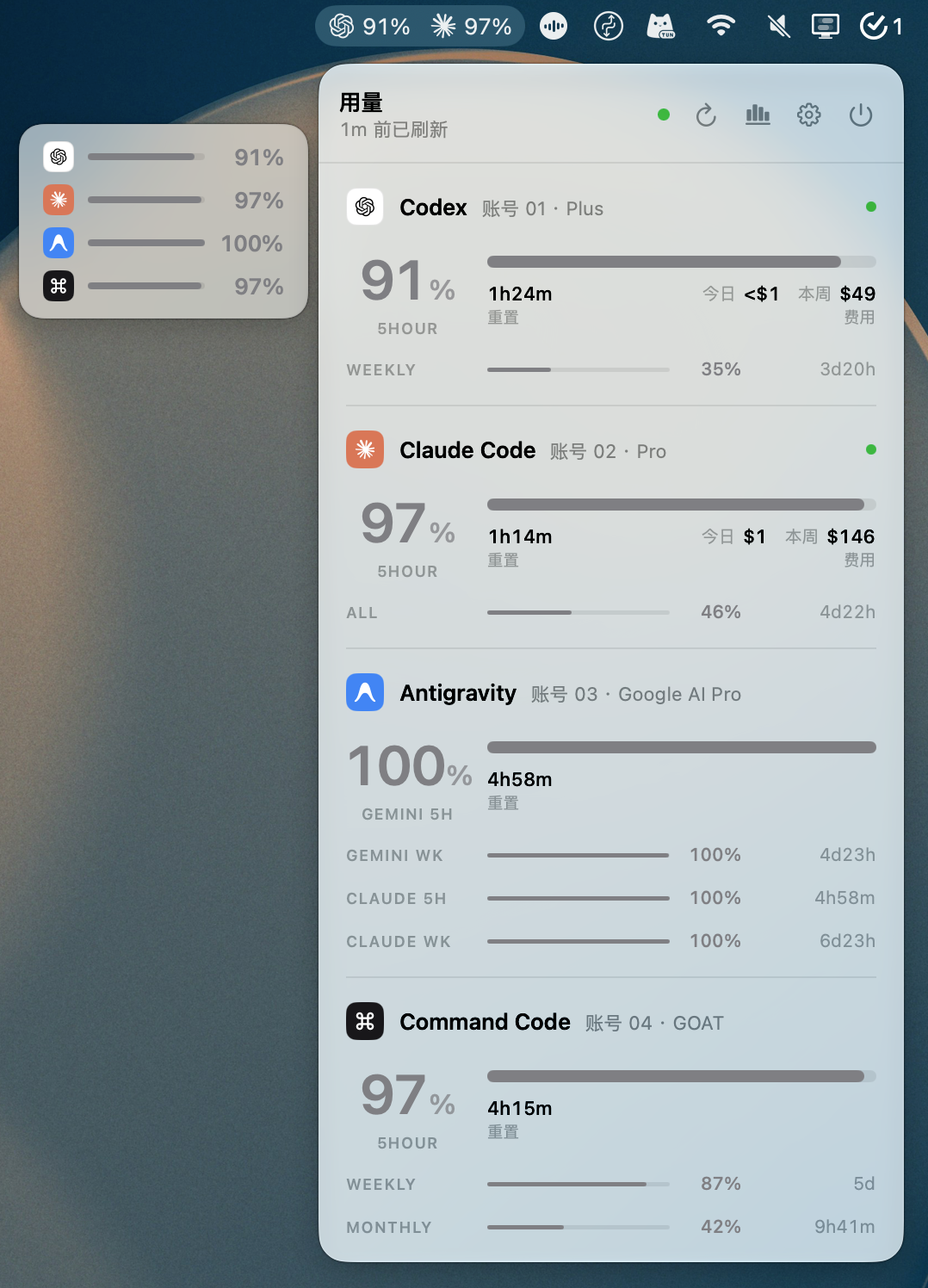
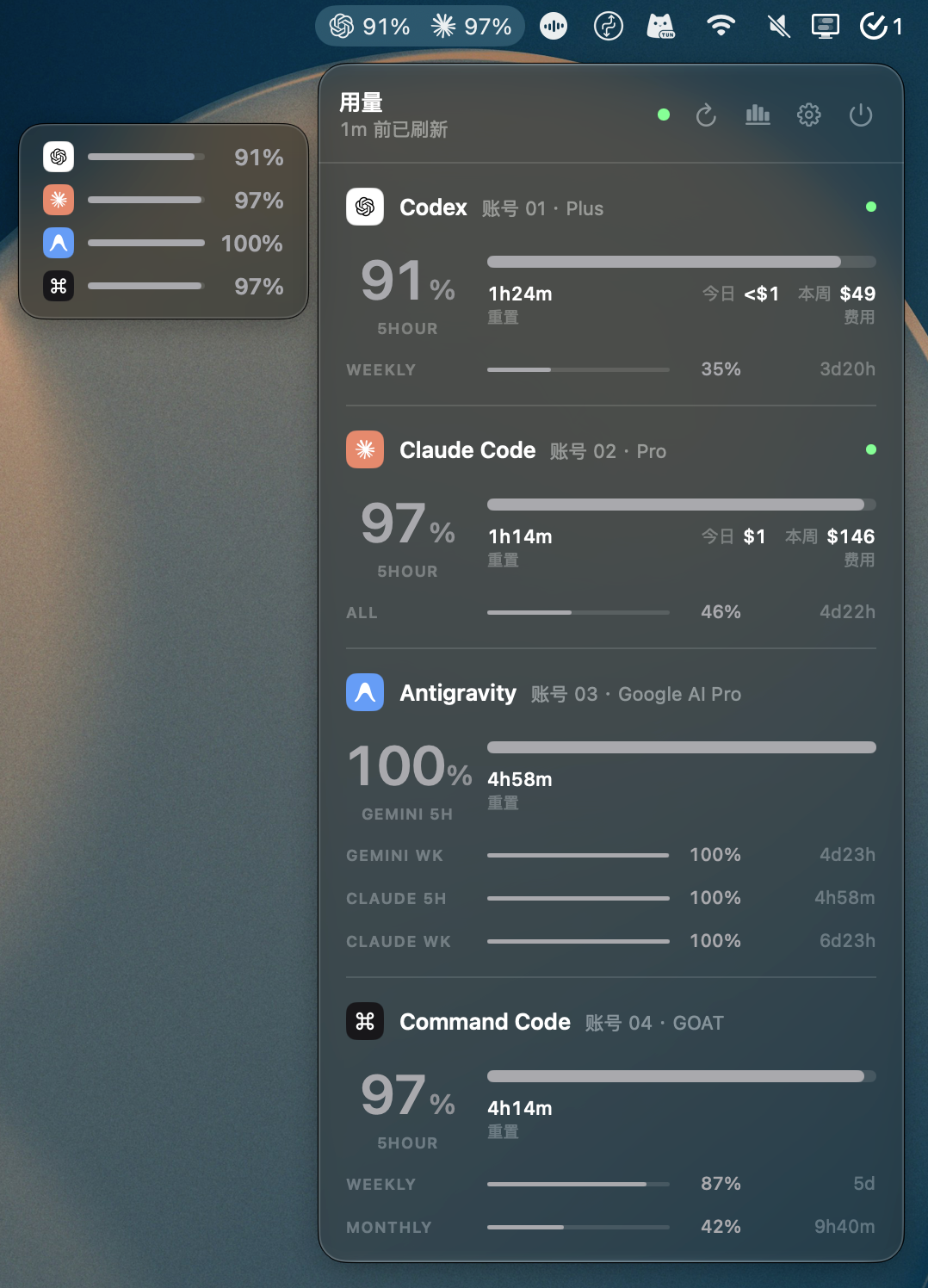
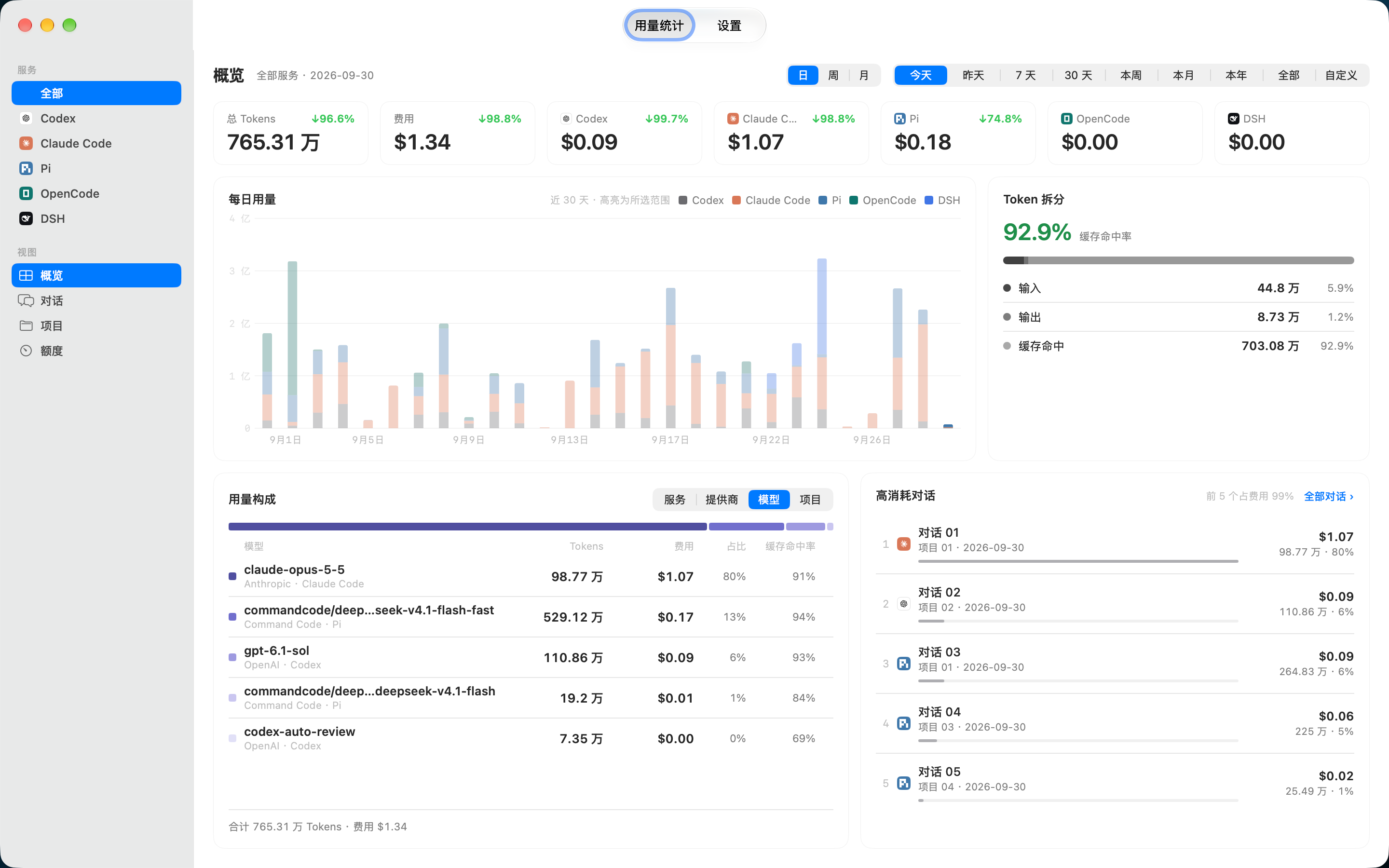
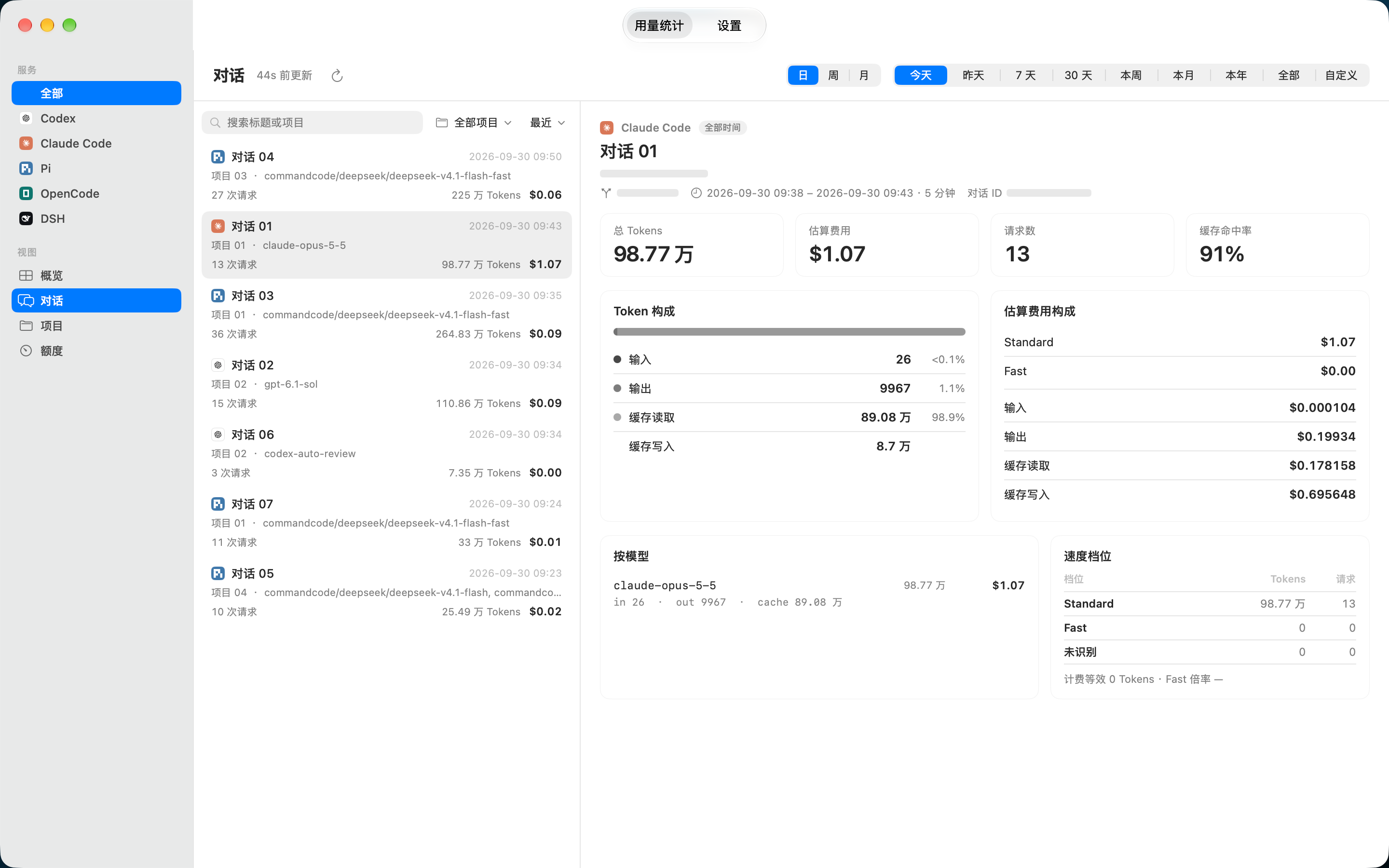
macOS 原生 AI 额度监控与用量分析工具,实时监控 Codex、Claude Code、Cursor、Antigravity 剩余用量与本地 Token 消耗和费用。 Native macOS menu bar app to monitor quotas, reset countdowns, and track offline usage for Codex, Claude Code, Cursor, and Antigravity.
Screenshots
How to install CCBar on a Mac
- Get OpenDMG. It is a free app store for open source Mac apps. Download OpenDMG.
- Search for CCBar and press Get. OpenDMG downloads version 1.1.58 from nanvon's own GitHub release.
- Open it. The download is checked against its SHA-256 fingerprint and its signature is checked on your Mac before it lands in Applications.
Updates to CCBar show up in OpenDMG and install with one button. No account is needed.
Prefer to do it by hand? The developer's file is on GitHub: CCBar.dmg (7.7 MB).
What is new in CCBar 1.1.58
修复额度误报与账号切换丢失历史记录的问题。

- 修复 Antigravity 偶尔把剩余额度误报为 0% 并触发低额度提醒的问题
- 修复 Claude Code 改用桌面端登录信息时,历史额度与周期记录断开的问题
- 修复尚未开始的次要额度窗口会显示倒计时的问题,统一改为显示「尚未使用」
- 刷新失败并保留上次数据时,显示该数据的更新时间,避免旧倒计时误导

<br>

最近一个月新增的功能,你可能还没用过:

- 统计页的 DSH 服务可统计 DS Bot 里模型类 Bot 的用量
- 额度页「历史周期」可切换 5 小时 / 周,比较用满预估与实际用量
- 在「设置 → 服务与账号」关闭服务,可暂停读取它的本机日志
- 模型价格自动更新,也可在「设置 → 数据与刷新 → 价格目录」手动更新
- 弹出面板可查看最近对话的用量,点击打开对话详情
- 在「设置 → 数据与刷新 → 网络代理」可设置全局手动代理
More Artificial Intelligence apps
-
 CodexBarShow usage stats for OpenAI Codex and Claude Code, without having to login
-
 CodeBurnTracks token usage, cost, and performance across 25 AI agents with per-task breakdowns
-
 OsaurusLocal LLM server and AI infrastructure with menu bar, CLI, and shared tools
-
 QuotioAI subscription manager with quota tracking and automatic failover
-
 Claude Usage TrackerTrack the usage of Claude Code
-
 VibeProxyMenu bar app to use existing Claude, ChatGPT, and other subscriptions with AI coding…