

CapsNow for Mac
Removes Caps Lock delay for quick taps and applies the setting at login without staying open.
By fratayaydn. Free and open source, MIT licence.
CapsNow at a glance
- Version
- 1.0.0
- Released
- 15 October 2026
- Download size
- 1.7 MB
- Works on
- Apple silicon and Intel
- Licence
- MIT
- Category
- Windows and Keyboard
- Developer
- fratayaydn
- GitHub stars
- 3
About CapsNow
Turns off the delay macOS adds to Caps Lock, so quick taps register. A helper applies it at login and quits; nothing stays running.
Screenshots
How to install CapsNow on a Mac
- Get OpenDMG. It is a free app store for open source Mac apps. Download OpenDMG.
- Search for CapsNow and press Get. OpenDMG downloads version 1.0.0 from fratayaydn's own GitHub release.
- Open it. The download is checked against its SHA-256 fingerprint and its signature is checked on your Mac before it lands in Applications.
Updates to CapsNow show up in OpenDMG and install with one button. No account is needed.
Prefer to do it by hand? The developer's file is on GitHub: CapsNow-1.0.0.dmg (1.7 MB).
What is new in CapsNow 1.0.0
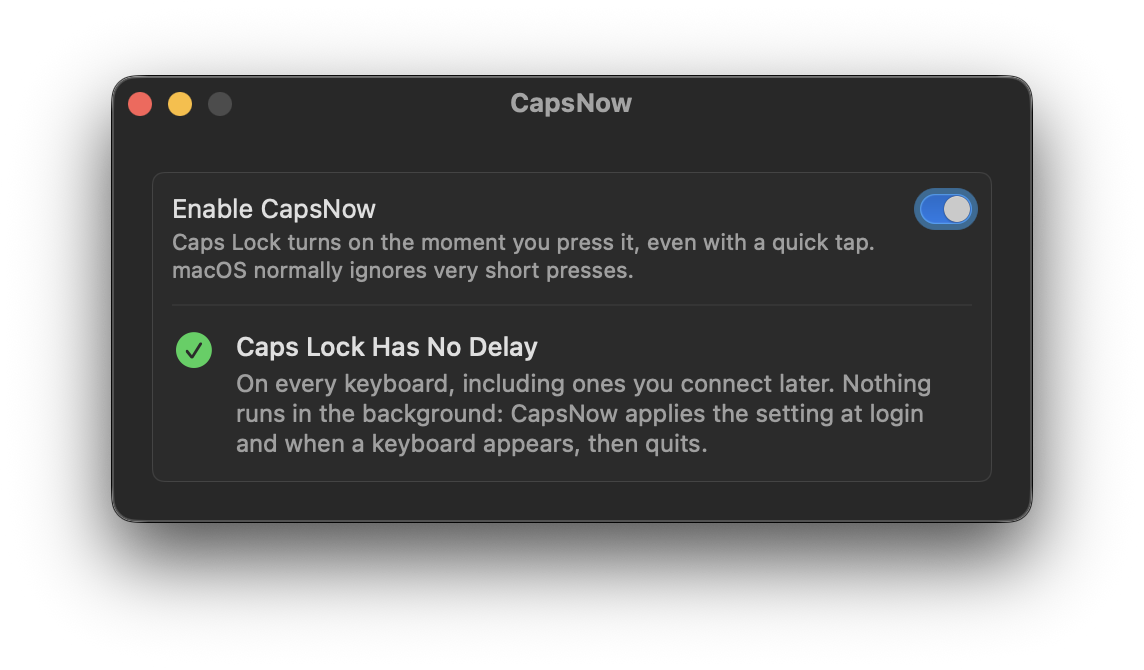
CapsNow turns off the delay macOS adds to Caps Lock. macOS ignores presses shorter than 75 ms so Caps Lock doesn't turn on by accident, but that also swallows quick taps. With CapsNow a quick tap is enough.

- Nothing runs in the background (0 MB of memory, 0 CPU). A small helper applies the setting at login and when a keyboard appears, then quits
- Works on every keyboard: built-in, USB and Bluetooth
- No menu bar icon and no permissions. Turning it off gives macOS its own delay back

Requires a Mac with Apple silicon, macOS 13 or later. Tested on macOS 26.7.1.

Download `CapsNow-1.0.0.dmg` below, open it and drag CapsNow to Applications. Signed with a Developer ID and notarized by Apple.

sha256: `b1af216753fd3a062c895e18c6c00be4c84e973e15ce7fc28308760ab92ec9d9`
More Windows and Keyboard apps
-
 RectangleRectangle is a window manager heavily based on Spectacle, written in Swift
-
 AeroSpaceAeroSpace is an i3-like tiling window manager for macOS
-
 AmethystAutomatic tiling window manager for macOS
-
 LoopWindow management made elegant
-
 OmniWMA Flexible and Modern Tiling Window Manager
-
 FlashSpaceEnhance and replace the native Spaces functionality of macOS