

Candela for Mac
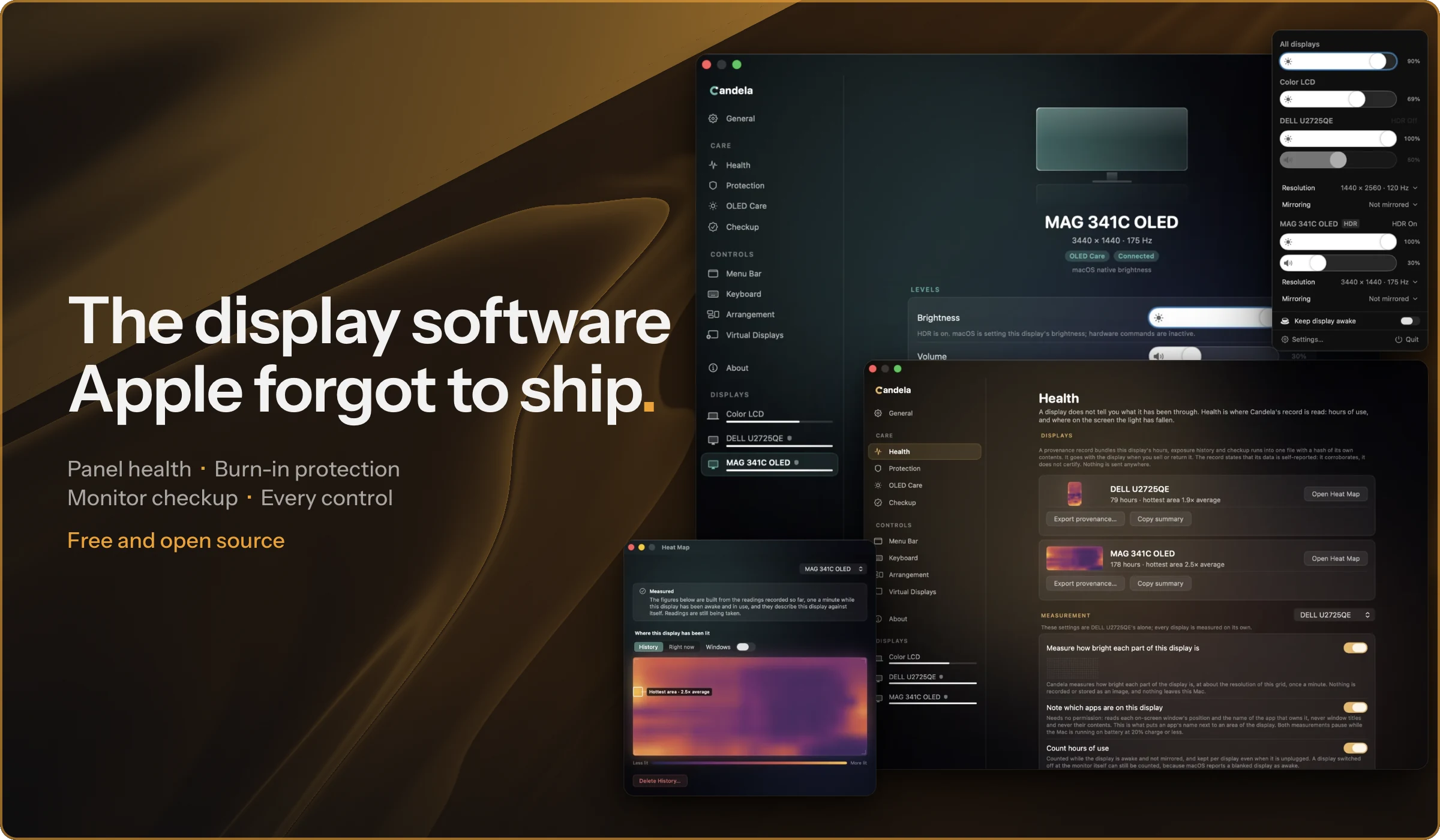
Protects displays from burn-in and wear with panel health and defect checks, plus the brightness, volume, and HiDPI controls.
By Rydersel. Free and open source, MIT licence.
Candela at a glance
- Version
- 1.0.5
- Released
- 2 October 2026
- Download size
- 7.1 MB
- Works on
- Apple silicon and Intel
- Licence
- MIT
- Category
- Utilities
- Developer
- Rydersel
- GitHub stars
- 39
About Candela
Candela protects your displays from OLED burn-in and wear: panel health history, a checkup for defects, and the controls macOS leaves out for external monitors (brightness, volume, contrast, custom resolutions, HiDPI scaling). Free and open source.
Screenshots



How to install Candela on a Mac
- Get OpenDMG. It is a free app store for open source Mac apps. Download OpenDMG.
- Search for Candela and press Get. OpenDMG downloads version 1.0.5 from Rydersel's own GitHub release.
- Open it. The download is checked against its SHA-256 fingerprint and its signature is checked on your Mac before it lands in Applications.
Updates to Candela show up in OpenDMG and install with one button. No account is needed.
Prefer to do it by hand? The developer's file is on GitHub: Candela-1.0.5.dmg (7.1 MB).
What is new in Candela 1.0.5
## New
- Controls: the Island, three new indicator styles that turn the notch into a live brightness, volume, contrast and mute indicator.
- Controls: five more indicator styles: Classic, the box macOS drew for twenty years, Classic (centered), Sequoia, a Vertical capsule at the screen's edge, and a Ring gauge.
- Menu bar: Keep display awake runs for a chosen duration or until a custom end time, and ends on its own.
- Protection: dimming on an enrolled display can be paused for 15 minutes, an hour, or until a chosen time.
- Controls: an optional keyboard shortcut toggles HDR on the external display under the pointer.
- Sizes: after a resolution change, Candela checks the signal the display actually receives and puts back a size that did not take.
- Sizes: favorite resolutions can be saved from All Sizes & Refresh Rates and chosen from the display's Settings page or the menu bar panel.
- Controls: volume support for Kuycon P27U and P32U displays, with the slider and media keys working out of the box.

## Changed
- Menu bar: the panel is bounded to the screen's height and scrolls its display content, so Settings and Quit stay reachable with many displays.
- Settings: optimized the Settings window to use a fraction of the CPU while active.
- Health: optimized the OLED details page, halving its CPU use when idle.
…
More Utilities apps
-
 BetterDisplayDisplay management tool with HiDPI scaling, PiP, and EDID controls
-
 VorssaintAn open-source, free, and local toolkit that integrates functions such as preventing…
-
 MosSmooth your mouse's scrolling and reverse the mouse scroll direction
-
 EasydictmacOS instant translator — type/select/screenshot, multi-service, zero setup
-
 OpenHaystackOpen-source tracker for finding Bluetooth devices through Apple's Find My network
-
 KekaKeka is a full featured file archiver, as easy as it can be