

Bulchimbeon for Mac
Menu bar tool that keeps your Mac awake while AI agents run, then lets it sleep when done.
By s3onghyun. Free and open source, MIT licence.
Bulchimbeon at a glance
- Version
- 0.12.3
- Released
- 9 November 2026
- Download size
- 1.1 MB
- Works on
- Apple silicon and Intel
- Licence
- MIT
- Category
- Artificial Intelligence
- Developer
- s3onghyun
- GitHub stars
- 58
About Bulchimbeon
🪖 불침번 — Your Mac's night-watch soldier. Keeps your Mac awake only while AI agents work. No hooks, no daemon, macOS 13+.
Screenshots

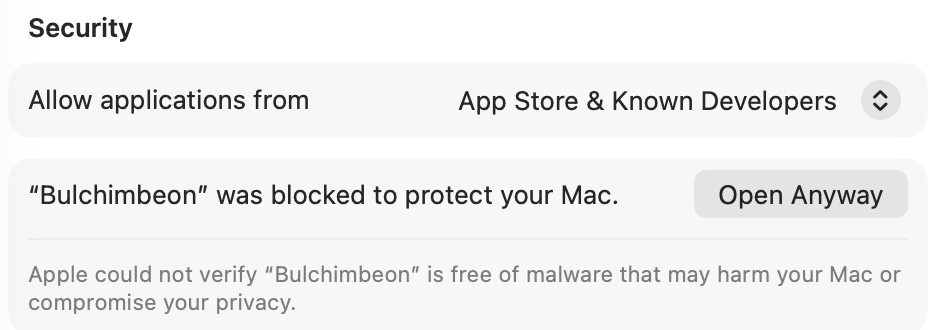

How to install Bulchimbeon on a Mac
- Get OpenDMG. It is a free app store for open source Mac apps. Download OpenDMG.
- Search for Bulchimbeon and press Get. OpenDMG downloads version 0.12.3 from s3onghyun's own GitHub release.
- Open it. The download is checked against its SHA-256 fingerprint and its signature is checked on your Mac before it lands in Applications.
Updates to Bulchimbeon show up in OpenDMG and install with one button. No account is needed.
Prefer to do it by hand? The developer's file is on GitHub: Bulchimbeon-0.12.3.zip (1.1 MB).
What is new in Bulchimbeon 0.12.3
## What's Changed
* packaging: bump AUR recipe to 0.12.2 by @s3onghyun in https://github.com/s3onghyun/bulchimbeon/pull/75
* docs: run a test copy with its own home so it leaves the real duty log alone by @s3onghyun in https://github.com/s3onghyun/bulchimbeon/pull/76
* fix: 근무 서기 하위 메뉴가 깜빡이다 닫히던 문제 수정 by @s3onghyun in https://github.com/s3onghyun/bulchimbeon/pull/77
* release: 0.12.3 changelog and notes by @s3onghyun in https://github.com/s3onghyun/bulchimbeon/pull/78

**Full Changelog**: https://github.com/s3onghyun/bulchimbeon/compare/v0.12.2...v0.12.3
More Artificial Intelligence apps
-
 CodexBarShow usage stats for OpenAI Codex and Claude Code, without having to login
-
 CodeBurnTracks token usage, cost, and performance across 25 AI agents with per-task breakdowns
-
 OsaurusLocal LLM server and AI infrastructure with menu bar, CLI, and shared tools
-
 QuotioAI subscription manager with quota tracking and automatic failover
-
 Claude Usage TrackerTrack the usage of Claude Code
-
 VibeProxyMenu bar app to use existing Claude, ChatGPT, and other subscriptions with AI coding…