

Brow for Mac
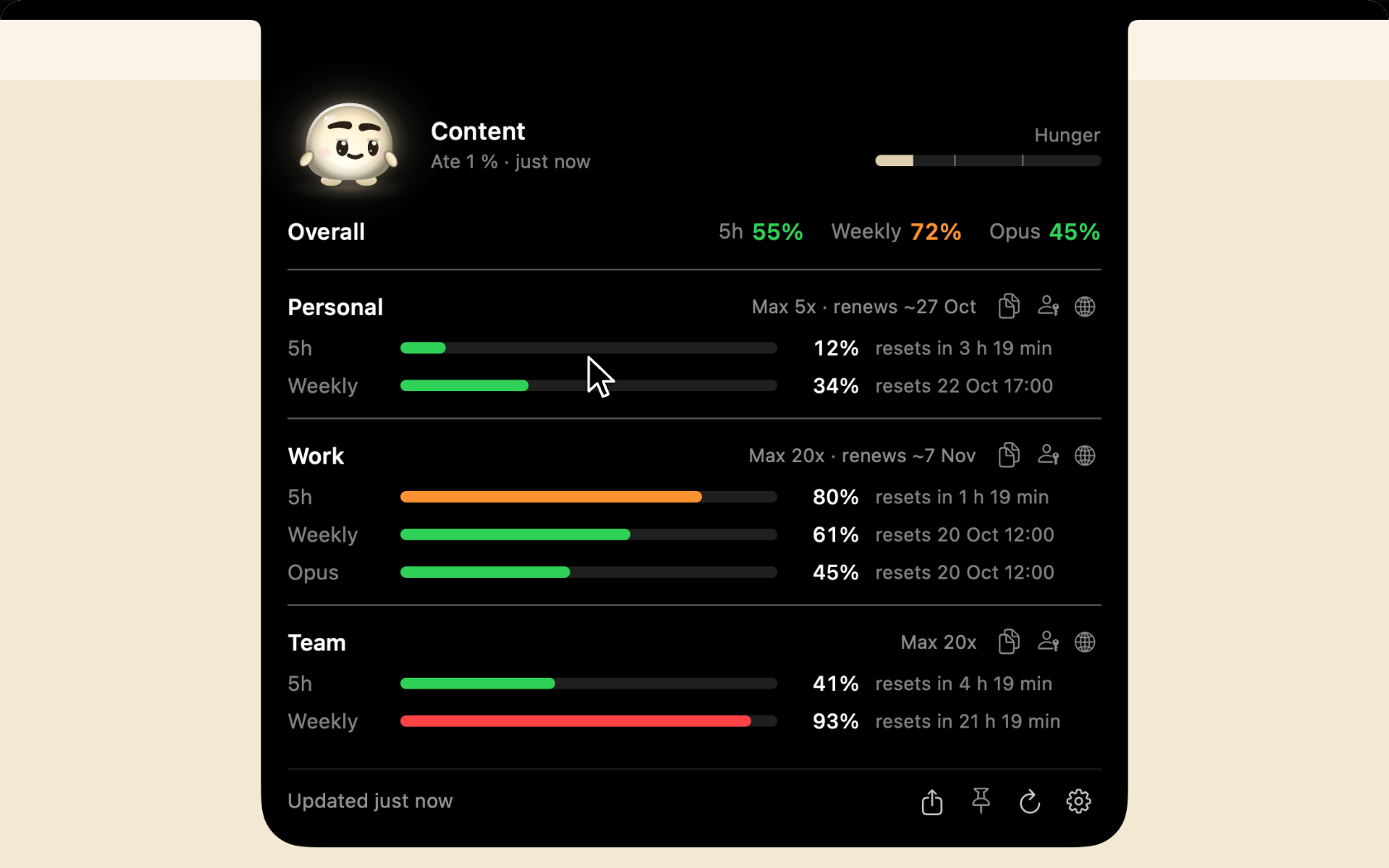
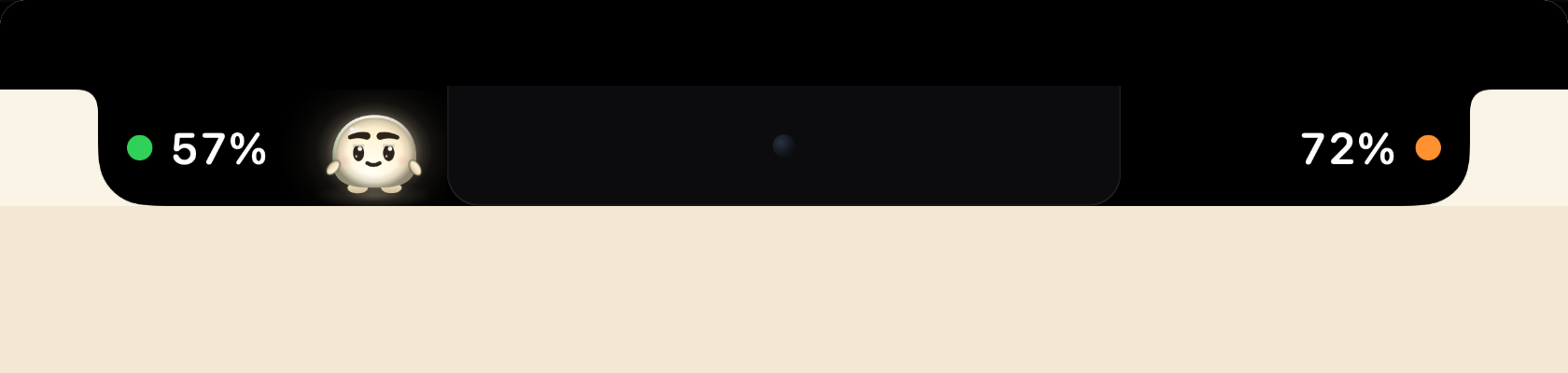
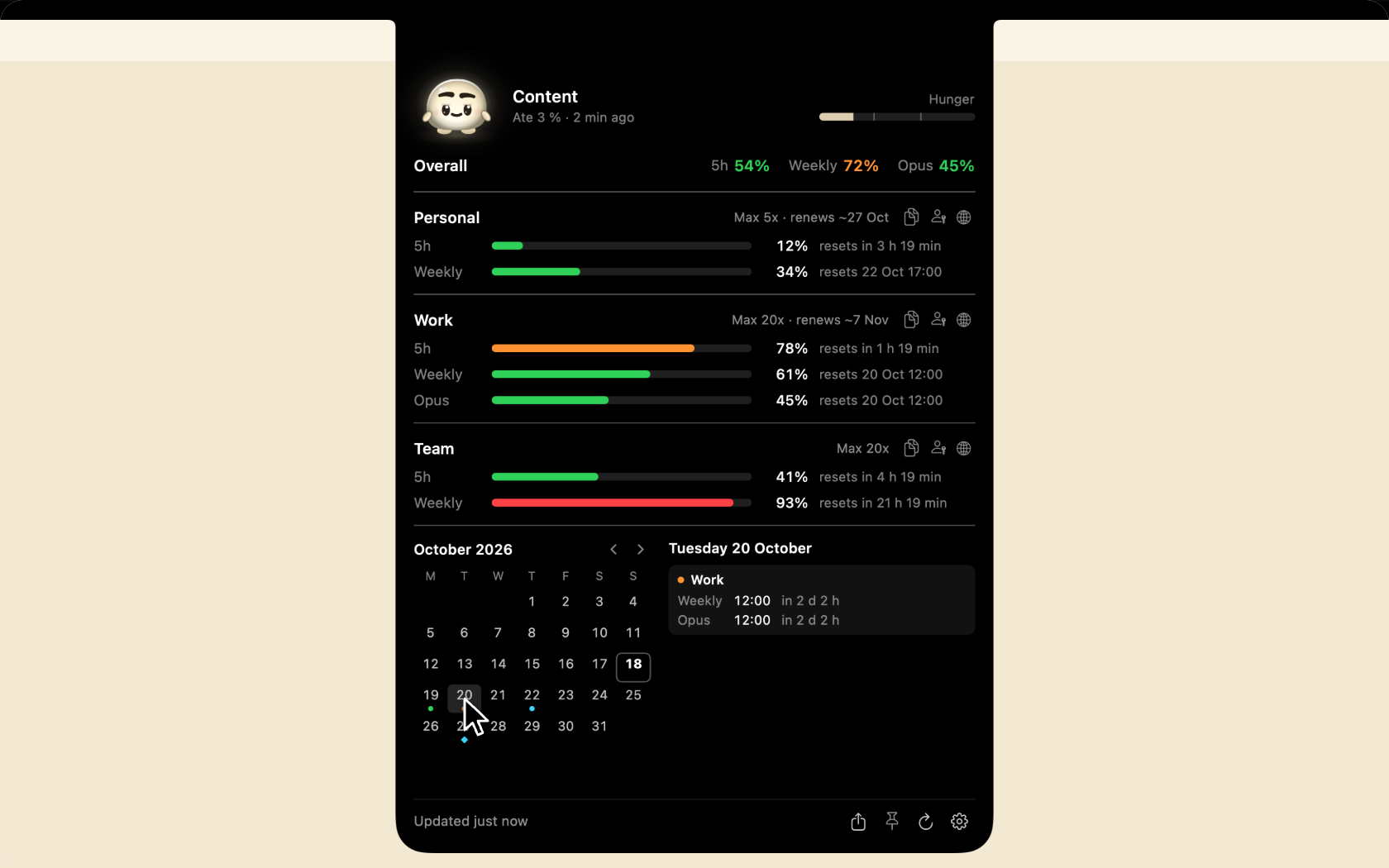
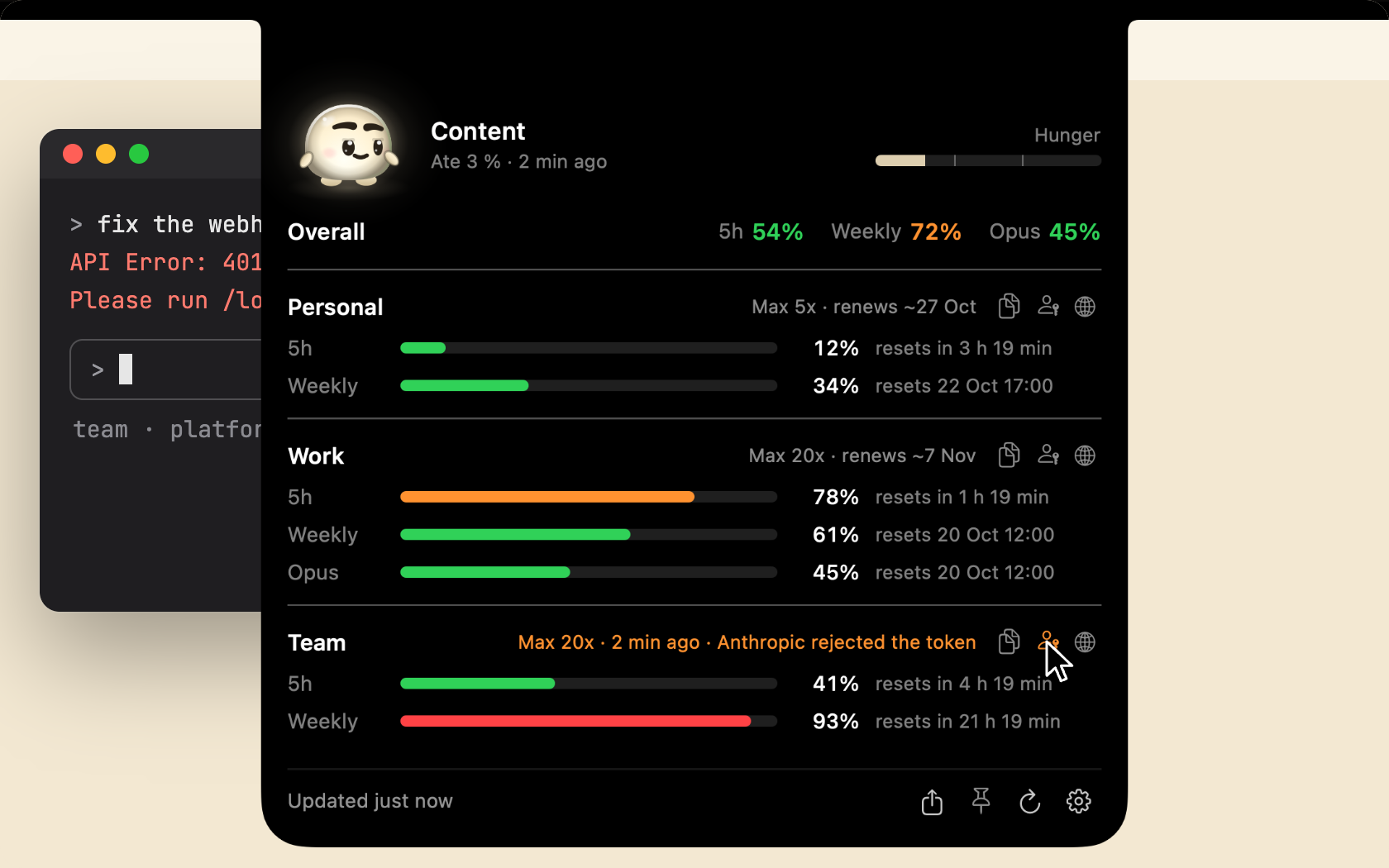
Notch monitor showing the 5-hour and weekly rate-limit usage of several Claude Code accounts and when each limit resets.
By efim0v. Free and open source, GPL-3.0 licence.
Brow at a glance
- Version
- 0.5.0
- Released
- 21 October 2026
- Download size
- 3.8 MB
- Works on
- Apple silicon and Intel
- Licence
- GPL-3.0
- Category
- Artificial Intelligence
- Developer
- efim0v
- GitHub stars
- 30
About Brow
Claude Code usage limits in the MacBook notch, and workspaces for parallel sessions. Every Claude account's 5-hour and weekly limits and resets at a glance, git-worktree workspaces across several repositories (formerly Grove), and Glim, a small pet that eats your limits. macOS app.
Screenshots
How to install Brow on a Mac
- Get OpenDMG. It is a free app store for open source Mac apps. Download OpenDMG.
- Search for Brow and press Get. OpenDMG downloads version 0.5.0 from efim0v's own GitHub release.
- Open it. The download is checked against its SHA-256 fingerprint and its signature is checked on your Mac before it lands in Applications.
Updates to Brow show up in OpenDMG and install with one button. No account is needed.
Prefer to do it by hand? The developer's file is on GitHub: Brow.zip (3.8 MB).
What is new in Brow 0.5.0
Workspaces moves into the notch panel. One window for the limits, the projects and the agents, and no menu-bar item.

## What's new

- **Projects and Agents in the notch panel.** While Workspaces is on, a switch at the top of the panel goes between **Limits**, **Projects** and **Agents**. Brow no longer puts an item in the menu bar: hover the notch, or open Brow again from Finder or Spotlight to get the panel pinned on Projects.
- **What each session said last.** Projects shows every session by its state (*Needs permission* and *Asks you* in yellow, *Working*, *Your turn*, *Closed*), the account it runs as, your newest prompt and Claude's newest line. What needs you comes first, and the yellow number on the switch counts it. Settings → Workspaces → **Show message previews** turns the text off for screen sharing.
- **Suggested projects.** Folders where Claude Code runs that are no project yet show up at the top of Projects with **Add**.
- **Agents**: who talks to whom among the Claude Code agents on this Mac, live: sessions, their subagents and agent teams, a light for each message.
- **Glim has two new moods.** Stuffed, round-bellied and blissful, when it is fed far past the brim, and Famished, up on its toes and hopeful, after hours with nothing used.
- Workspaces uses Brow's accounts: the names and order from Settings → Accounts, with their limits, in every picker.
…
More Artificial Intelligence apps
-
 CodexBarShow usage stats for OpenAI Codex and Claude Code, without having to login
-
 CodeBurnTracks token usage, cost, and performance across 25 AI agents with per-task breakdowns
-
 OsaurusLocal LLM server and AI infrastructure with menu bar, CLI, and shared tools
-
 QuotioAI subscription manager with quota tracking and automatic failover
-
 Claude Usage TrackerTrack the usage of Claude Code
-
 VibeProxyMenu bar app to use existing Claude, ChatGPT, and other subscriptions with AI coding…