

AppPorts for Mac
Move apps to external storage while keeping them launchable from their original location.
By wzh4869. Free and open source, Apache-2.0 licence.
AppPorts at a glance
- Version
- 1.9.0
- Released
- 29 September 2026
- Download size
- 7.1 MB
- Works on
- Apple silicon and Intel
- Licence
- Apache-2.0
- Category
- Utilities
- Developer
- wzh4869
- GitHub stars
- 2.1K
About AppPorts
📦 A macOS utility to seamlessly migrate applications to external storage and reclaim local disk space.【一款 macOS 工具,无缝迁移应用到外部存储并自动建立链接,释放宝贵的本地空间】
Screenshots
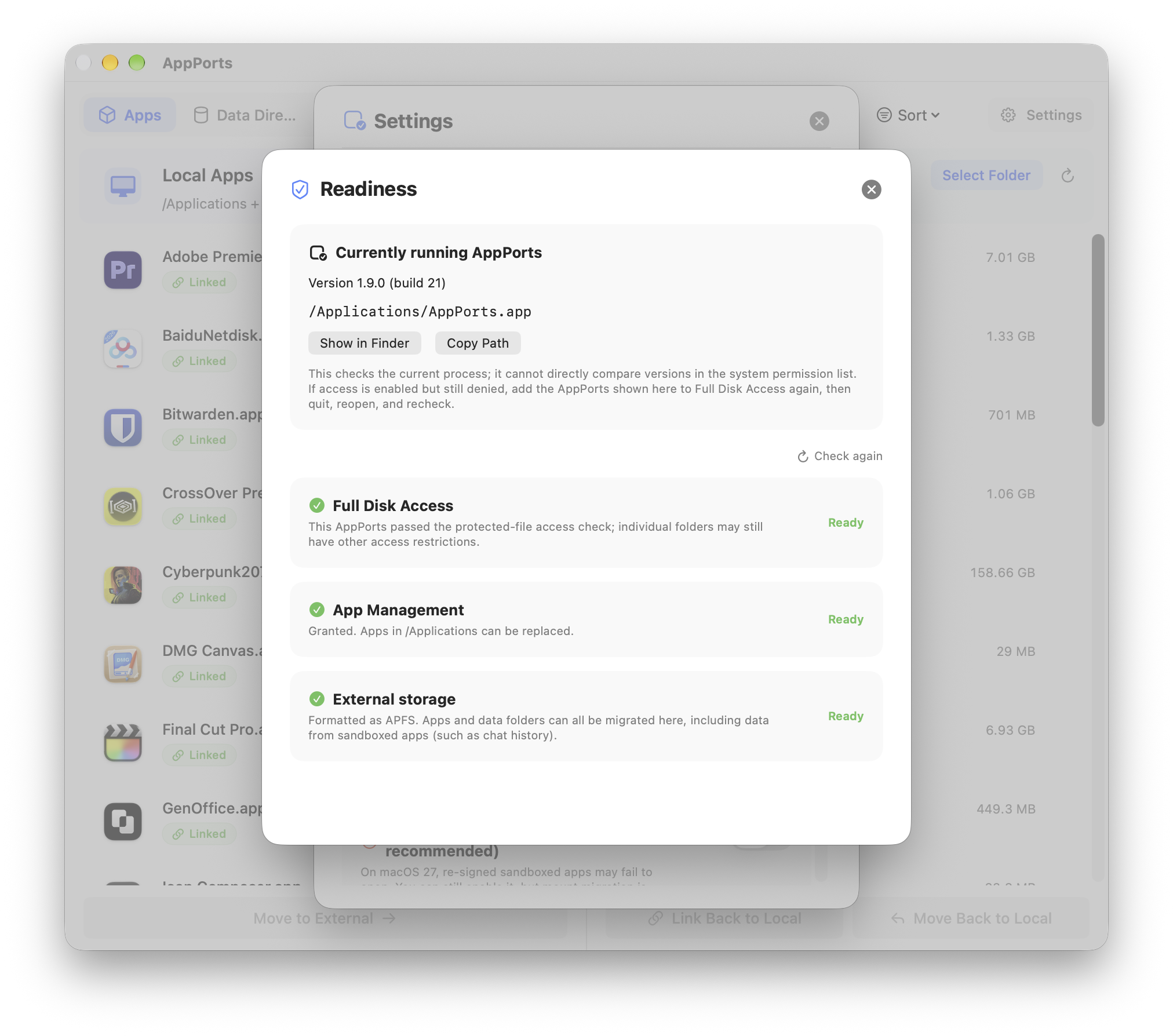
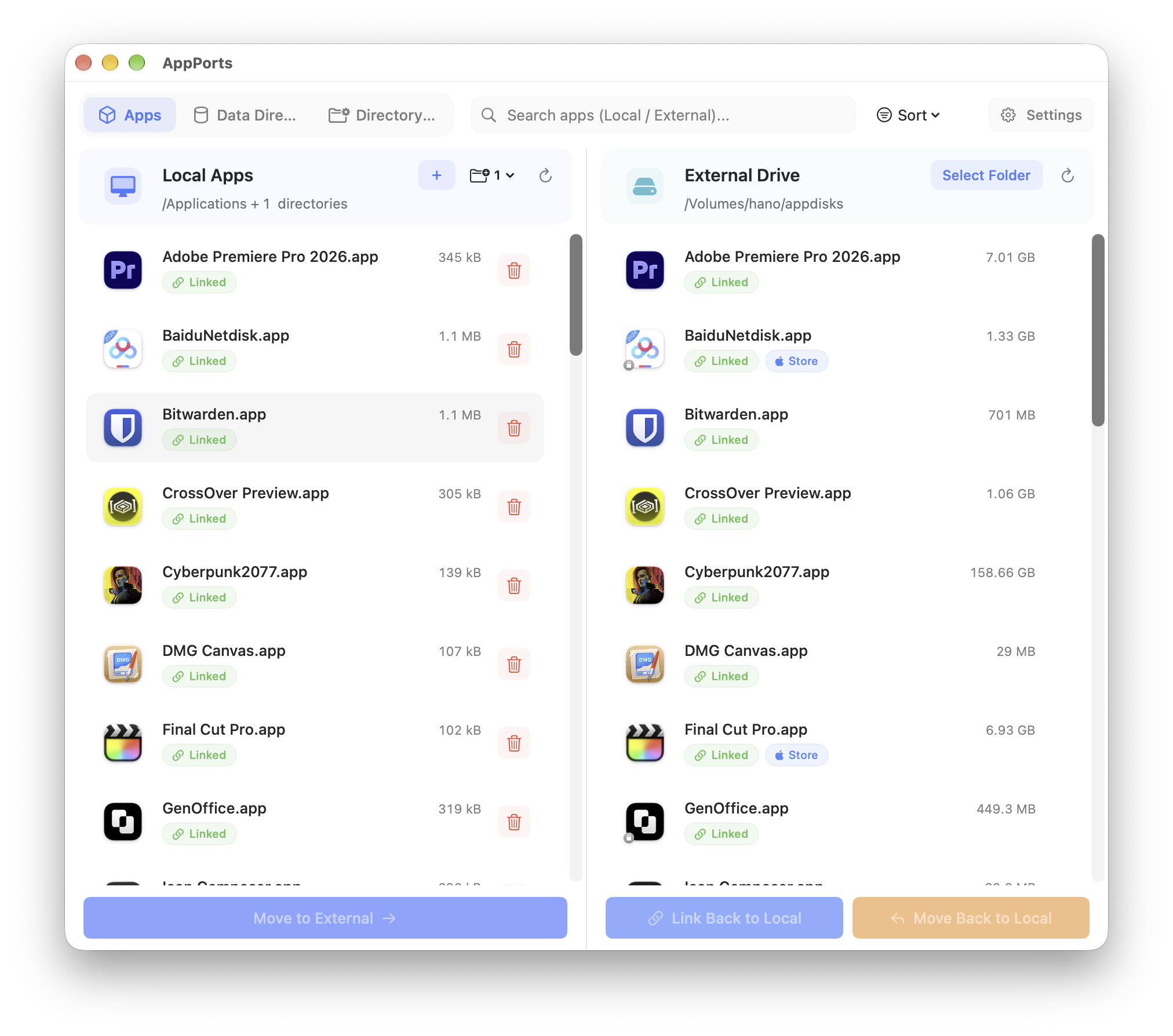
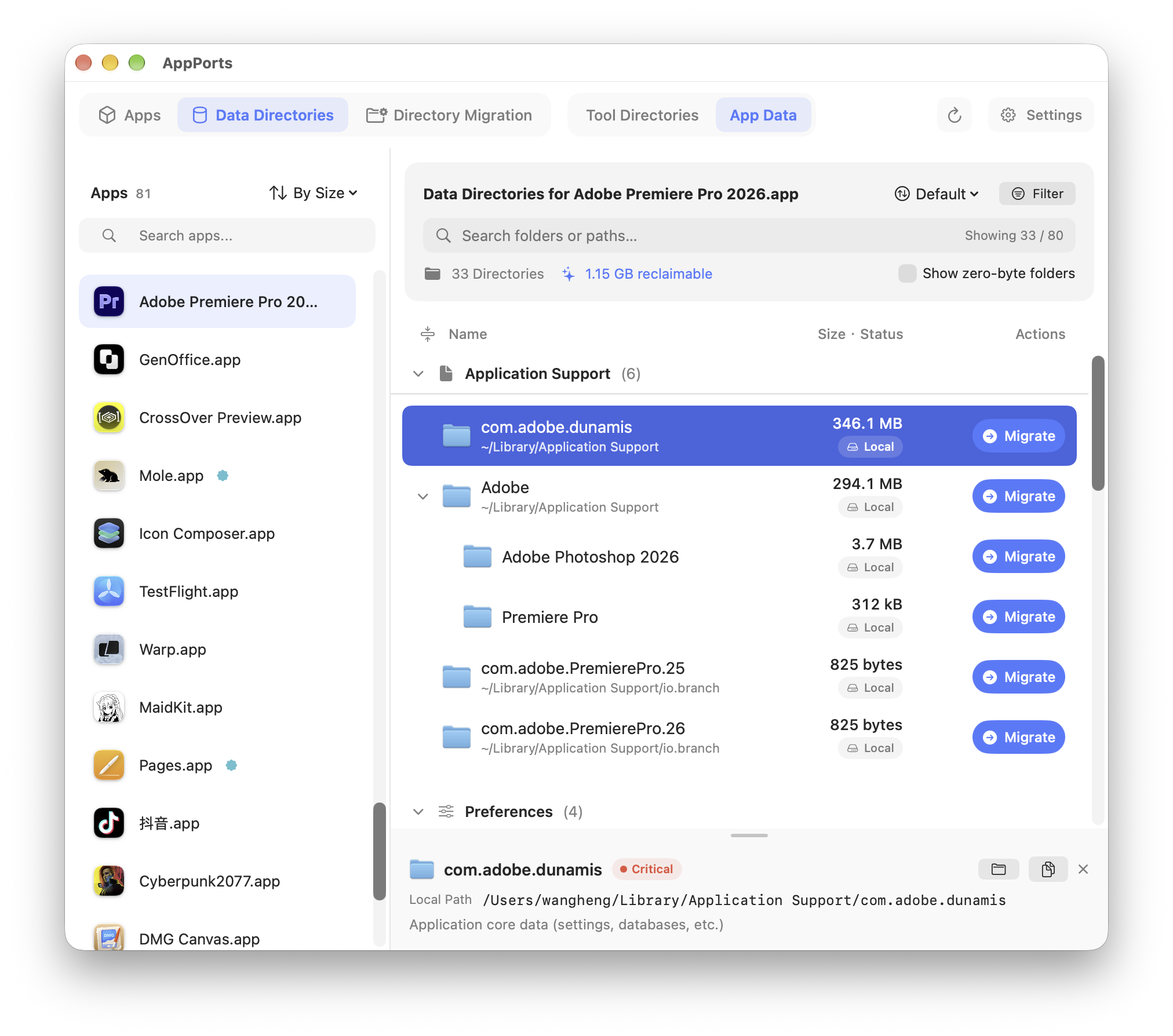
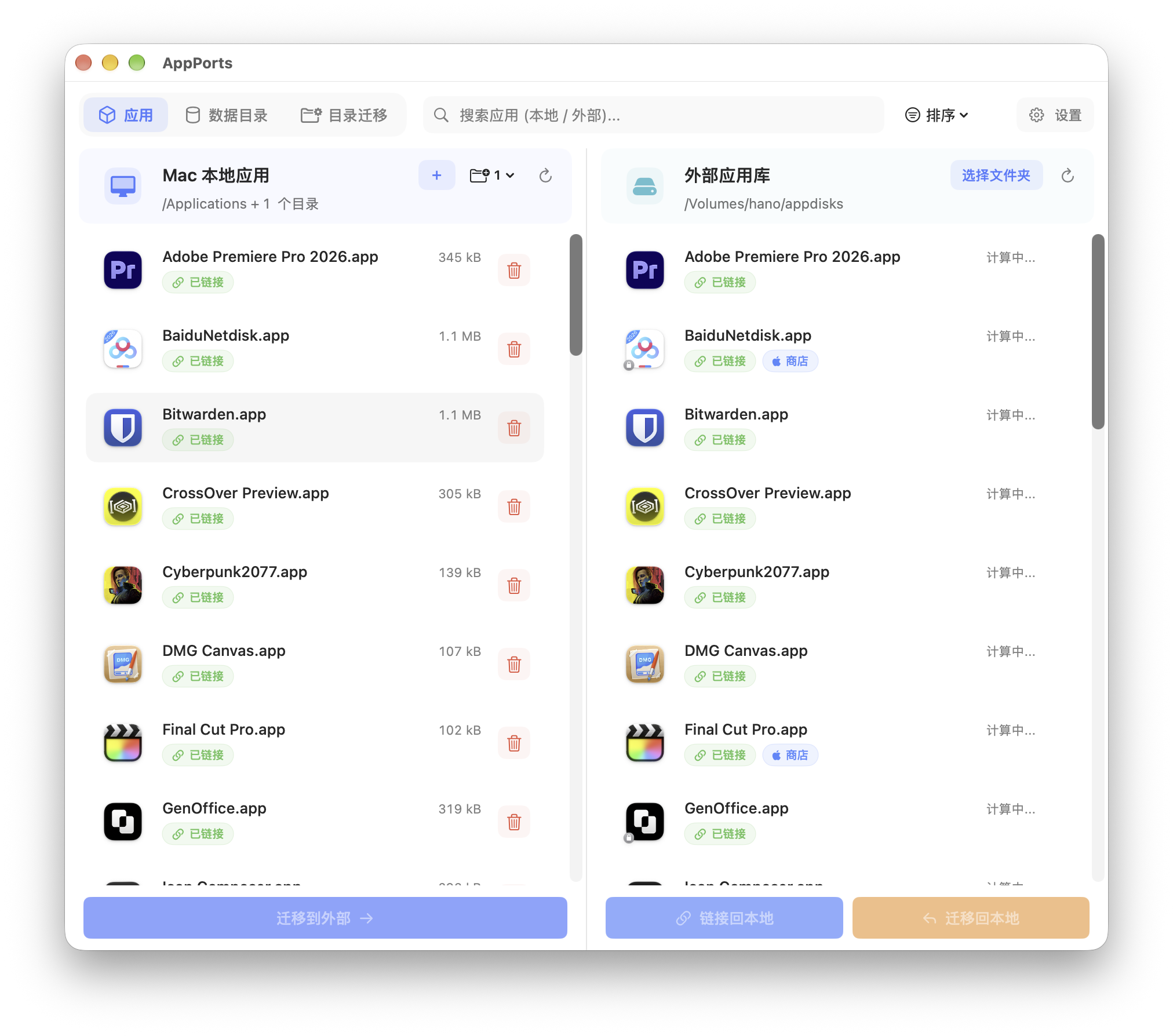
How to install AppPorts on a Mac
- Get OpenDMG. It is a free app store for open source Mac apps. Download OpenDMG.
- Search for AppPorts and press Get. OpenDMG downloads version 1.9.0 from wzh4869's own GitHub release.
- Open it. The download is checked against its SHA-256 fingerprint and its signature is checked on your Mac before it lands in Applications.
Updates to AppPorts show up in OpenDMG and install with one button. No account is needed.
Prefer to do it by hand? The developer's file is on GitHub: AppPorts1.9.0.dmg (7.1 MB).
What is new in AppPorts 1.9.0
## AppPorts v1.9.0 更新说明 (in English) · [直链下载](https://file.shimoko.com/AppPorts) · [赞助](https://pic.cdn.shimoko.com/thanks.png)

### 总结

这次,我们想让你更省心地给 Mac 腾空间。**1.9.0 加入了保留应用原始签名的 APFS 容器数据迁移**,让聊天记录、图片视频等适用的应用数据也能搬到外置盘,应用仍按原来的路径读取。希望你能少一点因为空间不足而做取舍,多留一些喜欢的应用和想留住的内容。我们还加入了数据卷自动接回,让日常连接外置盘后的准备工作更轻松。

打开 AppPorts,你也会发现找数据、看空间更顺手了。我们重新整理了目录树,加上搜索筛选、展开动画、可调高度的信息栏和零字节目录开关,**哪些数据占地方、这次能腾出多少空间,看得更明白**。针对部分应用迁移后或恢复到本地后找不到关联数据的问题,我们也补上了识别支持;这项修复无需重新迁移或重新签名,更新后重新扫描即可。

第一次使用有新的分步引导,权限没准备好、应用信息没读全,也会告诉你下一步该怎么做。我们还完善了原始应用备份、失败恢复和 macOS 27 修复指引,希望你从第一次搬家到日常使用,都能少一点摸索,多一点安心。感谢大家把使用中遇到的问题告诉我们,这些反馈都在帮助 AppPorts 变得更好用。

### 升级提示

**准备升级 macOS 27:请先更新并打开一次 AppPorts。** 新版需要这次启动来更新已经安装的后台重签名脚本,加入系统版本保护;只下载新版还不够。升级后打开 AppPorts,会关闭「开机自动重签名」并停止、移除旧任务;若未能完成清理,设置页会提示重试。

**旧方式迁移的应用打不开时,先查看修复步骤。** 连接原来的外置盘,完全退出要修复的应用,然后在应用列表中找到带「签名已替换」标记的应用,点击「修复」。先还原通过旧符号链接迁移的容器数据,再恢复原始签名或从官方渠道重装。保留现有数据和备份,不要再次重签名。详细步骤见 [macOS 27 升级与修复说明](https://docs-appports.shimoko.com/macos-27.html)。

已经通过 APFS 挂载迁移的目录无需仅为签名修复而还原。更新 AppPorts 不会自动转换旧迁移,也不会自动恢复曾被替换的签名。

### 新功能

**APFS 容器数据迁移** — 支持将 `Containers`、`Group Containers` 下的应用数据迁移到外置盘,在原目录挂载专用的数据卷,保留应用原有签名和访问路径。提供挂载、卸载和还原操作。默认模式下,容器数据使用这套方案;其他数据目录继续使用各自适用的迁移方式。

**容器数据卷管理与自动接回** — 数据目录新增「已挂载」「待挂载」「外置盘未连接」等状态,按当前情况提供挂载、卸载和还原操作。迁移成功后安装后台挂载任务,在登录或连接外置盘时尝试接回数据卷;最后一条挂载记录还原后自动移除任务。后台任务独立运行,不需要打开主窗口;旧系统的管理员授权限制见下方使用提示。
…
More Utilities apps
-
 BetterDisplayDisplay management tool with HiDPI scaling, PiP, and EDID controls
-
 VorssaintAn open-source, free, and local toolkit that integrates functions such as preventing…
-
 MosSmooth your mouse's scrolling and reverse the mouse scroll direction
-
 EasydictmacOS instant translator — type/select/screenshot, multi-service, zero setup
-
 OpenHaystackOpen-source tracker for finding Bluetooth devices through Apple's Find My network
-
 KekaKeka is a full featured file archiver, as easy as it can be