

ApolloShell for Mac
Composable desktop shell built from customizable screen-edge panels.
By Silvertree2010. Free and open source, MIT licence.
ApolloShell at a glance
- Version
- 0.1.5
- Released
- 10 October 2026
- Download size
- 10.0 MB
- Works on
- Apple silicon and Intel
- Licence
- MIT
- Category
- Windows and Keyboard
- Developer
- Silvertree2010
- GitHub stars
- 92
About ApolloShell
Caelestia-inspired desktop shell for macOS 26 Tahoe: sidebar with its own dock, launcher, dashboard, quick actions and a settings app. Native Swift, English and German.
Screenshots
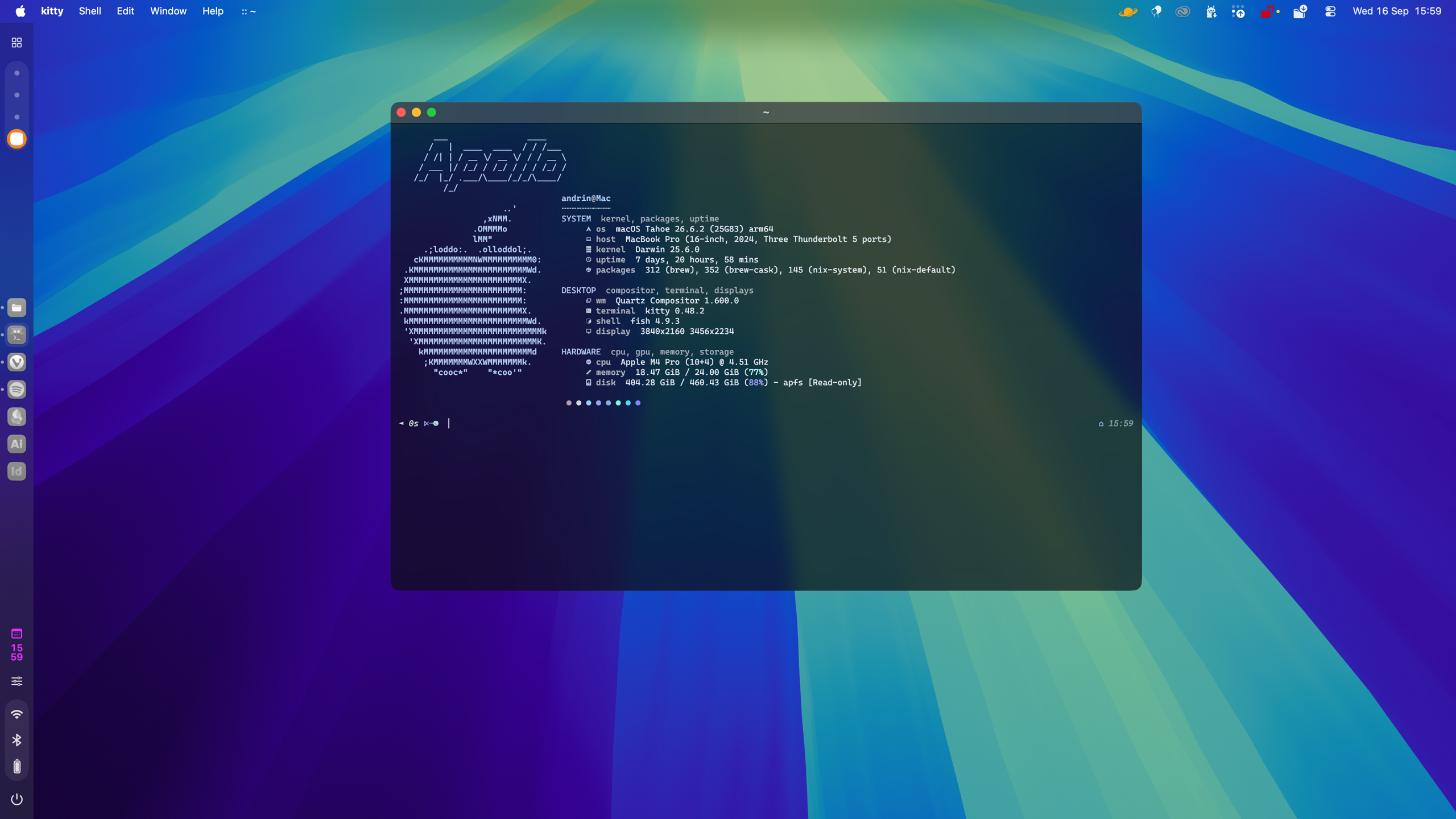
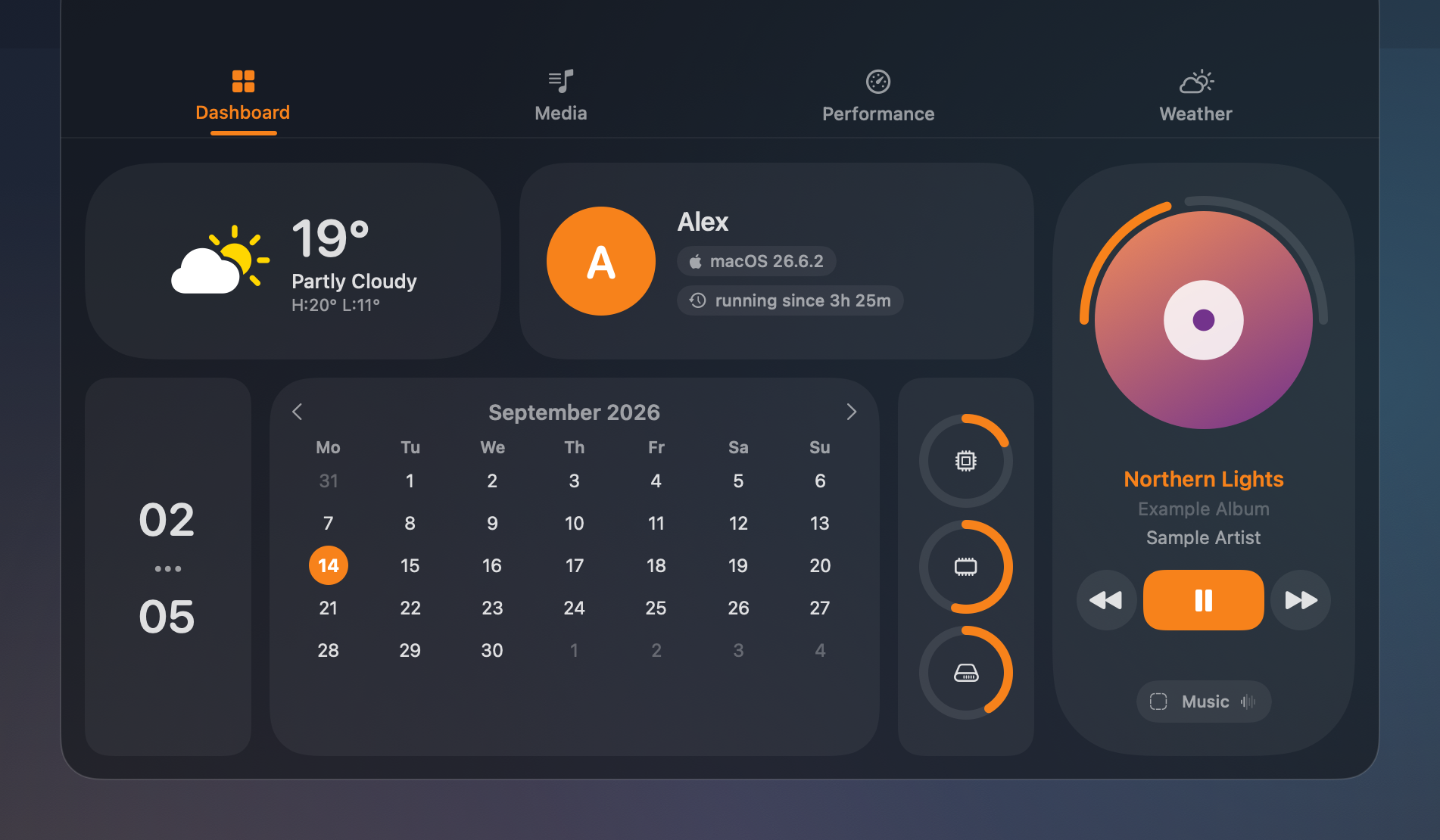
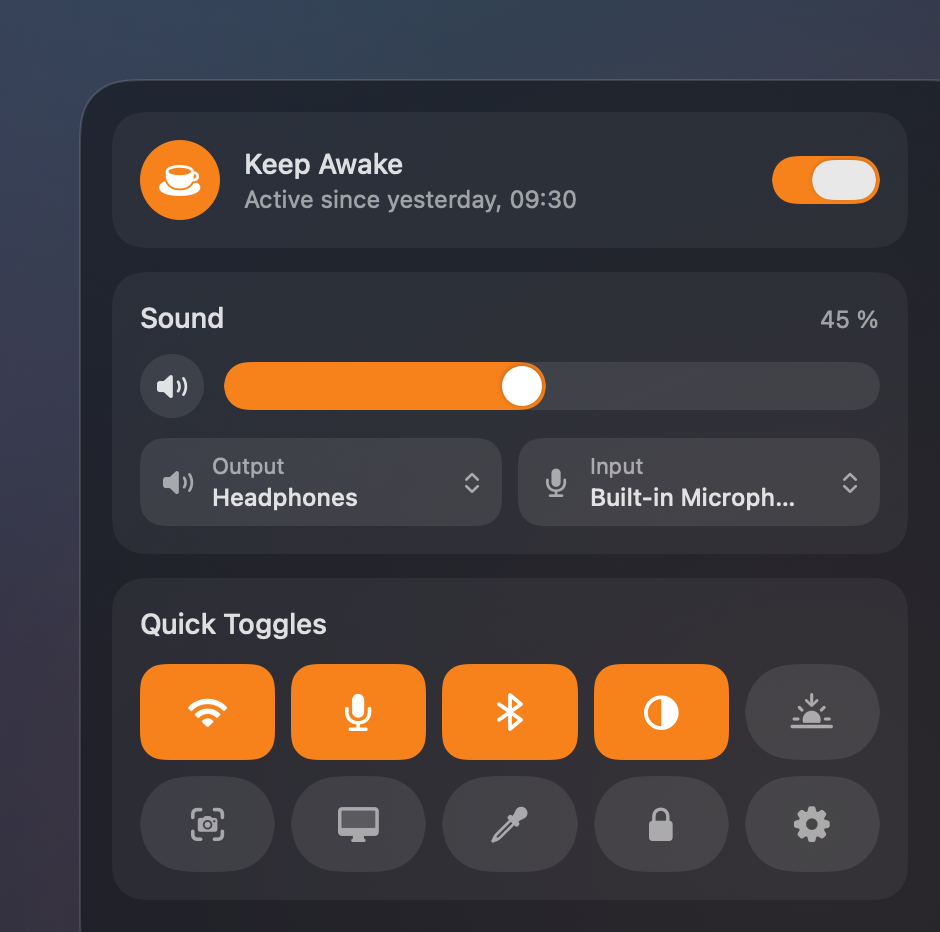
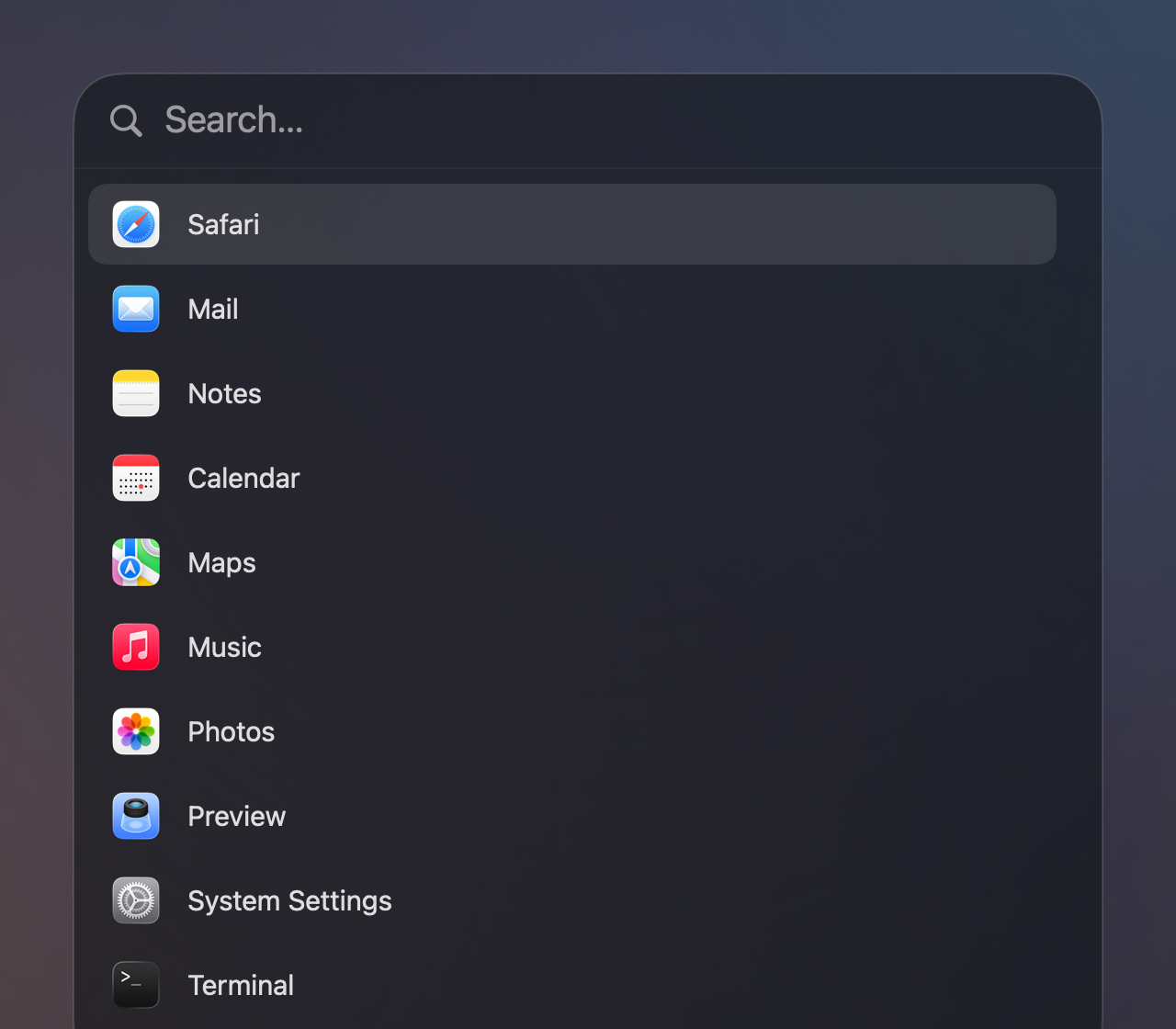
How to install ApolloShell on a Mac
- Get OpenDMG. It is a free app store for open source Mac apps. Download OpenDMG.
- Search for ApolloShell and press Get. OpenDMG downloads version 0.1.5 from Silvertree2010's own GitHub release.
- Open it. The download is checked against its SHA-256 fingerprint and its signature is checked on your Mac before it lands in Applications.
Updates to ApolloShell show up in OpenDMG and install with one button. No account is needed.
Prefer to do it by hand? The developer's file is on GitHub: ApolloShell-0.1.5.dmg (10.0 MB).
What is new in ApolloShell 0.1.5
A feature release: a Dock that stays tidy with any number of apps, a launcher
that does more than open apps, and a calmer Nexus.

### Added

- **Smart groups in the Dock.** With more than nine apps, related ones share
 a group (notes and writing, developer tools, design, media, chat, web …),
 so the Dock never shows more than nine places. Your most used apps stay
 single. Hovering a group opens a second bar next to it with its apps.
 ApolloShell also learns which apps you use together, on your Mac only.
 Nexus > Bar > Dock turns it off.
- **Files, folders and the Trash in the Dock.** Drop files or folders on an
 empty spot to pin them; folders open as a stack in the second bar. Drop a
 file on a folder to move it there, or on the Trash to delete it. Right-click
 the Trash to empty it.
- **Window previews.** Hovering a running app in the Dock lists its windows;
 a click brings one to the front. With Screen Recording permission the list
 shows thumbnails.
- **A busier launcher.** `=` is a calculator (simple sums work without it),
 `>` runs actions like Lock Screen, Sleep, Dark Mode or Screenshot, and `:`
 lists the last 40 copied texts, kept in memory only. Searching also finds
 files from your Desktop, Documents, Downloads and iCloud Drive.
- **Sound in the status icons.** A new speaker icon opens volume, output and
 input, like the Quick Actions card.
…
More Windows and Keyboard apps
-
 RectangleRectangle is a window manager heavily based on Spectacle, written in Swift
-
 AeroSpaceAeroSpace is an i3-like tiling window manager for macOS
-
 AmethystAutomatic tiling window manager for macOS
-
 LoopWindow management made elegant
-
 FlashSpaceEnhance and replace the native Spaces functionality of macOS
-
 OmniWMA Flexible and Modern Tiling Window Manager