

AnyDrag for Mac
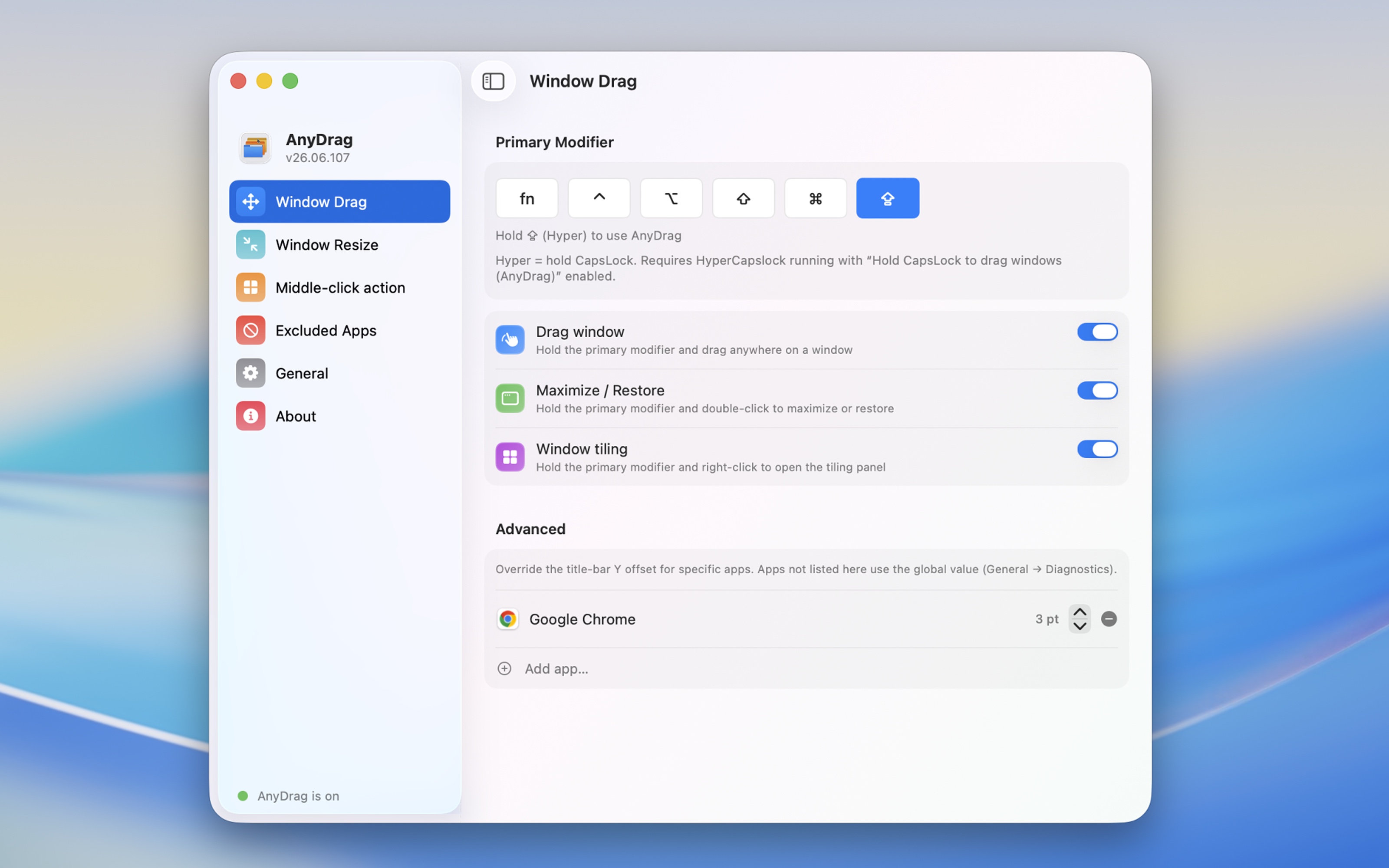
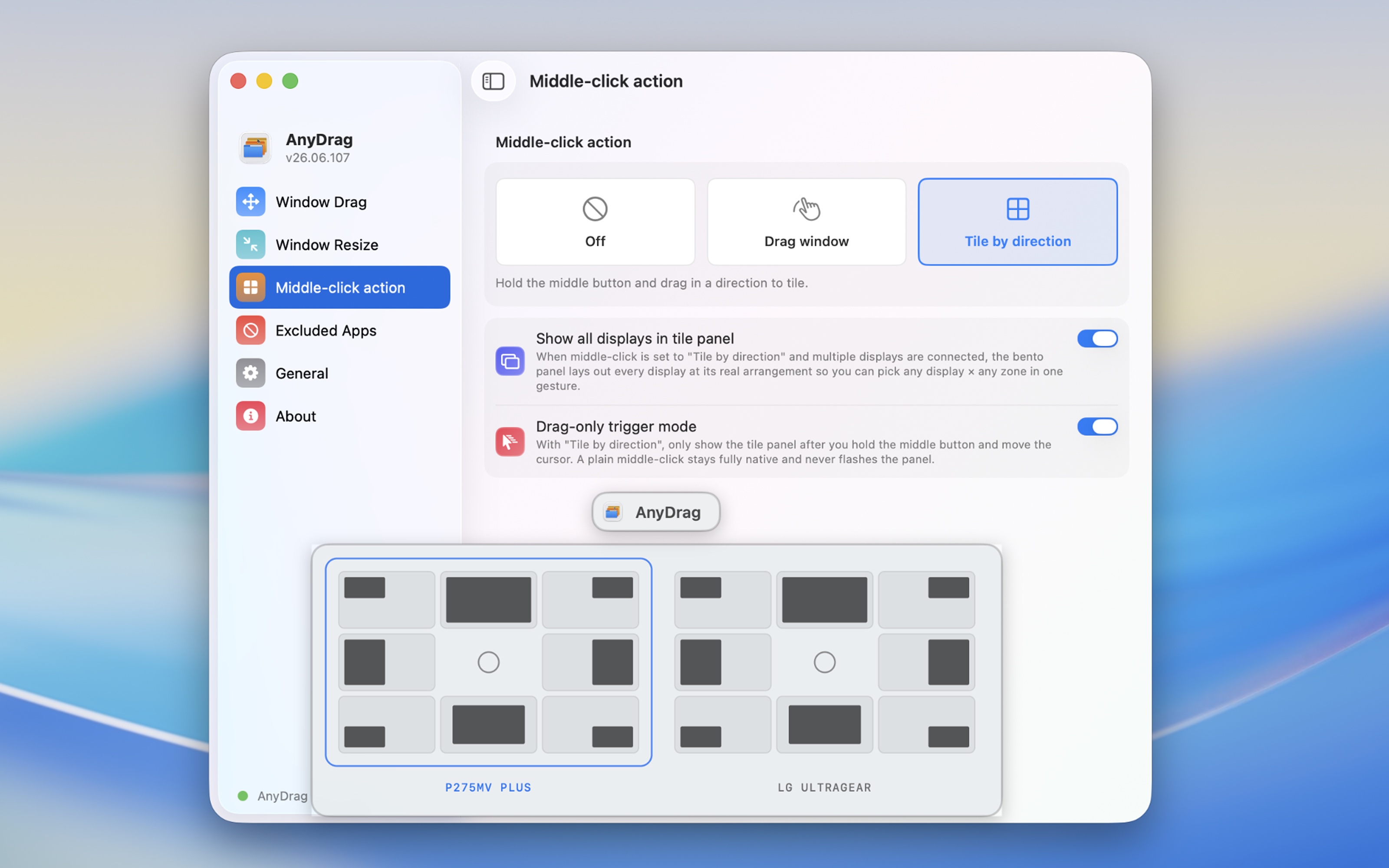
Drag any window by holding a modifier key and clicking anywhere — smooth as a native title bar.
By XueshiQiao. Free and open source, GPL-3.0 licence.
AnyDrag at a glance
- Version
- 26.10.117
- Released
- 4 October 2026
- Download size
- 3.9 MB
- Works on
- Apple silicon and Intel
- Licence
- GPL-3.0
- Category
- Windows and Keyboard
- Developer
- XueshiQiao
- GitHub stars
- 227
About AnyDrag
Modifier+drag to move any window smoothly on macOS, exactly like native speed
Screenshots
How to install AnyDrag on a Mac
- Get OpenDMG. It is a free app store for open source Mac apps. Download OpenDMG.
- Search for AnyDrag and press Get. OpenDMG downloads version 26.10.117 from XueshiQiao's own GitHub release.
- Open it. The download is checked against its SHA-256 fingerprint and its signature is checked on your Mac before it lands in Applications.
Updates to AnyDrag show up in OpenDMG and install with one button. No account is needed.
Prefer to do it by hand? The developer's file is on GitHub: AnyDrag.dmg (3.9 MB).
What is new in AnyDrag 26.10.117
<h3>What's New in 26.10.117</h3>
<ul>
 <li><b>Show the app icon in the menu bar, the Dock, or both</b> — New in <b>Settings → General → Show App Icon In</b>: <b>Menu Bar</b> (the default, exactly as before), <b>Dock</b>, or <b>Menu Bar and Dock</b>. With the Dock icon on, clicking it — or opening AnyDrag a second time — brings up the Settings window, so hiding the menu bar icon can never lock you out of the app. Switching takes effect immediately, no relaunch needed. Thanks to @hexeric for the request (<a href="https://github.com/XueshiQiao/AnyDrag/issues/52">#52</a>).</li>
 <li><b>A plain ⌘-click reaches the app again</b> — With Command as the only drag modifier, a ⌘-click that never turned into a drag was swallowed, so ⌘-clicking a link in a browser didn't open it in a new tab. Such a click is now passed through to the app untouched; ⌘-drag moves windows exactly as before. Thanks to @Plazman888 for reporting it (<a href="https://github.com/XueshiQiao/AnyDrag/issues/53">#53</a>).</li>
</ul>

<h3>26.10.117 更新内容</h3>
<ul>
 <li><b>App 图标可以放在菜单栏、Dock,或者两边都放</b> — <b>「设置 → 通用 → App 图标显示在」</b>新增三选一:<b>「菜单栏」</b>(默认,和以前完全一样)、<b>「Dock」</b>、<b>「菜单栏和 Dock」</b>。开着 Dock 图标时,点一下它,或者再启动一次 AnyDrag,就能叫出设置窗口,所以把菜单栏图标藏起来也不会再找不到入口。切换立即生效,不用重启。感谢 @hexeric 提出这个需求(<a href="https://github.com/XueshiQiao/AnyDrag/issues/52">#52</a>)。</li>
…
More Windows and Keyboard apps
-
 RectangleRectangle is a window manager heavily based on Spectacle, written in Swift
-
 AeroSpaceAeroSpace is an i3-like tiling window manager for macOS
-
 AmethystAutomatic tiling window manager for macOS
-
 LoopWindow management made elegant
-
 FlashSpaceEnhance and replace the native Spaces functionality of macOS
-
 OmniWMA Flexible and Modern Tiling Window Manager