
Ambient for Mac
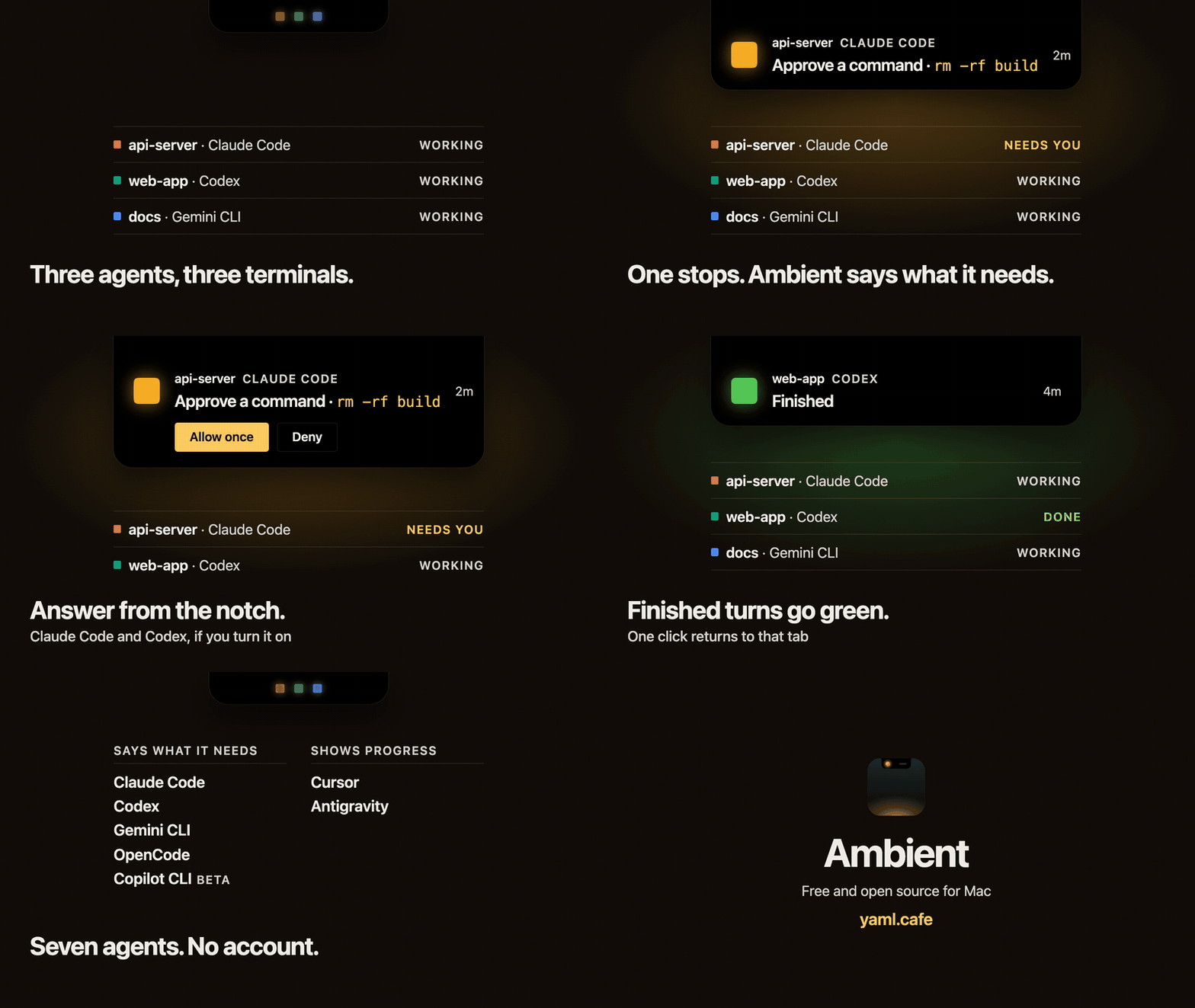
Notch status indicator for Claude Code, Codex, and Gemini CLI sessions, with alerts.
By viveky259259. Free and open source, MIT licence.
Ambient at a glance
- Version
- 1
- Released
- 14 October 2026
- Download size
- 13 MB
- Works on
- Apple silicon and Intel
- Licence
- MIT
- Category
- Artificial Intelligence
- Developer
- viveky259259
- GitHub stars
- 0
About Ambient
Free macOS notch app for AI coding agents: live status, notifications and one click back to the exact session for Claude Code, Codex, Gemini CLI and more.
Screenshots
How to install Ambient on a Mac
- Get OpenDMG. It is a free app store for open source Mac apps. Download OpenDMG.
- Search for Ambient and press Get. OpenDMG downloads version 1 from viveky259259's own GitHub release.
- Open it. The download is checked against its SHA-256 fingerprint and its signature is checked on your Mac before it lands in Applications.
Updates to Ambient show up in OpenDMG and install with one button. No account is needed.
Prefer to do it by hand? The developer's file is on GitHub: ambient-voice-1.zip (13 MB).
What is new in Ambient 1
The `ambient-voice` helper for Ambient's offline voice: Kokoro-82M running on your Mac through kokoro-ios and MLX. Apple silicon, macOS 15 or later.

Ambient downloads this for you when you choose **Offline model** in Settings › Voice, and checks its SHA-256 and Developer ID signature before installing it, so you don't need to download it yourself. The model weights come from Hugging Face. Third-party licenses are inside the zip under `licenses/`.
More Artificial Intelligence apps
-
 CodexBarShow usage stats for OpenAI Codex and Claude Code, without having to login
-
 CodeBurnTracks token usage, cost, and performance across 25 AI agents with per-task breakdowns
-
 OsaurusLocal LLM server and AI infrastructure with menu bar, CLI, and shared tools
-
 QuotioAI subscription manager with quota tracking and automatic failover
-
 Claude Usage TrackerTrack the usage of Claude Code
-
 VibeProxyMenu bar app to use existing Claude, ChatGPT, and other subscriptions with AI coding…