

AllInOneIME for Mac
AI input method for improving, translating, and querying text in any app.
By MicroZ-LLC. Free and open source.
AllInOneIME at a glance
- Version
- 0.7.3
- Released
- 12 November 2026
- Download size
- 38 MB
- Works on
- Apple silicon and Intel
- Category
- Windows and Keyboard
- Developer
- MicroZ-LLC
- GitHub stars
- 14
About AllInOneIME
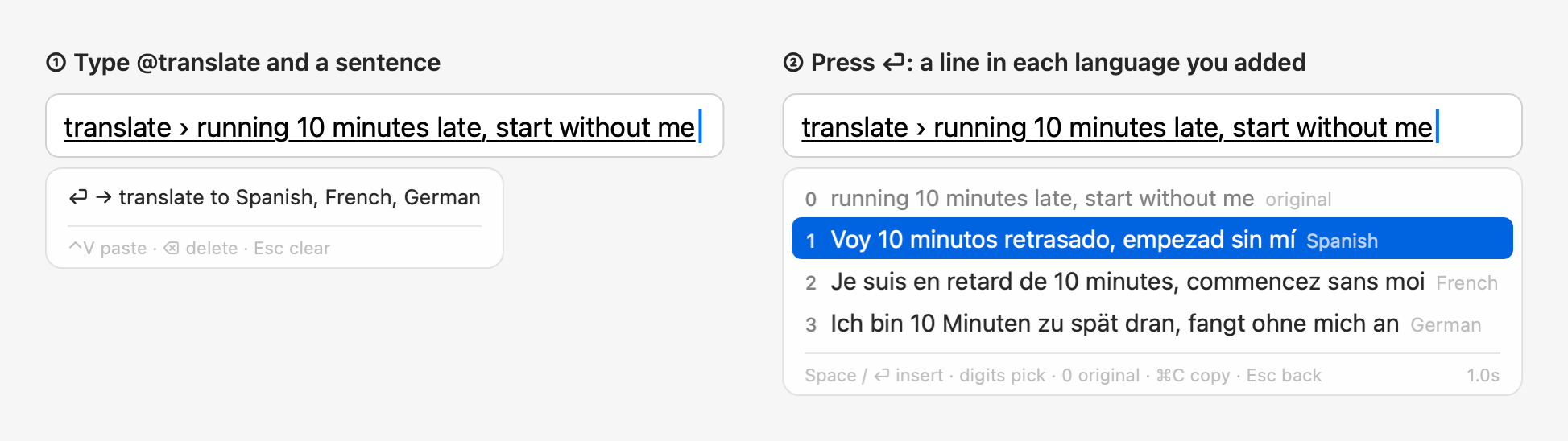
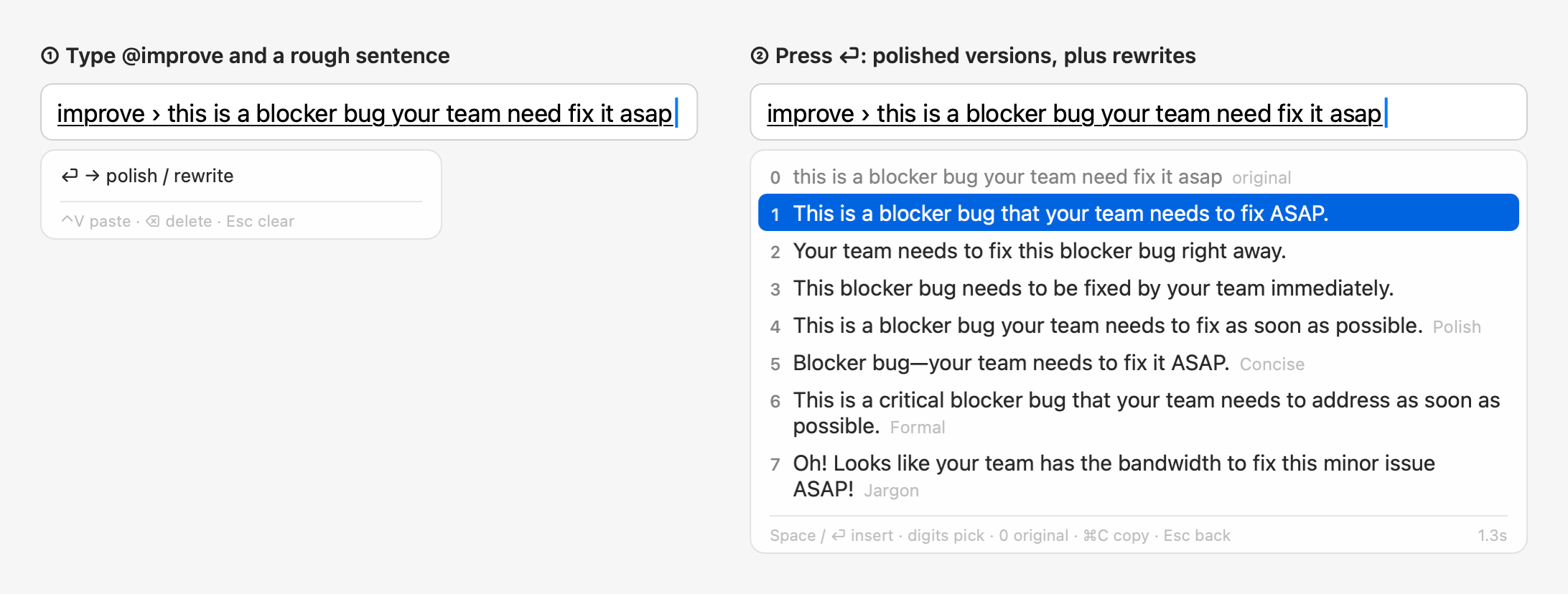
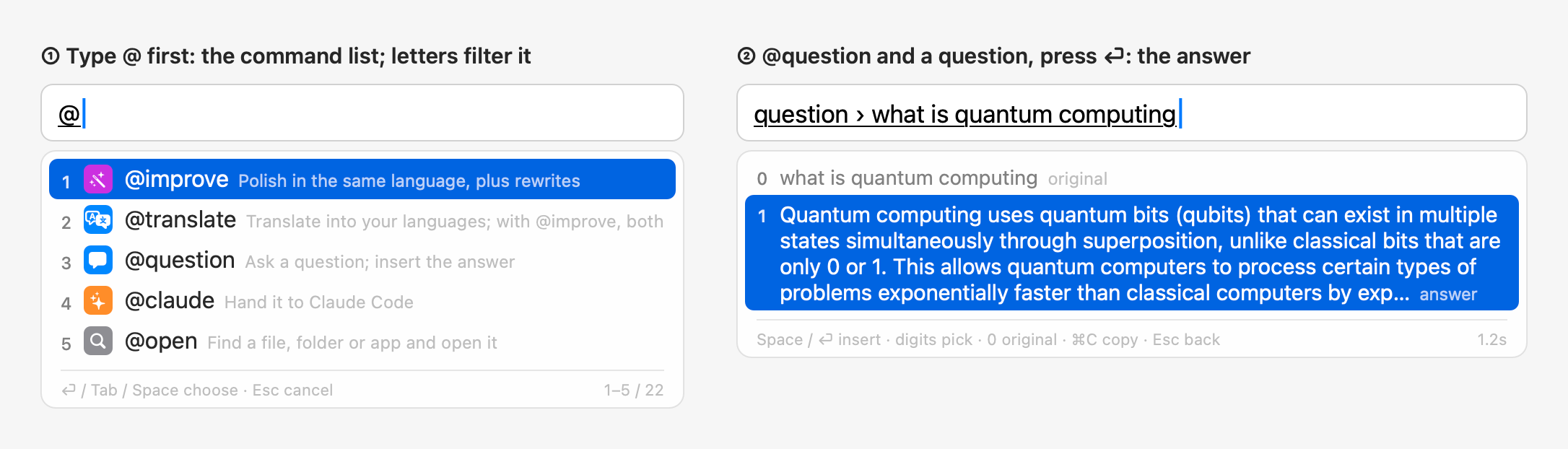
Talk to AI wherever you type. A macOS input method: @improve polishes, @translate translates, @question answers, @agent hands off to Claude Code, in any text field. Also a full pinyin input method.
Screenshots
How to install AllInOneIME on a Mac
- Get OpenDMG. It is a free app store for open source Mac apps. Download OpenDMG.
- Search for AllInOneIME and press Get. OpenDMG downloads version 0.7.3 from MicroZ-LLC's own GitHub release.
- Open it. The download is checked against its SHA-256 fingerprint and its signature is checked on your Mac before it lands in Applications.
Updates to AllInOneIME show up in OpenDMG and install with one button. No account is needed.
Prefer to do it by hand? The developer's file is on GitHub: AllInOneIME-0.7.3.dmg (38 MB).
What is new in AllInOneIME 0.7.3
**New:** This Week (the first page in Settings, `@stats`, the menu bar): how much you used AllInOneIME this week, kept only on this Mac, with a picture you can copy and share. Shuangpin and Zhuyin (Settings → Input → Chinese → Typing), @question that keeps the conversation going and knows AllInOneIME's own settings, clipboard history you can filter by typing, ← → pages in long lists, clearer panels, icons and a test run for your own commands.

## Added

- This week's stats: Settings → This Week, the first page in the sidebar, shows how much you used AllInOneIME this calendar week (Monday to Sunday, your time zone): how many commands ran and how that compares with last week up to the same weekday (hidden when last week had none then; the first week says it's compared from next week on, and which day counting started), on how many days and in how many apps, a bar for each day, the 5 commands run most with their own icons and the rest in one line, where they came from (your own, built-in, plugins and script extensions) with how many used AI, and the clipboard history pastes. Last Week shows the week before. Copy Image puts the card on the clipboard as a PNG (640 × 540 points at 2×, light or dark as the Mac is, "This week I used"), Save as Image… saves it; "Hide my command names in the image" shows your own commands there as "My command 1", "My command 2" … (remembered by the page,
…
More Windows and Keyboard apps
-
 RectangleRectangle is a window manager heavily based on Spectacle, written in Swift
-
 AeroSpaceAeroSpace is an i3-like tiling window manager for macOS
-
 AmethystAutomatic tiling window manager for macOS
-
 LoopWindow management made elegant
-
 OmniWMA Flexible and Modern Tiling Window Manager
-
 FlashSpaceEnhance and replace the native Spaces functionality of macOS