

Airbag for Mac
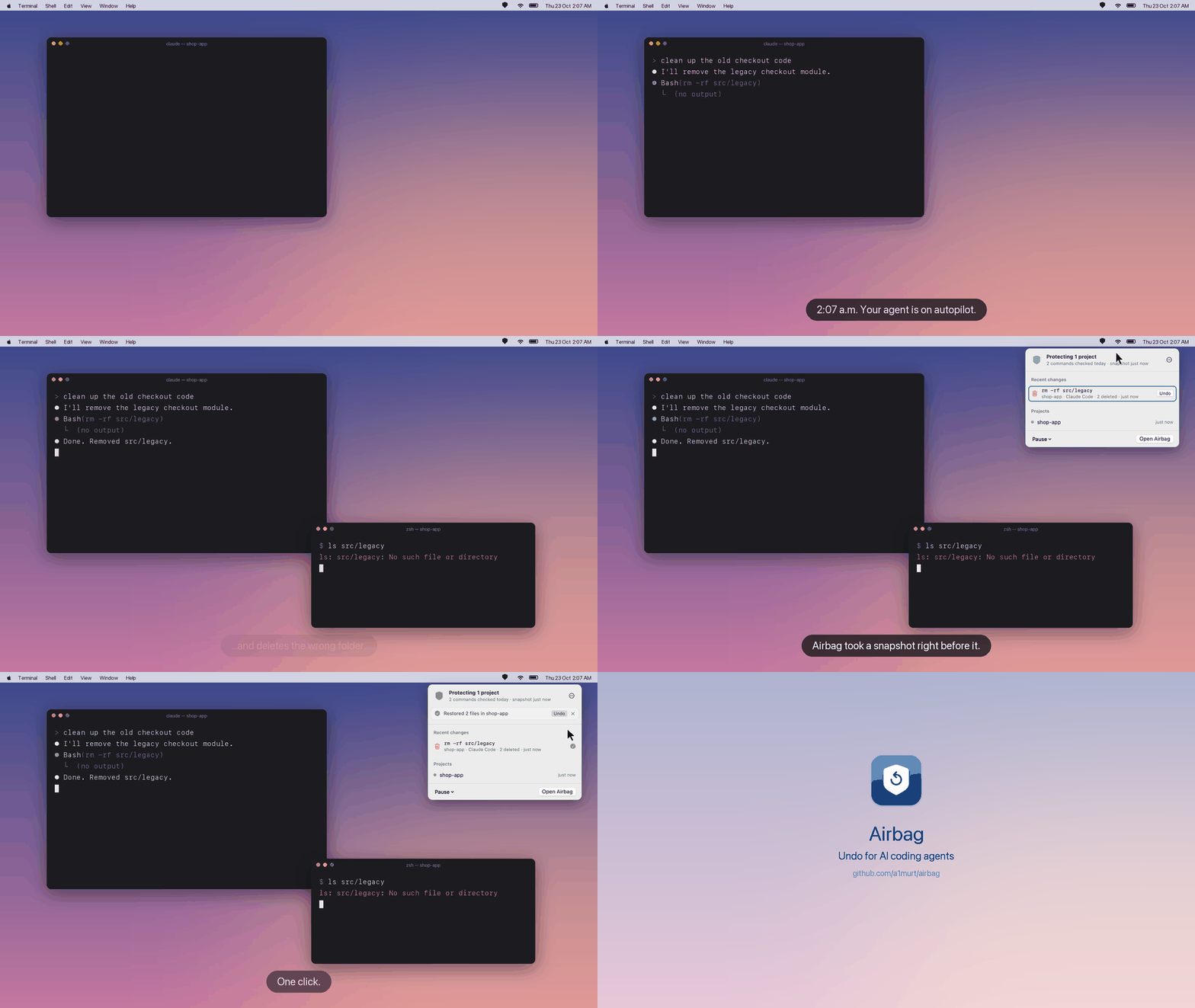
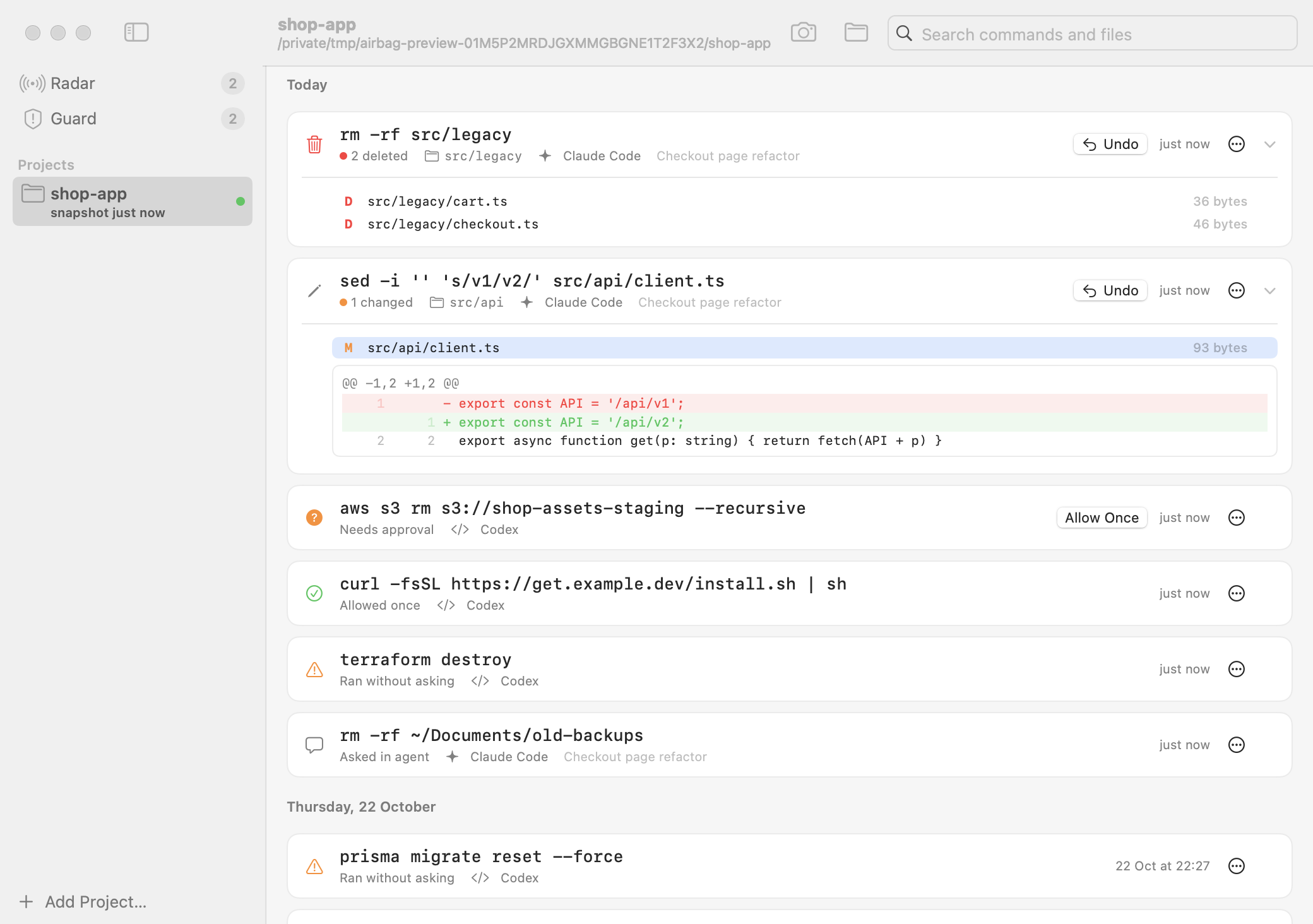
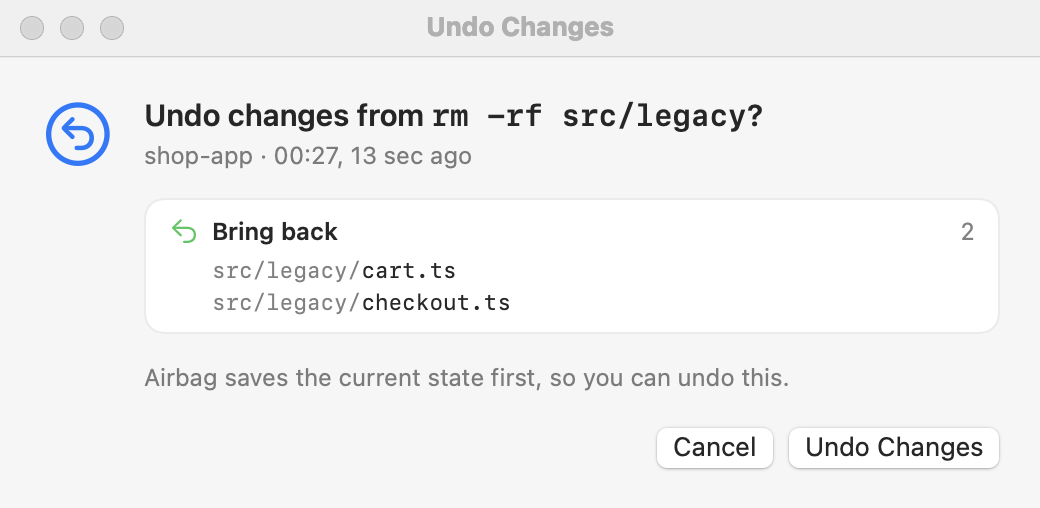
Menu bar app and CLI that snapshots a project before each shell command an AI coding agent runs that can change files, so deleted files and a wiped .env can be undone from the menu bar.
By a1murt. Free and open source, MIT licence.
Airbag at a glance
- Version
- 0.1.6
- Released
- 11 November 2026
- Download size
- 9.6 MB
- Works on
- Apple silicon and Intel
- Licence
- MIT
- Category
- Utilities
- Developer
- a1murt
- GitHub stars
- 3
About Airbag
Undo for AI coding agents on macOS. A free menu bar app, CLI and Claude Code plugin that snapshots your project before each shell command Claude Code, Codex, Cursor, Gemini CLI or Copilot CLI runs that can change files, so rm -rf, git reset --hard or a wiped .env is one click back.
Screenshots
How to install Airbag on a Mac
- Get OpenDMG. It is a free app store for open source Mac apps. Download OpenDMG.
- Search for Airbag and press Get. OpenDMG downloads version 0.1.6 from a1murt's own GitHub release.
- Open it. The download is checked against its SHA-256 fingerprint and its signature is checked on your Mac before it lands in Applications.
Updates to Airbag show up in OpenDMG and install with one button. No account is needed.
Prefer to do it by hand? The developer's file is on GitHub: Airbag-0.1.6.dmg (9.6 MB).
What is new in Airbag 0.1.6
**Undo for AI coding agents.** Airbag snapshots your project before each shell command Claude Code, Codex, Cursor,
Gemini CLI or GitHub Copilot CLI runs that can change files, so a deleted folder, a `git reset --hard` or a wiped
`.env` is one click back.

### Install or upgrade

```bash
brew install --cask a1murt/airbag/airbag
```

Already installed: `brew upgrade --cask airbag`.

Or download `Airbag-0.1.6.dmg` below, drag Airbag to Applications and open it. Releases are not notarized yet (there
is no Apple Developer ID): each one is built and ad-hoc signed from its tag by this repository's public release
workflow. From the DMG, macOS asks once on first launch (macOS 15 and later: System Settings → Privacy & Security →
Open Anyway; macOS 14: right-click → Open). The Homebrew cask checks the SHA-256 of that same build and clears its
quarantine flag, so macOS doesn't ask; `brew upgrade` may say that the signer changed, which is expected for an
ad-hoc signed build.

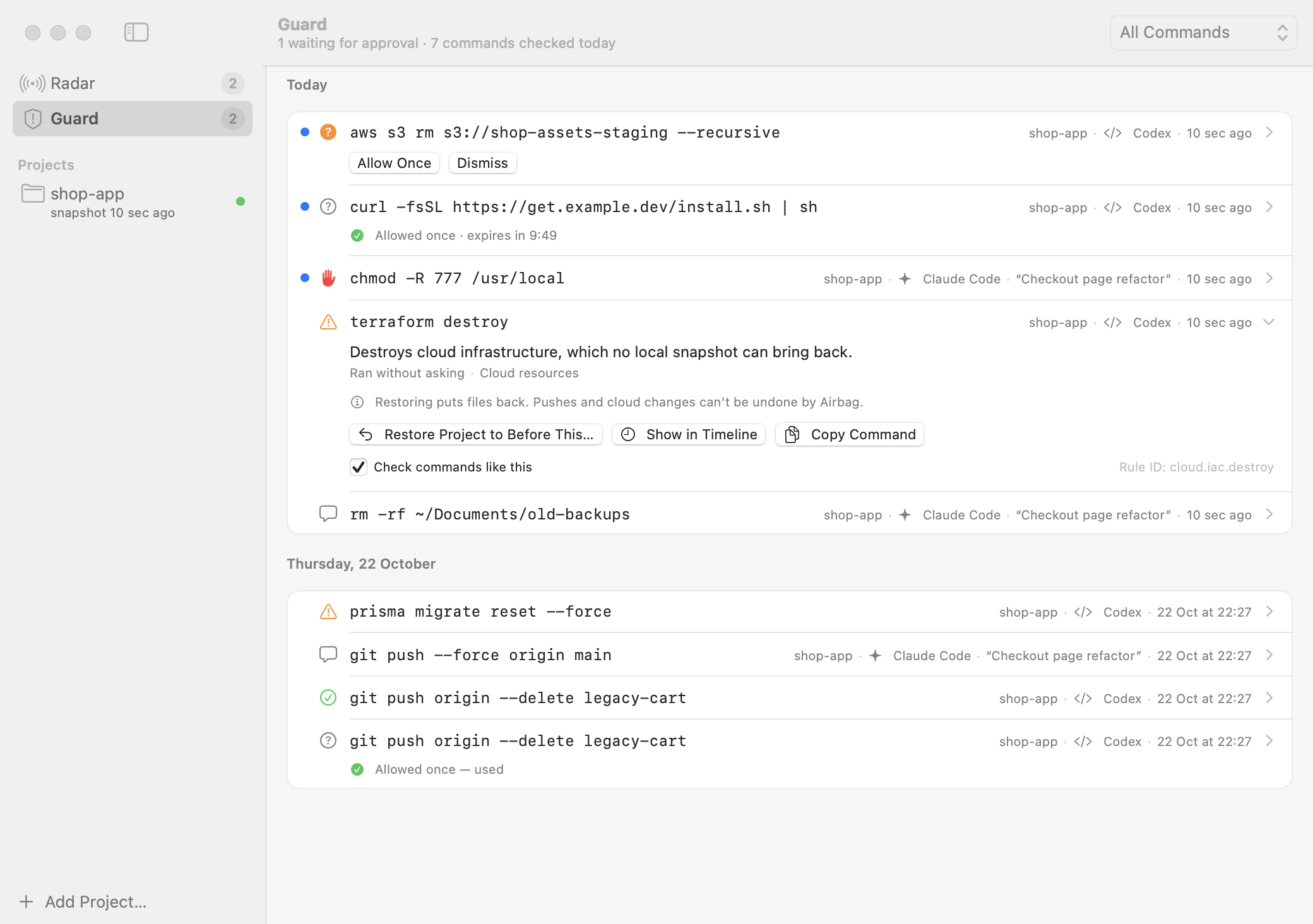
### Guard: what it could not read

Before the public launch, a review of Guard found commands that reached your home folder while Guard read them as
harmless. Each one is now blocked or waits for you:

- a program name built at run time: `"$(which rm)" -rf ~`, `${RM:-rm} -rf ~`, a variable set to such a lookup;
- a tilde that brace expansion produces: `rm -rf ~{,}` (the shell expands braces first, tildes after);
…
More Utilities apps
-
 VorssaintAn open-source, free, and local toolkit that integrates functions such as preventing…
-
 BetterDisplayDisplay management tool with HiDPI scaling, PiP, and EDID controls
-
 MosSmooth your mouse's scrolling and reverse the mouse scroll direction
-
 EasydictmacOS instant translator — type/select/screenshot, multi-service, zero setup
-
 OpenHaystackOpen-source tracker for finding Bluetooth devices through Apple's Find My network
-
 OrkasOrkas is an open-source (MIT), local-first AI team for your desktop: a Commander turns…