

AI Memory Reader for Mac
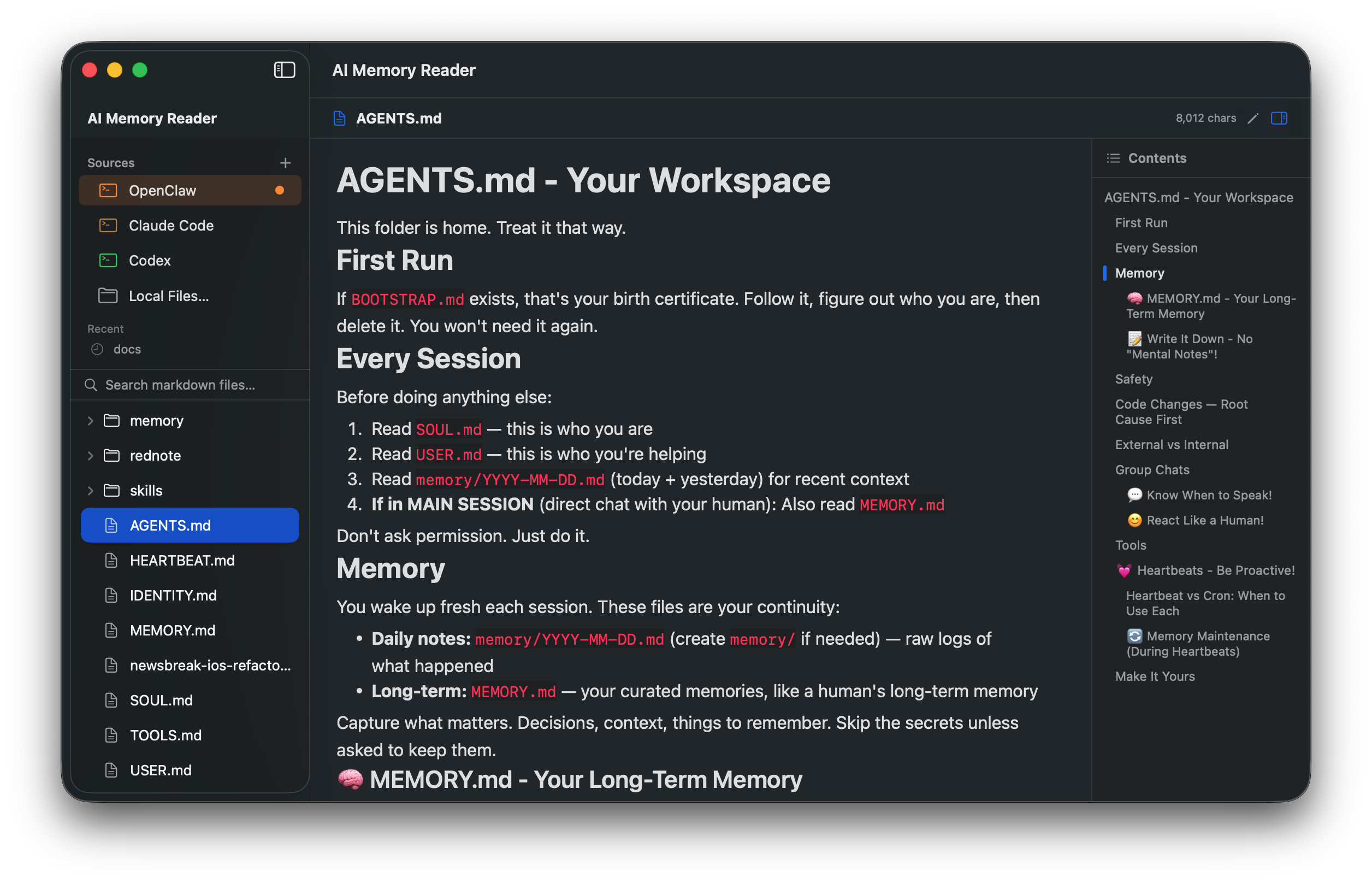
Browser and editor for AI agent memory files, with beautiful rendering and support for Claude Code, Codex, Cursor, Gemini, and more.
By nvwalj. Free and open source.
AI Memory Reader at a glance
- Version
- 0.5.4
- Released
- 16 August 2026
- Download size
- 3.6 MB
- Works on
- Apple silicon and Intel
- Category
- Artificial Intelligence
- Developer
- nvwalj
- GitHub stars
- 46
About AI Memory Reader
The native macOS & iOS app for browsing AI agent memory files — Claude Code, OpenClaw, Codex, Cursor, Gemini
Screenshots

How to install AI Memory Reader on a Mac
- Get OpenDMG. It is a free app store for open source Mac apps. Download OpenDMG.
- Search for AI Memory Reader and press Get. OpenDMG downloads version 0.5.4 from nvwalj's own GitHub release.
- Open it. The download is checked against its SHA-256 fingerprint and its signature is checked on your Mac before it lands in Applications.
Updates to AI Memory Reader show up in OpenDMG and install with one button. No account is needed.
Prefer to do it by hand? The developer's file is on GitHub: AIMemoryReader.zip (3.6 MB).
What is new in AI Memory Reader 0.5.4
## Added

- **Links to other local files now open in the reader.** Click `[User profile](user_profile.md)`, `../CLAUDE.md`, `notes/2026-08-10.md`, an absolute path or a `~/` path, and it opens in place and gets selected in the sidebar. Before, the link was handed to the system, which bounced you out to whatever app owns `.md` — for a tool whose whole subject is a folder of cross-referenced memory files, that was the one gesture that mattered most leaving the app.
- **`[[wiki links]]` are clickable.** Claude's memory files cross-reference each other with `[[name]]`, and Obsidian vaults use the same syntax; CommonMark has no notion of it, so both used to render as dead brackets. `[[target|label]]` works too. The expansion is display-only — edit mode still shows the file's real text.
- **Wiki links resolve even when the slug doesn't match the filename.** Claude writes `[[user-profile]]` for a file stored as `user_profile.md` — that's the frontmatter name, not the filename. Separators and case are ignored when matching, and a bare `[[notes]]` finds `notes.md`.
- **Heading anchors.** `#heading` jumps within the file; `file.md#heading` jumps to a heading in another file. Anchors are matched the way GitHub slugifies headings, so links written for a GitHub README land in the right place here.
…
More Artificial Intelligence apps
-
 CodexBarShow usage stats for OpenAI Codex and Claude Code, without having to login
-
 CodeBurnTracks token usage, cost, and performance across 25 AI agents with per-task breakdowns
-
 OsaurusLocal LLM server and AI infrastructure with menu bar, CLI, and shared tools
-
 QuotioAI subscription manager with quota tracking and automatic failover
-
 Claude Usage TrackerTrack the usage of Claude Code
-
 VibeProxyMenu bar app to use existing Claude, ChatGPT, and other subscriptions with AI coding…