YouTube Downloader for macOS for Mac
YouTube video downloader from the menu bar.
By DenBeke. Free and open source.
YouTube Downloader for macOS at a glance
- Version
- 0.23
- Released
- 25 September 2025
- Download size
- 39 MB
- Works on
- Apple silicon and Intel
- Category
- Internet and Networking
- Developer
- DenBeke
- GitHub stars
- 602
About YouTube Downloader for macOS
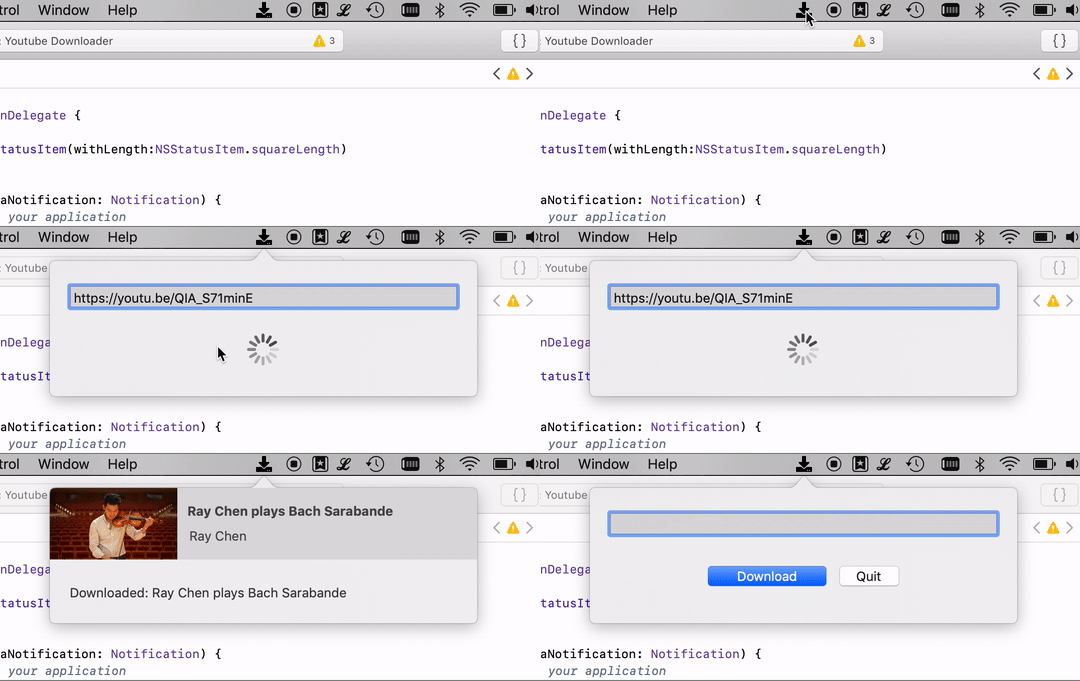
Simple menu bar app to download YouTube movies on your Mac
Screenshots
How to install YouTube Downloader for macOS on a Mac
- Get OpenDMG. It is a free app store for open source Mac apps. Download OpenDMG.
- Search for YouTube Downloader for macOS and press Get. OpenDMG downloads version 0.23 from DenBeke's own GitHub release.
- Open it. The download is checked against its SHA-256 fingerprint and its signature is checked on your Mac before it lands in Applications.
Updates to YouTube Downloader for macOS show up in OpenDMG and install with one button. No account is needed.
Prefer to do it by hand? The developer's file is on GitHub: Youtube.Downloader.zip (39 MB).
What is new in YouTube Downloader for macOS 0.23
Updated yt-dlp to `2025.09.23`

If you cannot open the app because of 'unidentified developer': Right click on the app and then select '_Open_'. A dialog will appear. Click again on '_Open_'. From now on you can always open the app without needing to right click on it. More info: [Apple Support](https://support.apple.com/kb/PH25088)

If you're on macOS Sequoia or newer this might not work anymore. Either go to '_System Settings_', '_Privacy & Security_' to allow the app.
Or do it in Terminal:
```bash
sudo xattr -r -d com.apple.quarantine /Applications/Youtube\ Downloader.app/
```