
Tethersnap for Mac
Export Nintendo Switch 2 screenshots and videos over USB, with both an app and a CLI.
By Luminoid. Free and open source, MIT licence.
Tethersnap at a glance
- Version
- 0.2.0
- Released
- 1 September 2026
- Download size
- 1.5 MB
- Works on
- Apple silicon and Intel
- Licence
- MIT
- Category
- Internet and Networking
- Developer
- Luminoid
- GitHub stars
- 8
About Tethersnap
Export Nintendo Switch 2 screenshots and videos to your Mac over USB. Baseline-PTP initiator over IOUSBHost: SwiftUI app + CLI.
Screenshots
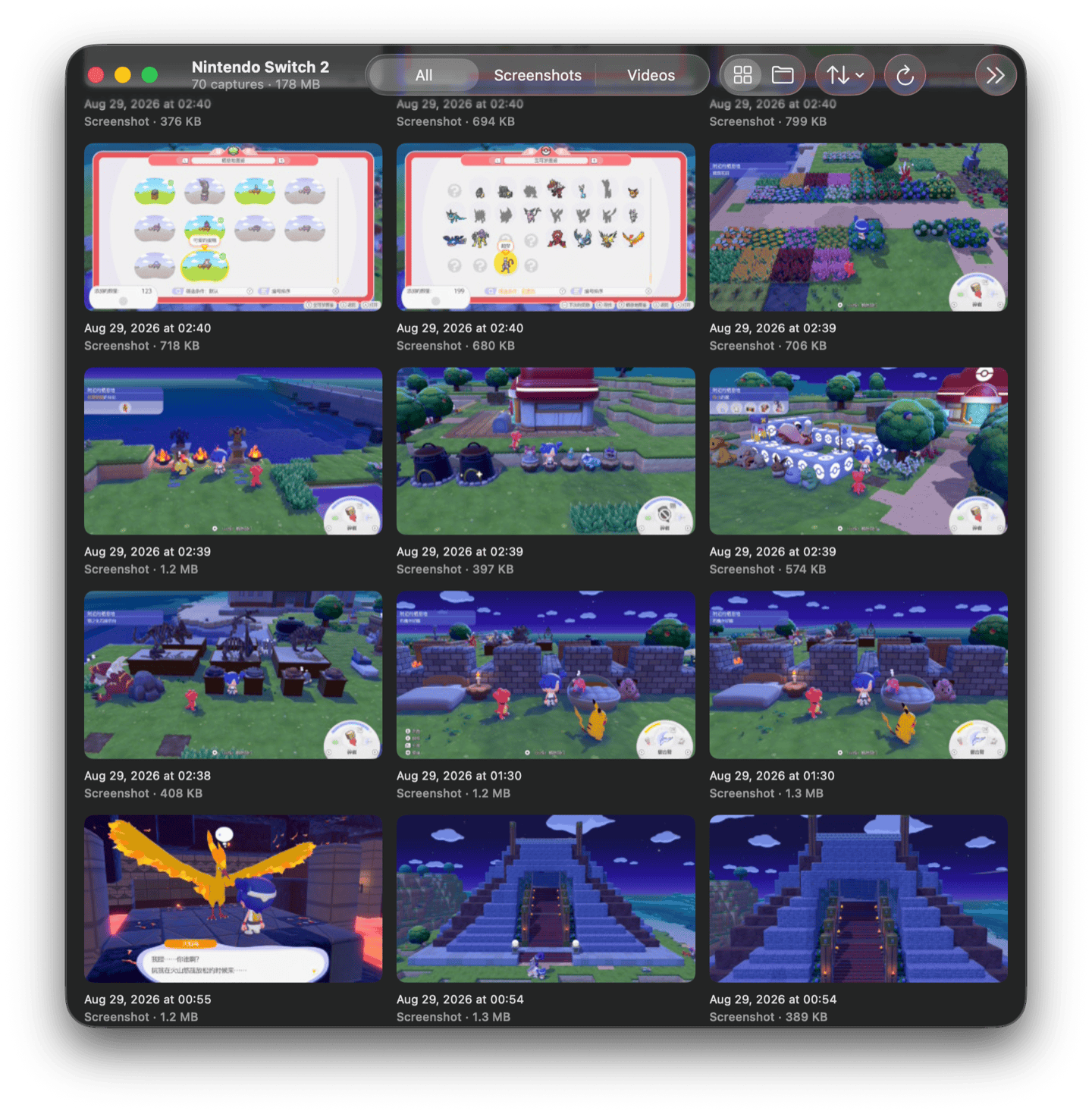
How to install Tethersnap on a Mac
- Get OpenDMG. It is a free app store for open source Mac apps. Download OpenDMG.
- Search for Tethersnap and press Get. OpenDMG downloads version 0.2.0 from Luminoid's own GitHub release.
- Open it. The download is checked against its SHA-256 fingerprint and its signature is checked on your Mac before it lands in Applications.
Updates to Tethersnap show up in OpenDMG and install with one button. No account is needed.
Prefer to do it by hand? The developer's file is on GitHub: Tethersnap-0.2.0.dmg (1.5 MB).
What is new in Tethersnap 0.2.0
The app now always states what it currently sees.

## Changes

- Status chip at the bottom-trailing corner of every screen, stating the current connection state (e.g. "No console detected on USB").
- Wider grid margins.

## Install

Download the DMG, drag Tethersnap to Applications. Signed and notarized; Gatekeeper opens it without warnings.

On the console: System Settings > Data Management > Manage Screenshots and Videos > Copy to PC via USB, connected from the console's bottom USB-C port (not the dock) with a full-data cable.

SHA-256: `05aeee76c35ad702846b4809f0719999a8dcf1bfa5ec031479aa1c3af685f5f3`

Tethersnap is an independent open-source project, not affiliated with, endorsed, or sponsored by Nintendo.