
Profiley for Mac
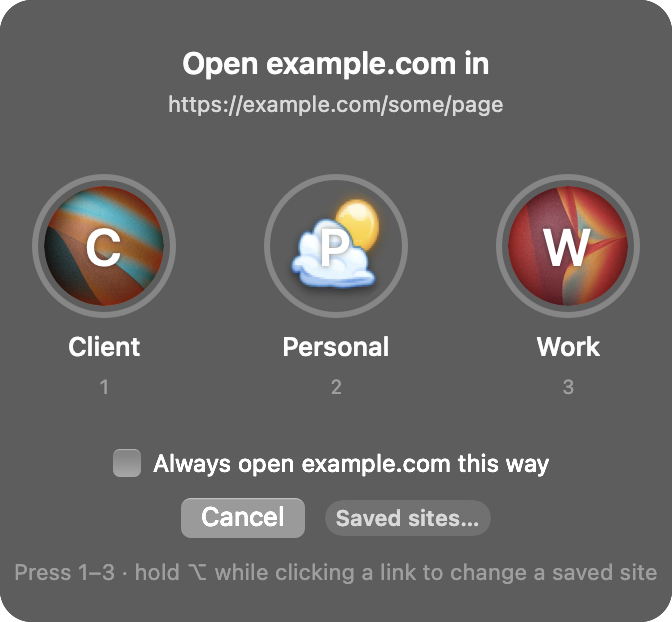
Routes links to saved browser profiles or prompts you to choose.
By kamal0808. Free and open source, MIT licence.
Profiley at a glance
- Version
- 1.12
- Released
- 11 November 2026
- Download size
- 271 KB
- Works on
- Apple silicon and Intel
- Licence
- MIT
- Category
- Internet and Networking
- Developer
- kamal0808
- GitHub stars
- 1
About Profiley
Pick a browser profile for each link on macOS, and remember it per site. Works with Finicky, Comet and Chrome.
Screenshots
How to install Profiley on a Mac
- Get OpenDMG. It is a free app store for open source Mac apps. Download OpenDMG.
- Search for Profiley and press Get. OpenDMG downloads version 1.12 from kamal0808's own GitHub release.
- Open it. The download is checked against its SHA-256 fingerprint and its signature is checked on your Mac before it lands in Applications.
Updates to Profiley show up in OpenDMG and install with one button. No account is needed.
Prefer to do it by hand? The developer's file is on GitHub: Profiley.zip (271 KB).
What is new in Profiley 1.12
The popup now shows which app opened the link, like **from Slack** with its icon.

Want every link from an app in one profile? Tick **Always open**, pick **links from Slack** (or whichever app) and click the profile. A saved site or link still wins over an app rule, and app rules show up in **Saved sites**, where you can change or remove them.