
Lilo for Mac
A lightweight, privacy-focused web browser for macOS.
By Alexays. Free and open source, MIT licence.
Lilo at a glance
- Version
- 0.21.0
- Released
- 10 November 2026
- Download size
- 34 MB
- Works on
- Apple silicon and Intel
- Licence
- MIT
- Category
- Internet and Networking
- Developer
- Alexays
- GitHub stars
- 58
About Lilo
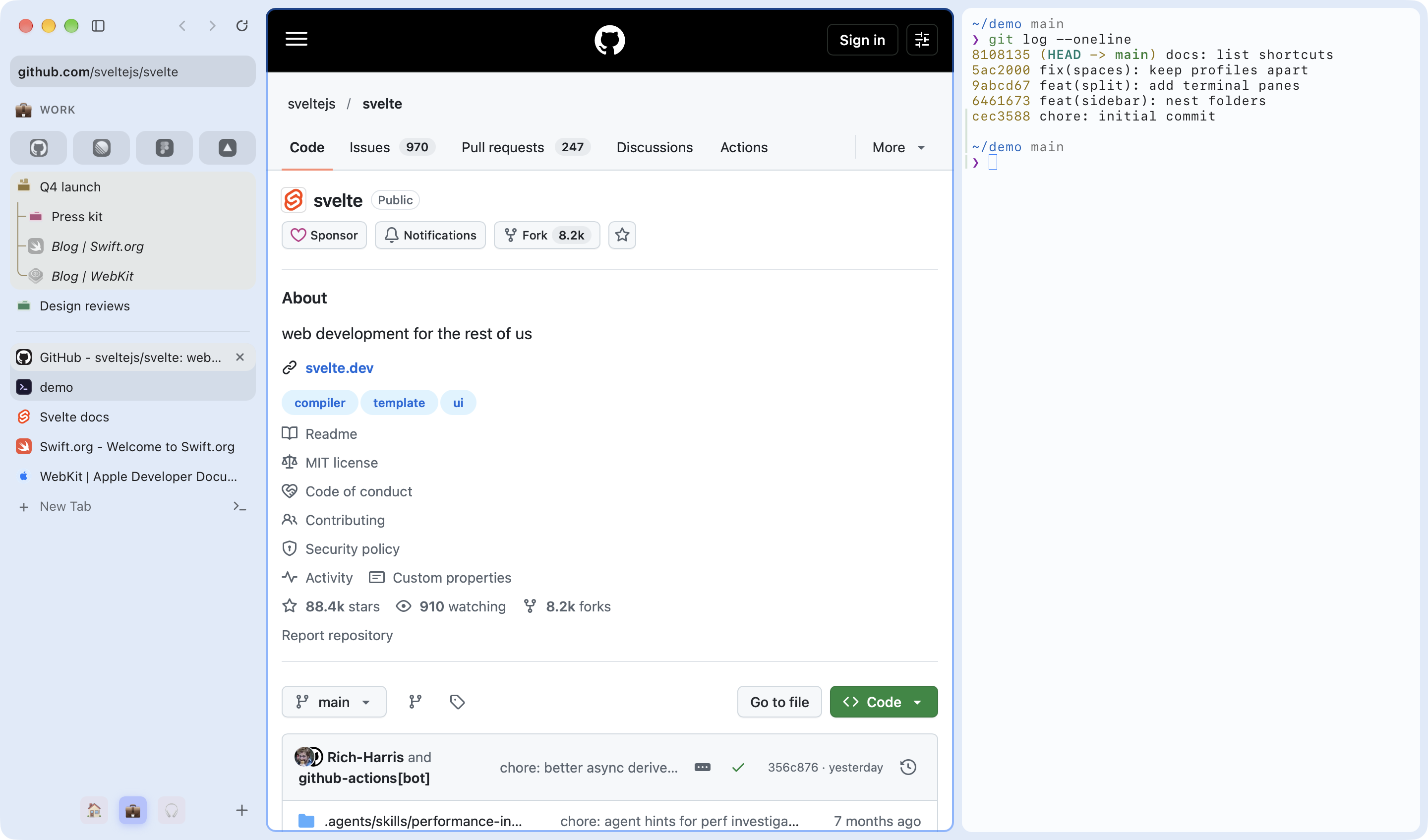
A Mac browser on WebKit, not another Chromium, that still runs Chrome extensions. Arc-style Spaces, terminal tabs, and a built-in MCP server so your AI agents browse beside you. MIT, no account.
Screenshots
How to install Lilo on a Mac
- Get OpenDMG. It is a free app store for open source Mac apps. Download OpenDMG.
- Search for Lilo and press Get. OpenDMG downloads version 0.21.0 from Alexays's own GitHub release.
- Open it. The download is checked against its SHA-256 fingerprint and its signature is checked on your Mac before it lands in Applications.
Updates to Lilo show up in OpenDMG and install with one button. No account is needed.
Prefer to do it by hand? The developer's file is on GitHub: Lilo.dmg (34 MB).
What is new in Lilo 0.21.0
## [0.21.0] - 2026-11-10

### Added

- Agents can wait for a tab's URL or for an element by role and name, and filling a field tells them what it holds afterwards
- A site's notification can open its page in a new tab when clicked (clients.openWindow from a service worker)
- AppleScript: a window gives the name of its current Space and of that Space's profile, both empty for a private Space

### Changed

- The sidebar's scrollbar takes on the Space's color instead of a flat grey
- Lilo's own interface uses about 125 MB less memory per window
- Translating a page now also covers placeholders, tooltips, image descriptions, button labels and the text inside web components, starts with what is on screen, and leaves alone the passages already in your language

### Fixed

- Agents no longer see what a password, card number or one-time code field holds when they read a page
- Going back or forward to a page that manages its own scrolling returns to where you left it instead of the top
- Live video no longer hitches each time its player finishes catching up with the stream
- Extension pages and side panels show a streamed reply, such as an AI assistant's answer, as it arrives instead of all at once at the end
- An extension's background worker now finds the extension's open pages (popup, side panel, tabs) with clients.matchAll()
…