
Browseroute for Mac
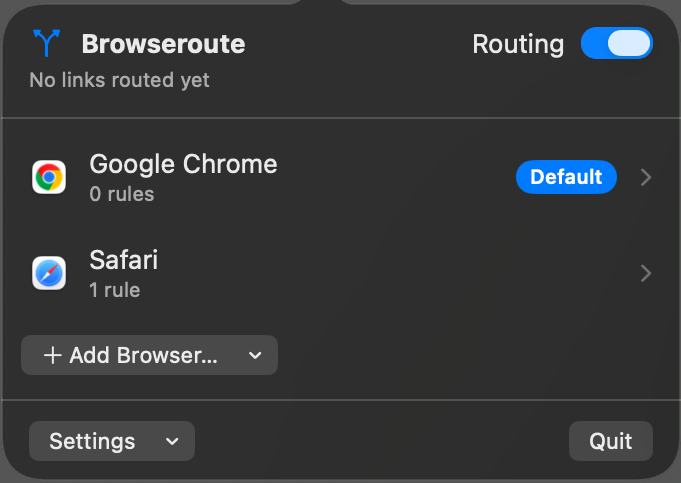
Acts as the default browser and sends each link to a chosen browser using host and path rules.
By TerrifiedBug. Free and open source, MIT licence.
Browseroute at a glance
- Version
- 0.2.0
- Released
- 7 September 2026
- Download size
- 1.5 MB
- Works on
- Apple silicon and Intel
- Licence
- MIT
- Category
- Internet and Networking
- Developer
- TerrifiedBug
- GitHub stars
- 11
About Browseroute
Route each macOS link to the browser you choose
Screenshots
How to install Browseroute on a Mac
- Get OpenDMG. It is a free app store for open source Mac apps. Download OpenDMG.
- Search for Browseroute and press Get. OpenDMG downloads version 0.2.0 from TerrifiedBug's own GitHub release.
- Open it. The download is checked against its SHA-256 fingerprint and its signature is checked on your Mac before it lands in Applications.
Updates to Browseroute show up in OpenDMG and install with one button. No account is needed.
Prefer to do it by hand? The developer's file is on GitHub: Browseroute-0.2.0.zip (1.5 MB).
What is new in Browseroute 0.2.0
## What's Changed
* fix: drop deprecated depends_on macos string in the cask by @TerrifiedBug in https://github.com/TerrifiedBug/browseroute/pull/11
* feat: route files, other schemes, and batches instead of dropping them by @TerrifiedBug in https://github.com/TerrifiedBug/browseroute/pull/12

**Full Changelog**: https://github.com/TerrifiedBug/browseroute/compare/v0.1.0...v0.2.0